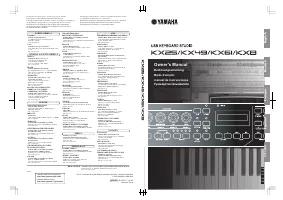
Yamaha MOX8 - Manual

Yamaha MOX8 Synthesizer – Manual, read for free online in PDF format. We hope this helps you resolve any issues you may have. If you have further questions, please contact us through the contact form.


Table of Contents:
- Page 2 – Data structure of the MOX6/MOX8 Remote Editor; File; Edit window
- Page 3 – Operation flow from starting the application to; Start the MOX6/MOX8 Remote Editor with the following operations.
- Page 4 – Select “Setup” from the [File] menu to call up the Setup window.
- Page 5 – Click
- Page 6 – MOX6/MOX8 Remote Editor Windows; Always on Top button; Turning this button (; ONLINE indicator; Calls up the Library window (; File Name; Displays the file name including the current edited Template.
- Page 7 – mark; Shows the Editing status of the Control Template or Bank. The; Control Template Selection box; -2 Function Assignment boxes; Controller Setting section; Edit section. There; Control Parameter
- Page 8 – Display Name; Display Format; Detail button
- Page 9 – Library window; Control Template List in the File; Control Template List of the Current Bank, then click the; Control Template List of the Current Bank
- Page 11 – Setup; • MIDI Port; Specify the DAW software you are currently using here.; VSTi Database; This menu consists of the following two menus.
- Page 12 – Copies the selected data to the clipboard.
- Page 13 – Troubleshooting; VSTi; Computer
- Page 14 – Make sure to set the MOX6/MOX8 instrument to the Remote mode. (
MOX6/MOX8 Remote Editor
Owner’s Manual
MOX6/MOX8 Remote Editor
Owner’s Manual
Contents
.......................................................................... 1
What is the MOX6/MOX8 Remote Editor?
................................ 2
Data structure of the MOX6/MOX8 Remote Editor
Operation flow from starting the application to closing it
MOX6/MOX8 Remote Editor Windows
...................................... 6
....................................................................... 13
Special Notices
•
Copying of the commercially available music sequence data and/or digital audio files is strictly prohibited except for your
personal use.
•
The software and this owner’s manual are exclusive copyrights of Yamaha Corporation.
•
Copying of the software or reproduction of this manual in whole or in part by any means is expressly forbidden without
the written consent of the manufacturer.
•
Yamaha makes no representations or warranties with regard to the use of the software and documentation and cannot
be held responsible for the results of the use of this manual and the software.
•
The screen displays as illustrated in this Owner’s Manual are for instructional purposes, and may appear somewhat
different from the screens which appear on your computer.
•
Windows is the registered trademarks of Microsoft
®
Corporation.
•
Apple, Mac and Macintosh are trademarks of Apple Inc., registered in the U.S. and other countries.
•
Steinberg and Cubase are the registered trademarks of Steinberg Media Technologies GmbH.
•
The company names and product names in this Owner’s Manual are the trademarks or registered trademarks of their
respective companies.
This owner’s manual assumes that you are already familiar with basic Windows/Mac operations. If you are not,
please refer to the owner’s manual which came with your Windows/Mac software before using the MOX6/MOX8
Remote Editor.
For information about hardware requirements, the interconnection of devices and the installation of the MOX6/MOX8
Remote Editor software, refer to the separate Installation Manual as well as the Owner’s Manual for the respective
MIDI device.
"Loading the manual" means you need to wait until the file loads and becomes available for online reading. Some manuals are very large, and the time they take to appear depends on your internet speed.
Was this manual helpful?
About this manual
- Brand
- Yamaha
- Model
- MOX8
- Document type
- Manual
- Category
- Synthesizer
- Language(s)
- English
- Pages
- 14
- File size
- 909.4 KB
- Format
Summary
What is the MOX6/MOX8 Remote Editor? MOX6/MOX8 Remote Editor Owner’s Manual 2 What is the MOX6/MOX8 Remote Editor? MOX6/MOX8 Remote Editor is a convenient tool which lets you edit/create Control Templates for the MOX6/ MOX8 Music Synthesizer. These Control Templates let you assign the appropriate fu...
Operation flow from starting the application to closing it MOX6/MOX8 Remote Editor Owner’s Manual 3 Operation flow from starting the application to closing it The MOX6/MOX8 Remote Editor is a software contained in the MOX6/MOX8 Remote Tools. After installing the MOX6/MOX8 Remote Editor and related a...
Operation flow from starting the application to closing it MOX6/MOX8 Remote Editor Owner’s Manual 4 After transfer has been successfully completed, the Edit window appears. n If data transfer in the Auto Sync window fails even when the MOX6/MOX8 and computer are connected properly, make sure to set ...