Page 2 - A Living Tradition in Sound
2 En A Living Tradition in Sound A piano comes into this world through the perfect synergy of advanced technical skill and artistry. Such a piano can create sound that truly reflects the player’s feelings. The final stage in piano production is called “voicing”. It is here that the instrument is giv...
Page 3 - Excellence in Audio Achievement; English
3 En NP-S2000 Soavo-1 NS-10M A-S3000 CD-S3000 NS-20 CA-1000 NS-690 B-1 PX-2 C-2 NS-1000M A-1 B-6 B-2x MX-10000 CX-10000 Excellence in Audio Achievement First HiFi System introduced in 1920 We introduced numerous HiFi components (turntables, FM/AM tuners, integrated amplifiers, preamplifiers, power a...
Page 4 - Supplied accessories
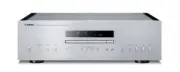
4 En ◆ Full-stage balanced signal transmission beginning with the DAC achieves the ultimate in CD reproduction ◆ Independent power supplies with digital and analog completely separated ◆ Exclusive Yamaha loading mechanism and high precision CD drive ◆ Left-right symmetrical design with rigid, stable...
Page 5 - Controls and
CONTROLS AND FUNCTIONS 5 En Controls and functions In this chapter, you will learn the controls and functions of CD-S2100.
Page 6 - Controls and functions; Notes
6 En Controls and functions ■ Front panel (pages 6 to 9) 1 STANDBY/ON, OFF switch Turns on or off this unit. STANDBY/ON (upper position): In this position, you can select STANDBY or ON, using the p CD key on the remote control. OFF (lower position): The power of this unit is turned off. • When you t...
Page 7 - Allows you to enjoy high audio quality.; Lights when the PURE DIRECT mode is turned on.
7 En 3 PURE DIRECT key Allows you to enjoy high audio quality. y • Press this key again to turn off the PURE DIRECT mode.• This setting is retained even if you turn off this unit. When PURE DIRECT is on:• The audio signals are output only from the BALANCED OUT jacks and the ANALOG OUT jacks. • The f...
Page 9 - Disc tray; Opens or closes the disc tray.; Pauses playback. Press the
9 En F Disc tray Loads a disc. G (Open/Close) key Opens or closes the disc tray. y The disc tray also closes automatically when you press: • the (Play) key on the front panel or on the remote control. • the front edge of the disc tray gently.• a numeric button on the remote control. H (Skip/Search b...
Page 10 - Rear panel; See page 18 for connection information.; Note
10 En Controls and functions ■ Rear panel 1 BALANCED OUT jacks (male) 2 ANALOG OUT jacks 3 DIGITAL IN USB jack (Type B) 4 DIGITAL IN OPTICAL jack 5 DIGITAL IN COAXIAL jack 6 DIGITAL OUT OPTICAL jack 7 DIGITAL OUT COAXIAL jack While playing the SA-CD layer, the audio signals are output only from the ...
Page 11 - AC IN inlet; Caution
11 En 0 AC IN inlet Use this inlet to plug in the supplied power cable.See page 20 for connection information. A Foot The feet of this unit include built-in spikes. Using the spikes can reduce the effect of vibrations on the set. When using the spikes, remove the transport tape, then remove the magn...
Page 12 - Remote control; Sends infrared signals to this unit.; Use to select a track directly.; Repeat playback is cancelled.
12 En Controls and functions ■ Remote control 1 Infrared signal transmitter Sends infrared signals to this unit. 2 p CD key Turns this unit ON or switches it to STANDBY mode.For details on STANDBY, see “Front panel” (page 6). 3 OPEN/CLOSE key Opens or closes the disc tray. 4 p AMP key Turns the Yama...
Page 14 - Program playback; Press PROGRAM while playback is stopped.; This unit is set to the program editing mode.; Repeat step 2 to program the next track.; You can program up to 24 tracks.; Press the; “NO DISC” appears on the information display.; Press and hold the
14 En Controls and functions ■ Program playback In the program playback mode, you can play back tracks in a programmed sequence. 1 Press PROGRAM while playback is stopped. This unit is set to the program editing mode. 2 Select a track by using the numeric buttons and press ENTER. 3 Repeat step 2 to ...
Page 15 - Select the DPLL bandwidth using the; Each time the; Lowest
15 En ■ Setting the DPLL (Digital Phased Lock Loop) bandwidth The audio DAC (ES9016) of this unit employs DPLL to generate accurate clock signals synchronized with the clock of the input digital audio signal. The 7-step DPLL bandwidth setting gives the unit tolerance for fluctuation of the clock of ...
Page 16 - Installing batteries in the remote control; Remove the battery compartment cover.; Operating range of the remote control
16 En Controls and functions ■ Installing batteries in the remote control 1 Remove the battery compartment cover. 2 Insert the two batteries (AAA, R03, UM-4) according to the polarity markings (+ and -) on the inside of the battery compartment. 3 Reinstall the battery compartment cover. ■ Operating ...
Page 17 - Connections
Connections In this section, you will make connections between CD-S2100 and your amplifier.
Page 20 - Connecting the power cable
20 En CONNECTIONS Connections ■ Connecting to the BALANCED OUT jacks Connect your amplifier with the XLR balanced input jacks. The pin assignments for these jacks are shown below. Refer to the owner’s manual supplied with your amplifier and verify that its XLR balanced input jacks are compatible wit...
Page 21 - Operating this unit from another room
21 En CONNECTIONS ■ Operating this unit from another room If you connect an infrared receiver and transmitter to the REMOTE IN/OUT jacks of this unit, you can operate the unit and/or external component using the supplied remote control located in another room. ■ Remote connection between Yamaha comp...
Page 22 - Playback of music files stored on a PC; Supported operating systems; Control Panel
22 En CONNECTIONS Playback of music files stored on a PC When a PC is connected to the USB jack of this unit, the unit functions as a USB DAC, enabling music files stored on the PC to be played via an amplifier connected to the unit. ■ Supported operating systems The USB connection with this unit is...
Page 23 - Adjusting the sound volume
23 En CONNECTIONS ■ Playing back music files stored on the PC 1 Connect the PC to this unit, using a USB cable. 2 Turn on the PC. 3 Turn this unit on by pressing the STANDBY/ON, OFF switch on the front panel. 4 Select “USB,” using the SOURCE key. 5 Set the audio output destination of the PC to “Yama...
Page 25 - Specifications
Specifications In this section, you will find technical specifications for CD-S2100.
Page 26 - AUDIO SECTION; Use of Yamaha; Other finish
26 En SPECIFICATIONS n Specifications AUDIO SECTION • Frequency Response (1 kHz, 0 dB) SA-CD ..................................................... 2 Hz to 50 kHz (–3 dB)CD ......................................................................... 2 Hz to 20 kHz • Playback Frequency Range ...............
Page 27 - Playable disc format; Supported disc types; Super Audio CD; To prevent a malfunction of this unit:
27 En SPECIFICATIONS Playable disc format ■ Supported disc types This unit is designed to play back compact discs bearing the marks shown below. Never attempt to load any other types of discs into this unit. This unit can also play back 8-cm (3-inch) compact discs. Super Audio CD Audio format based ...
Page 28 - About MP3 and WMA discs; WMA; Handling compact discs
28 En SPECIFICATIONS Playable disc format ■ About MP3 and WMA discs You can play back MP3 and WMA files recorded on a CD-R or CD-RW with similar uses as a music CD. MP3 MP3 (MPEG-1 Audio Layer-3) is a standard technology and format for compressing an audio sequence into a small-sized file. However, ...
Page 29 - Troubleshooting
29 En SPECIFICATIONS Troubleshooting Refer to the chart below if this unit does not function properly. If the problem you are experiencing is not listed below or if the instructions below do not help, turn off this unit, disconnect the power cable, and contact the nearest authorized Yamaha dealer or...
Page 30 - On USB connection
30 En SPECIFICATIONS Troubleshooting ■ On USB connection Problem Cause Remedy See page Noise from a nearby tuner. The tuner is too close to this unit. Move the tuner and this unit farther apart. — Noise from inside of the disc tray. The disc may be warped. Replace the disc. 28 No sound from the comp...
Page 31 - Messages on the information display
31 En SPECIFICATIONS ■ Messages on the information display Message Status NO DISC No disc is set on the disc tray. Check Cable The dedicated “Yamaha Steinberg USB Driver” has not been installed correctly. Or, the audio output of the computer has not been set to “Yamaha CD Player.” Check PC The audio...
Page 32 - Faire vivre la tradition du son
2 Fr Faire vivre la tradition du son Un piano vient au monde grâce à la synergie parfaite entre une expertise technique avancée et des talents artistiques. Un tel piano peut créer un son qui reflète vraiment les sentiments de l’interprète. L’étape finale de la production d’un piano est appelée « har...
Page 33 - anç; L’excellence dans l’accomplissement audio
3 Fr NP-S2000 Soavo-1 NS-10M A-S3000 CD-S3000 NS-20 CA-1000 NS-690 B-1 PX-2 C-2 NS-1000M A-1 B-6 B-2x MX-10000 CX-10000 Premier Système Hi-Fi introduit en 1920 Nous avons introduit de nombreux composants Hi-Fi (tourne-disques, tuners FM/AM, amplificateurs intégrés, préamplis, amplificateurs de puiss...
Page 34 - Son direct pur; Accessoires fournis; BROCHURE SUR LA SÉCURITÉ; À propos de ce manuel; Table des matières
4 Fr ◆ Transmission symétrique du signal sur tous les étages à partir du convertisseur N/A pour une reproduction exceptionnelle des CD ◆ Sources d’alimentation indépendantes avec numérique et analogique complètement séparés ◆ Mécanisme de chargement exclusif de Yamaha et lecteur de CD haute précisio...
Page 35 - Commandes et; Ce chapitre décrit les commandes et fonctions du CD-S2100.
COMMANDES ET FONCTIONS 5 Fr Commandes et fonctions Ce chapitre décrit les commandes et fonctions du CD-S2100.
Page 36 - Commandes et fonctions; Fortement allumé; Remarques
6 Fr Commandes et fonctions ■ Panneau avant (pages 6 à 9) 1 Commutateur STANDBY/ON, OFF Met l’appareil sous tension ou hors tension. STANDBY/ON (position supérieure) : Dans cette position, vous pouvez sélectionner STANDBY ou ON, à l’aide de la touche p CD du boîtier de télécommande. OFF (position in...
Page 37 - Offre une qualité supérieure de lecture audio.; prises BALANCED OUT et ANALOG OUT.
7 Fr 3 Touche PURE DIRECT Offre une qualité supérieure de lecture audio. y • Appuyez une nouvelle fois sur cette touche pour mettre le mode PURE DIRECT hors service. • Ce réglage est retenu en mémoire même à la mise hors tension de l’appareil. Quand le mode PURE DIRECT est activé :• Les signaux audi...
Page 39 - Pour insérer un disque.; Met la lecture en pause. Appuyez sur la touche
9 Fr F Tiroir de disque Pour insérer un disque. G Touche (Ouverture/Fermeture) Cette touche ouvre ou ferme le tiroir de disque. y Le tiroir de disque se ferme automatiquement lorsque vous appuyez sur : • la touche (Lecture) du panneau avant ou du boîtier de télécommande. • le bord avant du tiroir de...
Page 40 - Panneau arrière; Voir page 19 en ce qui concerne les raccordements.; Remarque
10 Fr Commandes et fonctions ■ Panneau arrière 1 Prises BALANCED OUT (mâles) 2 Prises ANALOG OUT 3 Prise DIGITAL IN USB (type B) 4 Prise DIGITAL IN OPTICAL 5 Prise DIGITAL IN COAXIAL 6 Prise DIGITAL OUT OPTICAL 7 Prise DIGITAL OUT COAXIAL Durant la lecture de la couche SA-CD, les signaux audio sont ...
Page 41 - Prise AC IN; Avertissement
11 Fr 0 Prise AC IN Utilisez cette prise pour brancher le câble d’alimentation secteur fourni.Voir page 21 en ce qui concerne les raccordements. A Pied Les pieds de cet appareil sont pourvus de crampons. Utilisez ces crampons pour réduire l’effet des vibrations sur l’appareil. Lorsque vous utilisez ...
Page 42 - Boîtier de télécommande
12 Fr Commandes et fonctions ■ Boîtier de télécommande 1 Émetteur de signal infrarouge Envoie les signaux infrarouges à cet appareil. 2 Touche p CD Met cet appareil sous tension ou le bascule en mode STANDBY.Pour plus de détails sur le mode STANDBY, voir « Panneau avant » (page 6). 3 Touche OPEN/CLO...
Page 44 - Lecture de programme; Cet appareil est mis en mode de programmation.; Appuyez sur la touche; Fermez le tiroir de disque.; Touche
14 Fr Commandes et fonctions ■ Lecture de programme En mode de lecture de programme, vous pouvez lire les plages dans l’ordre de votre programmation. 1 Appuyez sur PROGRAM pendant l’arrêt de la lecture. Cet appareil est mis en mode de programmation. 2 Sélectionnez une plage à l’aide du pavé numériqu...
Page 45 - À chaque pression sur la touche
15 Fr ■ Réglage de la bande passante DPLL (Digital Phased Lock Loop) Le convertisseur N/A audio (ES9016) de cet appareil emploie le DPLL pour générer des signaux d’horloge précis synchronisés avec l’horloge du signal audio numérique d’entrée. Le réglage de la bande passante DPLL en 7 étapes indique ...
Page 46 - Retirez le couvercle du logement des piles.; Portée du boîtier de télécommande
16 Fr Commandes et fonctions ■ Mise en place des piles dans le boîtier de télécommande 1 Retirez le couvercle du logement des piles. 2 Insérez les deux piles (AAA, R03, UM-4) en suivant les repères de polarité (+ et -) à l’intérieur du logement des piles. 3 Replacez le couvercle du logement des pile...
Page 47 - Raccordements
Raccordements Dans cette section, vous allez raccorder le CD-S2100 à votre amplificateur.
Page 50 - Raccordement du câble d’alimentation
21 Fr RACCORDEMENTS Raccordements ■ Raccordement aux prises BALANCED OUT Raccordez votre amplificateur aux prises d’entrée symétriques XLR. Les broches se répartissent de la façon suivante pour ces prises. Reportez-vous au mode d’emploi fourni avec votre amplificateur et vérifiez que les prises d’en...
Page 52 - Lecture des fichiers musicaux stockés sur un PC; Systèmes d’exploitation pris en charge; Avec le système d’exploitation Windows :; Panneau de configuration; Avec le système d’exploitation Mac :; Préférences Système
23 Fr RACCORDEMENTS Lecture des fichiers musicaux stockés sur un PC Lorsqu’un PC est branché à la prise USB de cet appareil, ce dernier fonctionne comme un convertisseur N/A USB, ce qui permet aux fichiers musicaux stockés sur le PC d’être lus via un amplificateur raccordé à l’appareil. ■ Systèmes d...
Page 53 - Mettez le PC sous tension.; Réglage du volume sonore
24 Fr RACCORDEMENTS ■ Lecture des fichiers musicaux stockés sur le PC 1 Reliez le PC à cet appareil à l’aide d’un câble USB. 2 Mettez le PC sous tension. 3 Mettez cet appareil sous tension en appuyant sur le commutateur STANDBY/ON, OFF du panneau avant. 4 Sélectionnez «USB,» avec la touche SOURCE. 5...
Page 56 - Caractéristiques techniques; SECTION AUDIO
27 Fr CARACTÉRISTIQUES TECHNIQUES Caractéristiques techniques SECTION AUDIO • Réponse en fréquence (1 kHz, 0 dB) SA-CD ....................................................... 2 Hz à 50 kHz (–3 dB)CD ............................................................................ 2 Hz à 20 kHz • Plage de...
Page 57 - Formats de disque lisibles; Types de disques pris en charge; CD Super Audio; Pour éviter toute anomalie de fonctionnement :
28 Fr CARACTÉRISTIQUES TECHNIQUES Formats de disque lisibles ■ Types de disques pris en charge Cet appareil peut lire les disques compacts portant les logos suivants. N’essayez jamais de mettre d’autres types de disques dans cet appareil. Cet appareil peut également lire les disques compacts de 8 cm...
Page 58 - À propos des disques MP3 et WMA; Maniement des disques compacts
29 Fr CARACTÉRISTIQUES TECHNIQUES Formats de disque lisibles ■ À propos des disques MP3 et WMA Vous pouvez lire les fichiers MP3 et WMA enregistrés sur un CD-R ou CD-RW de la même façon qu’un CD de musique. MP3 MP3 (MPEG-1 Audio Layer-3) est un format et une technologie standard destinés à comprimer...
Page 59 - Guide de dépannage
30 Fr CARACTÉRISTIQUES TECHNIQUES Guide de dépannage Reportez-vous au tableau suivant si l’appareil ne fonctionne pas comme il devrait. Si l’anomalie constatée n’est pas mentionnée, ou encore si les actions correctives suggérées sont sans effet, mettez l’appareil hors tension, débranchez le câble d’...
Page 60 - À propos de la connexion USB
31 Fr CARACTÉRISTIQUES TECHNIQUES Guide de dépannage ■ À propos de la connexion USB Anomalies Causes possibles Actions correctives Voir page Parasites provenant d’un tuner proche. Le tuner est trop près de cet appareil. Éloignez le tuner de cet appareil. — Parasites provenant de l’intérieur du tiroi...
Page 61 - Messages sur l’affichage des informations
32 Fr CARACTÉRISTIQUES TECHNIQUES ■ Messages sur l’affichage des informations Message État NO DISC Le tiroir de disque est vide. Check Cable Le pilote « Yamaha Steinberg USB Driver » dédié n’a pas été installé correctement. Il est également possible que la sortie audio de l’ordinateur n’ait pas été ...
Page 63 - Vortrefflichkeit im Audiobereich
3 De NP-S2000 Soavo-1 NS-10M A-S3000 CD-S3000 NS-20 CA-1000 NS-690 B-1 PX-2 C-2 NS-1000M A-1 B-6 B-2x MX-10000 CX-10000 Vortrefflichkeit im Audiobereich Erste HiFi-Anlage 1920 vorgestellt Wir stellten zahlreiche HiFi-Komponenten (Plattenspieler, UKW/MW-Tuner, Vollverstärker, Vorverstärker, Endstufen...
Page 64 - Pure Direct; Mitgeliefertes Zubehör; Netzkabel; Über diese Anleitung; Inhaltsverzeichnis
4 De ◆ Symmetrische Vollstufen-Signalübertragung beginnend mit dem DAC erzielt ultimative CD-Wiedergabe ◆ Unabhängige Netzstufen mit kompletter Trennung der digitalen und analogen Schaltkreise ◆ Exklusiver Yamaha-Einzugsmechanismus und extrem präzises CD-Laufwerk ◆ Links-rechts-symmetrisches Design ...
Page 65 - Bedienungselemente und
BEDIENUNGSELEMENTE UND IHRE FUNKTIONEN 5 De Bedienungselemente und ihre Funktionen In diesem Kapitel werden die Bedienungselemente und Funktionen des CD-S2100 beschrieben.
Page 66 - Bedienungselemente und ihre Funktionen; Hinweise
6 De Bedienungselemente und ihre Funktionen ■ Vorderseite (Seiten 6 bis 9) 1 STANDBY/ON, OFF-Schalter Mit diesem Schalter wird das Gerät ein- oder ausgeschaltet. STANDBY/ON (obere Position): In dieser Position können Sie STANDBY oder ON über die Taste p CD auf der Fernbedienung auswählen. OFF (unter...
Page 67 - Ermöglicht den Genuss hoher Audioqualität.; • Nur minimale Anzeigen und Meldungen werden
7 De 3 PURE DIRECT-Taste Ermöglicht den Genuss hoher Audioqualität. y • Drücken Sie diese Taste erneut, um den PURE DIRECT- Modus auszuschalten. • Diese Einstellung wird auch beim Ausschalten des Geräts bewahrt. Wenn PURE DIRECT eingeschaltet ist:• Die Audiosignale werden nur über die Buchsen BALANC...
Page 68 - Fernbedienungssensor
8 De Bedienungselemente und ihre Funktionen ■ Vorderseite (Seiten 6 bis 9) 9 Fernbedienungssensor Empfängt die Signale von der Fernbedienung. 0 Display Die Helligkeit kann über die Taste DIMMER auf der Fernbedienung angepasst werden (Seite 12). A (Wiedergabe)-/ (Pause)-Anzeige Diese Anzeige leuchtet...
Page 70 - Rückseite; DIGITAL IN OPTICAL-Buchse; Siehe Seite 19 für Anschlussinformationen.
10 De Bedienungselemente und ihre Funktionen ■ Rückseite 1 BALANCED OUT-Buchsen (männlich) 2 ANALOG OUT-Buchsen 3 DIGITAL IN USB-Buchse (Typ B) 4 DIGITAL IN OPTICAL-Buchse 5 DIGITAL IN COAXIAL-Buchse 6 DIGITAL OUT OPTICAL-Buchse 7 DIGITAL OUT COAXIAL-Buchse Bei der Wiedergabe des SA-CD-Layers werden...
Page 71 - Fuß; Vorsicht
11 De 0 AC IN-Anschluss Verwenden Sie diese Buchse, um das mitgelieferte Netzkabel anzuschließen.Siehe Seite 21 für Anschlussinformationen. A Fuß Die Füße dieses Geräts enthalten eingebaute Spikes. Durch Verwendung der Spikes können die Auswirkungen von Vibrationen auf das Gerät verringert werden. B...
Page 72 - Fernbedienung; Zifferntasten; Hinweis
12 De Bedienungselemente und ihre Funktionen ■ Fernbedienung 1 Infrarot-Signalgeber Sendet die Infrarotsignale an dieses Gerät. 2 p CD-Taste Schaltet das Gerät EIN oder schaltet es in den STANDBY-Modus um.Ausführliche Informationen zum STANDBY-Modus finden Sie unter „Vorderseite“ (Seite 6). 3 OPEN/C...
Page 73 - Tasten zur Bedienung eines Yamaha-Verstärkers
13 De SHUFFLE-Taste Führt Zufallswiedergabe aus. • Dieser Vorgang ist für MP3- oder WMA-Discs unwirksam.• Der Zufallswiedergabe-Modus wird aufgehoben, wenn die Wiedergabe gestoppt oder die Disc ausgeworfen wurde. 8 (Rückwärts suchen)-Taste (Vorwärts suchen)-Taste Sucht Titel rückwärts/vorwärts. (Pau...
Page 74 - Programmwiedergabe; Sie können bis zu 24 Titel programmieren.; Drücken Sie die Taste; „NO DISC“ wird im Informationsdisplay angezeigt.; Halten Sie die Taste
14 De Bedienungselemente und ihre Funktionen ■ Programmwiedergabe Im Programmwiedergabemodus können Sie Titel in einer programmierten Sequenz abspielen. 1 Drücken Sie PROGRAM, während die Wiedergabe gestoppt ist. Dieses Gerät ist in den Programmeditiermodus geschaltet. 2 Wählen Sie einen Titel mit d...
Page 75 - und; Bei jeder Betätigung der Taste
15 De ■ Festlegen der DPLL-Bandbreite (Digital Phased Lock Loop) Der Audio-DAC (ES9016) dieses Geräts nutzt DPLL, um genaue Taktsignale zu erzeugen, die mit dem Takt des eingespeisten Digitalaudiosignals synchronisiert sind. Die 7-schrittige DPLL-Bandbreiteneinstellung bietet dem Gerät Toleranz bei ...
Page 76 - Reichweite der Fernbedienung
16 De Bedienungselemente und ihre Funktionen ■ Einsetzen der Batterien in die Fernbedienung 1 Entfernen Sie die Abdeckung des Batteriefachs. 2 Setzen Sie die zwei mitgelieferten Batterien (AAA, R03, UM-4) mit der im Batteriefach bezeichneten Polarität (+ und -) ein. 3 Setzen Sie die Abdeckung des Ba...
Page 77 - Anschlüsse
Anschlüsse In diesem Abschnitt stellen Sie die Verbindungen zwischen dem CD-S2100 und Ihrem Verstärker her.
Page 80 - Anschließen des Netzkabels
21 De ANSCHLÜSSE Anschlüsse ■ Anschluss an die BALANCED OUT-Buchsen Schließen Sie Ihren Verstärker an die symmetrischen XLR-Eingangsbuchsen an. Die Pinbelegungen für diese Buchsen werden unten gezeigt. Sehen Sie in der Bedienungsanleitung Ihres Verstärkers nach, um zu bestätigen, dass die symmetrisc...
Page 82 - Wiedergabe von auf dem Computer gespeicherten Musikdateien; Unterstützte Betriebssysteme; Systemsteuerung
23 De ANSCHLÜSSE Wiedergabe von auf dem Computer gespeicherten Musikdateien Wenn ein Computer an die USB-Buchse dieses Geräts angeschlossen ist, fungiert das Gerät als USB DAC, sodass auf dem Computer gespeicherte Musikdateien über einen an das Gerät angeschlossenen Verstärker wiedergegeben werden k...
Page 83 - Schalten Sie den Computer ein.; Anpassen der Lautstärke
24 De ANSCHLÜSSE ■ Wiedergabe von auf dem Computer gespeicherten Musikdateien 1 Schließen Sie den Computer über ein USB-Kabel an das Gerät an. 2 Schalten Sie den Computer ein. 3 Schalten Sie dieses Gerät über den Schalter STANDBY/ON, OFF an der Vorderseite ein. 4 Wählen Sie „USB,“ mit der SOURCE-Tas...
Page 85 - Technische Daten; In diesem Abschnitt finden Sie technische Daten für CD-S2100.
Technische Daten In diesem Abschnitt finden Sie technische Daten für CD-S2100.
Page 86 - AUDIOABSCHNITT
27 De TECHNISCHE DATEN Technische Daten AUDIOABSCHNITT • Frequenzgang (1 kHz, 0 dB) SA-CD .................................................... 2 Hz bis 50 kHz (–3 dB)CD ......................................................................... 2 Hz bis 20 kHz • Wiedergabefrequenzbereich ................
Page 87 - Abspielbares Disc-Format; Unterstützte Disc-Typen; Die beliebtesten Discs für handelsübliche Audio-CDs.
28 De TECHNISCHE DATEN Abspielbares Disc-Format ■ Unterstützte Disc-Typen Dieses Gerät ist auf die Wiedergabe von Compact Discs mit den unten gezeigten Kennzeichnungen ausgelegt. Versuchen Sie niemals, andere Disc-Typen in dieses Gerät einzusetzen. Dieses Gerät kann auch Single-CDs (8 cm) abspielen....
Page 88 - Behandlung von Compact Discs; • Verwenden Sie zum Schreiben auf der
29 De TECHNISCHE DATEN Abspielbares Disc-Format ■ Über MP3- und WMA-Discs Sie können auf einer CD-R oder CD-RW aufgezeichnete MP3- und WMA-Dateien mit ähnlichen Verwendungen wie einer Musik-CD wiedergeben. MP3 MP3 (MPEG-1 Audio Layer-3) ist eine Standard-Technologie mit einem Format, das Audio-Seque...
Page 89 - Störungsbeseitigung
30 De TECHNISCHE DATEN Störungsbeseitigung Schlagen Sie in der nachfolgenden Tabelle nach, wenn dieses Gerät nicht richtig funktionieren sollte. Falls das aufgetretene Problem in der nachfolgenden Tabelle nicht aufgeführt ist oder die nachfolgenden Instruktionen nicht helfen, schalten Sie das Gerät ...
Page 91 - Meldungen im Informationsdisplay
32 De TECHNISCHE DATEN ■ Zur USB-Verbindung ■ Meldungen im Informationsdisplay Problem Ursache Abhilfe Siehe Seite Der angeschlossene Computer erkennt das Gerät nicht. Das Betriebssystem des Computers wird nicht unterstützt. Verwenden Sie einen Computer mit einem Betriebssystem, für das der Betrieb ...
Page 93 - Framstående bedrifter inom audio; Svenska
3 Sv NP-S2000 Soavo-1 NS-10M A-S3000 CD-S3000 NS-20 CA-1000 NS-690 B-1 PX-2 C-2 NS-1000M A-1 B-6 B-2x MX-10000 CX-10000 Framstående bedrifter inom audio Första Hifi-systemet presenterades 1920 Vi presenterade ett flertal Hifi-komponenter (skivspelare, FM/AM-tuners, integrerade förstärkare, förförstä...
Page 94 - Medföljande tillbehör; Stereokabel med stiftkontakter; Angående denna bruksanvisning; Innehåll
4 Sv ◆ Balanserad signalöverföring i samtliga steg från DAC:en uppnår det högsta i CD-återgivning ◆ Oberoende strömförsörjning med digitalt och analogt fullständigt separerat. ◆ Exklusiv Yamaha-laddningsmekanism och CD-läsare med hög precision ◆ Vänster-höger symmetrisk design med fast, stabil konst...
Page 95 - Reglage och
REGLAGE OCH 5 Reglage och funktioner I detta avsnitt ges information om CD-S2100:s reglage och funktioner.
Page 96 - Reglage och funktioner; Anmärkningar
6 Sv Reglage och funktioner ■ Frontpanel (sidorna 6 till 9) 1 STANDBY/ON, OFF-omkopplare Slår på eller stänger av den här enheten. STANDBY/ON (övre läge): I det här läget kan du välja STANDBY eller ON, med p CD-knappen på fjärrkontrollen. OFF (nedre läge): Strömmen till denna apparat är avslagen. • ...
Page 97 - PURE DIRECT-indikator; Lyser när läget PURE DIRECT aktiveras.; Indikatorn för det lager som valts med LAYER tänds.
7 Sv 3 PURE DIRECT-knapp Gör att du kan njuta av hög ljudkvalitet. y • Tryck igen för att koppla ur läget PURE DIRECT.• Denna inställning bibehålls även när denna enhet slås av. När PURE DIRECT är på:• Ljudsignalerna matas endast ut från BALANCED OUT–kontakt och ANALOG OUT-kontakt. • Frontpanelens f...
Page 99 - Skivfack; Öppnar eller stänger skivfacket.; Pausar uppspelning. Tryck på
9 Sv F Skivfack Matar in en skiva. G (Öppna/stäng)-knapp Öppnar eller stänger skivfacket. y Skivfacket stängs även automatiskt när du trycker på: • knappen (Spela upp) på frontpanelen eller på fjärrkontrollen. • lätt på skivfackets främre kant.• en sifferknapp på fjärrkontrollen. H (Hoppa/sök bakåt)...
Page 100 - Bakpanelen; DIGITAL IN OPTICAL-uttag; Se sidan 18 för information om anslutningar.
10 Sv Reglage och funktioner ■ Bakpanelen 1 BALANCED OUT-uttag (hane) 2 ANALOG OUT-uttag 3 DIGITAL IN USB-uttag (typ B) 4 DIGITAL IN OPTICAL-uttag 5 DIGITAL IN COAXIAL-uttag 6 DIGITAL OUT OPTICAL-uttag 7 DIGITAL OUT COAXIAL-uttag Medan du spelar SA-CD-lager, matas ljudsignalerna endast ut från BALAN...
Page 101 - Fot; Observera
11 Sv 0 AC IN-ingång Den medföljande nätkabeln ansluts till detta nätintag.Se sidan 20 för information om anslutningar. A Fot Fötterna på denna enhet är försedda med spetsar. Om dessa spetsar används, kan det minska den inverkan som vibrationer har på anläggningen. När spetsarna ska användas, ta bor...
Page 102 - Fjärrkontroll; Sändare för infraröda signaler; Sifferknappar; Anmärkning
12 Sv Reglage och funktioner ■ Fjärrkontroll 1 Sändare för infraröda signaler Sänder signaler till denna enhet. 2 p CD-knappen Slår på enheten eller växlar den till STANDBY-läge.För mer information om STANDBY-läget, se ”Frontpanel” (sidan 6). 3 OPEN/CLOSE-knapp Öppnar eller stänger skivfacket. 4 p A...
Page 103 - Yamaha-förstärkarens manöverknappar
13 Sv SHUFFLE-knapp Utför slumpvis uppspelning. • Denna manövrering fungerar inte för MP3- och WMA- skivor. • Läget för slumpmässig uppspelning avbryts när uppspelningen stoppas eller skivan matas ut. 8 (Sök bakåt)-knappen (Sök framåt)-knappen Söker bakåt/framåt i spår. (Paus)-knapp Pausar uppspelni...
Page 104 - Programmerad uppspelning; Denna enhet är inställd på programredigeringsläget.; Tryck på knappen; ”NO DISC” visas på displayen.; Håll ned; Knappen
14 Sv Reglage och funktioner ■ Programmerad uppspelning I läget för programmerad uppspelning, kan spår spelas upp i en programmerad följd. 1 Tryck på PROGRAM när uppspelningen stoppas. Denna enhet är inställd på programredigeringsläget. 2 Välj ett spår genom att använda sifferknapparna och tryck på ...
Page 105 - Välj DPLL-bandbredden med; Varje gång du trycker på
15 Sv ■ Ställa in DPLL-bandbredden (Digital Phased Lock Loop) Audio DAC:en (ES9016) i den här enheten använder DPLL för att genererar exakta klocksignaler synkroniserade med klockan i den inkommande digitala ljudsignalen. DPLL-bandbreddsinställningen kan ställas in i 7 steg och gör enheten tolerant ...
Page 106 - Isättning av batterier i fjärrkontrollen; Ta bort batterifackets lucka.; Fjärrkontrollens räckvidd
16 Sv Reglage och funktioner ■ Isättning av batterier i fjärrkontrollen 1 Ta bort batterifackets lucka. 2 Sätt i de två batterierna (AAA, R03, UM-4) i rätt riktning (+ och –) angiven på insidan av batterifacket. 3 Sätt tillbaka batterifackets lock. ■ Fjärrkontrollens räckvidd y Fjärrkontrollen sände...
Page 107 - Anslutningar
Anslutningar I detta avsnitt ges anvisningar för anslutningar mellan CD-S2100 och förstärkaren.
Page 110 - Anslutning till BALANCED OUT-uttagen
21 Sv ANSLUTNINGAR Anslutningar ■ Anslutning till BALANCED OUT-uttagen Anslut förstärkaren till de balanserade XLR-utgångarna. Stiftens position för dessa uttag visas nedan. Läs i bruksanvisningen som medföljde förstärkaren och bekräfta att dess balanserade XLR-ingångar är kompatibla med stiftens po...
Page 111 - Använda enheten från ett annat rum
22 Sv ANSLUTNINGAR ■ Använda enheten från ett annat rum Om du ansluter en infraröd mottagare och sändare till REMOTE IN/OUT-uttagen på enheten kan du styra den och/eller externa komponenter med den medföljande fjärrkontrollen från ett annat rum. ■ Fjärranslutning mellan Yamaha-komponenter När du har...
Page 112 - Uppspelning av musikfiler lagrade på en PC; Kompatibla operativsystem; Kontrollpanelen
23 Sv ANSLUTNINGAR Uppspelning av musikfiler lagrade på en PC När en PC är ansluten till USB-uttagen på den här enheten fungerar enheten som en USB-DAC, som gör det möjligt att spela upp filer lagrade på datorn via en förstärkare ansluten till enheten. ■ Kompatibla operativsystem USB-anslutningen me...
Page 113 - Spela upp musikfiler lagrade på en PC; Anslut datorn till enheten med en USB-kabel.; Börja spela upp musikfiler på datorn.; Justera ljudvolymen
24 Sv ANSLUTNINGAR ■ Spela upp musikfiler lagrade på en PC 1 Anslut datorn till enheten med en USB-kabel. 2 Slå på datorn. 3 Slå på den här enheten genom att trycka på STANDBY/ON, OFF på frontpanelen. 4 Välj ”USB,” genom att använda SOURCE-knappen. 5 Ställ in datorns ljudutgång på ”Yamaha CD Player”...
Page 115 - Tekniska data; I detta avsnitt finns tekniska data för CD-S2100.
Tekniska data I detta avsnitt finns tekniska data för CD-S2100.
Page 116 - AUDIODEL
27 Sv TEKNISKA DATA Tekniska data AUDIODEL • Frekvensåtergivning (1 kHz, 0 dB) SA-CD .................................................... 2 Hz till 50 kHz (–3 dB)CD ......................................................................... 2 Hz till 20 kHz • Uppspelningsfrekvensområde ..................
Page 117 - Spelbara skivformat; Skivtyper som stöds; För att undvika problem med denna enhet:
28 Sv TEKNISKA DATA Spelbara skivformat ■ Skivtyper som stöds Denna enhet är utformad att spela upp kompaktskivor försedda med de märken som visas nedan. Försök aldrig att sätta i någon annan typ av skiva i denna enhet. Denna enhet kan också spela upp 8 cm kompaktskivor. Super Audio CD Audioformat b...
Page 118 - Hantering av CD-skivor
29 Sv TEKNISKA DATA Spelbara skivformat ■ Om skivor med MP3- och WMA-filer Det går att spela upp MP3- och WMA-filer inspelade på en CD-R- eller CD-RW-skiva på ungefär samma sätt som en musik-CD. MP3 MP3 (MPEG-1 Audio Layer-3) är en standardteknik och ett standardformat för komprimering av ljudsekven...
Page 119 - Felsökning
30 Sv TEKNISKA DATA Felsökning Gå igenom tabellen nedan, om denna enhet inte fungerar som den ska. Om problemet du upplever inte anges nedan eller om instruktionerna nedan inte hjälper, stäng av enheten, dra ut nätkabeln och kontakta sedan närmaste auktoriserade Yamaha-återförsäljare eller servicece...
Page 120 - Meddelanden på informationsdisplayen
31 Sv TEKNISKA DATA Felsökning ■ Om USB-anslutning ■ Meddelanden på informationsdisplayen Problem Orsak Åtgärd Se sidan Störningar från en närstående tuner. Tunern står för nära denna enhet. Flytta tunern och denna enhet längre bort från varandra. — Buller i skivfacket. CD-skivan är skev. Byt ut CD-...
Page 122 - Una lunga tradizione nel suono
2 It Una lunga tradizione nel suono Un pianoforte che nasce dalla perfetta sinergia di capacità tecniche avanzate e arte è in grado di creare suoni che riflettono realmente i sentimenti di chi lo usa. L’ultima fase del processo produttivo che porta alla nascita di un pianoforte è definita “voicing”,...
Page 123 - Eccellenza nella qualità audio; Italiano
3 It NP-S2000 Soavo-1 NS-10M A-S3000 CD-S3000 NS-20 CA-1000 NS-690 B-1 PX-2 C-2 NS-1000M A-1 B-6 B-2x MX-10000 CX-10000 Eccellenza nella qualità audio Primo sistema HiFi introdotto nel 1920 Abbiamo presentato numerosi componenti HiFi (giradischi, sintonizzatori FM/AM, amplificatori integrati, preamp...
Page 124 - Caratteristica Pure Direct; Accessori in dotazione; Cavo stereo a spinotti; A proposito di questo manuale; Indice
4 It ◆ La trasmissione bilanciata full-stage del segnale a partire dal DAC raggiunge la massima qualità di riproduzione di CD ◆ Alimentazioni indipendenti con segnali digitale ed analogico del tutto separati ◆ Meccanismo di caricamento Yamaha esclusivo e trazione del CD di alta precisione ◆ Design s...
Page 125 - Comandi e loro
COMANDI E LORO 5 It Comandi e loro funzione In questo capitolo si presentano i vari comandi del CD-S2100 e la loro funzione.
Page 126 - Comandi e loro funzione; Indicatore STANDBY/ON
6 It Comandi e loro funzione ■ Pannello anteriore (pagine da 6 a 9) 1 Interruttore STANDBY/ON, OFF Premere per accendere o spegnere l’unità. STANDBY/ON (posizione in alto): In questa posizione, è possibile selezionare STANDBY o ON utilizzando il tasto p CD sul telecomando. OFF (posizione in basso): ...
Page 127 - Consente un ascolto di audio ad alta qualità.; • Il segnale audio viene emesso in uscita soltanto
7 It 3 Tasto PURE DIRECT Consente un ascolto di audio ad alta qualità. y • Premere di nuovo questo tasto per disattivare la modalità PURE DIRECT. • Questa impostazione viene mantenuta anche se quest’unità viene spenta. Quando la funzione PURE DIRECT è attivata: • Il segnale audio viene emesso in usc...
Page 128 - Sensore del telecomando
8 It Comandi e loro funzione ■ Pannello anteriore (pagine da 6 a 9) 9 Sensore del telecomando Riceve i segnali del telecomando. 0 Display È possibile regolarne la luminosità tramite il tasto DIMMER sul telecomando (pagina 12). A Indicatore (Riproduzione) / (Pausa) Si illumina in modalità riproduzion...
Page 129 - Piatto portadisco
9 It F Piatto portadisco Fa caricare un disco. G Tasto (Apertura/chiusura) Fa aprire e chiudere il piatto portadisco. y Il piatto portadisco si chiude automaticamente: • premendo il tasto (Riproduzione) sul pannello anteriore o sul telecomando. • premendo leggermente il bordo anteriore del piatto po...
Page 130 - Pannello posteriore; Vedere pagina 18 per informazioni sui collegamenti.
10 It Comandi e loro funzione ■ Pannello posteriore 1 Prese BALANCED OUT (maschio) 2 Prese ANALOG OUT 3 Presa DIGITAL IN USB (tipo B) 4 Presa DIGITAL IN OPTICAL 5 Presa DIGITAL IN COAXIAL 6 Presa DIGITAL OUT OPTICAL 7 Presa DIGITAL OUT COAXIAL Durante la riproduzione di uno strato SA-CD, il segnale ...
Page 131 - Piedino; Attenzione
11 It A Piedino I piedini di quest’unità incorporano delle punte. Usando le punte è possibile ridurre le vibrazioni del sistema. Se si usano le punte, togliere il nastro di protezione per il trasporto, quindi togliere il piedino magnetico tirandolo. • Tenere il piedino magnetico lontano dalla portat...
Page 132 - Telecomando; Nota
12 It Comandi e loro funzione ■ Telecomando 1 Trasmettitore a raggi infrarossi Manda segnali ad infrarossi a quest’unità. 2 Tasto p CD Consente di impostare l’unità su ON oppure di impostarla in modalità STANDBY.Per ulteriori dettagli sulla modalità STANDBY, vedere “Pannello anteriore” (pagina 6). 3...
Page 134 - Riproduzione programmata; Potete programmare fino a 24 brani.; Premere il tasto; La riproduzione inizia dall’inizio del programma.; Chiudere il piatto portadisco.; Tasto
14 It Comandi e loro funzione ■ Riproduzione programmata Nella modalità di riproduzione programmata, potete riprodurre brani in un ordine desiderato. 1 Premere il pulsante PROGRAM mentre la riproduzione è ferma. Quest’unità viene portata nella modalità di modifica di programmi. 2 Scegliere un brano ...
Page 135 - Ogni volta che viene premuto il tasto
15 It ■ Impostazione della larghezza di banda DPLL (Digital Phased Lock Loop) Il DAC audio (ES9016) di quest’unità utilizza DPLL per generare segnali dell’orologio accurati e sincronizzati con l’orologio del segnale audio digitale in ingresso. L’impostazione della larghezza di banda DPLL a 7 fasi fo...
Page 136 - Rimuovere il coperchio del vano batterie.; Raggio operativo del telecomando
16 It Comandi e loro funzione ■ Installazione delle batterie nel telecomando 1 Rimuovere il coperchio del vano batterie. 2 Inserire due batterie (AAA, R03, UM-4) tenendo presente le indicazioni di polarità (+ e -) all’interno del vano batterie. 3 Riapplicare il coperchio del vano batterie. ■ Raggio ...
Page 137 - Collegamenti
Collegamenti In questa sezione vedremo i collegamenti fra il CD-S2100 e l’amplificatore in uso.
Page 140 - Collegamento del cavo di alimentazione
21 It COLLEGAMENTI Collegamenti ■ Collegamento alle prese BALANCED OUT Collegare il proprio amplificatore usando le prese di ingresso XLR bilanciate. L’assegnazione dei piedini di queste prese è la seguente. Consultare il manuale dell’utente dell’amplificatore e controllare che i suoi ingressi XLR b...
Page 142 - Riproduzione di file musicali archiviati su un PC; Sistemi operativi supportati; Installazione del driver dedicato; Con sistema operativo Windows:; Pannello di controllo; Con sistema operativo Mac:; Preferenze di sistema
23 It COLLEGAMENTI Riproduzione di file musicali archiviati su un PC Quando un PC è collegato alla presa USB di quest’unità, l’unità funziona come un DAC USB, rendendo possibile la riproduzione dei file musicali archiviati sul PC tramite un amplificatore collegato all’unità. ■ Sistemi operativi supp...
Page 143 - Regolazione del volume dell’audio
24 It COLLEGAMENTI ■ Riproduzione di file musicali archiviati sul PC 1 Collegare il PC a quest’unità utilizzando un cavo USB. 2 Accendere il PC. 3 Accendere quest’unità premendo l’interruttore STANDBY/ON, OFF sul pannello anteriore. 4 Selezionare “USB” mediante il tasto SOURCE. 5 Impostare la destin...
Page 145 - Dati tecnici
Dati tecnici Questa sezione contiene le caratteristiche tecniche del CD-S2100.
Page 146 - SEZIONE AUDIO
27 It DATI TECNICI Dati tecnici SEZIONE AUDIO • Risposta in frequenza (1 kHz, 0 dB) SA-CD ................................................. Da 2 Hz a 50 kHz (–3 dB)CD ..................................................................... Da 2 Hz a 20 kHz • Range delle frequenze di riproduzione .........
Page 147 - Formato dei dischi riproducibili; Tipi di disco supportati; I dischi più usati fra i CD audio in commercio.; Per evitare problemi a quest’unità:
28 It DATI TECNICI Formato dei dischi riproducibili ■ Tipi di disco supportati Quest’unità è progettata per riprodurre CD che portano i simboli che seguono. Non tentare di caricare alcun altro tipo di disco in quest’unità. Quest’unità può inoltre riprodurre CD da 8 cm. CD Super Audio Un formato audi...
Page 148 - Dischi MP3 e WMA; Come maneggiare i CD
29 It DATI TECNICI Formato dei dischi riproducibili ■ Dischi MP3 e WMA È possibile riprodurre MP3 o WMA contenenti file CD-R e CD-RW come se fossero CD normali. MP3 MP3 (MPEG-1 Audio Layer-3) è una tecnologia standard e un formato di compressione di file audio. Essa garantisce un livello qualitativo...
Page 149 - Diagnostica
30 It DATI TECNICI Diagnostica Se quest’unità non funziona a dovere, consultare la sezione del manuale che segue. Se il problema che avete non viene trattato o se i rimedi proposti non servono, spegnere quest’unità, scollegare il cavo di alimentazione ed entrare in contatto col rivenditore autorizza...
Page 150 - Collegamento USB
31 It DATI TECNICI Diagnostica ■ Collegamento USB Problema Causa Rimedio Vedere pagina Disturbi dovuti ad un sintonizzatore vicino. Il sintonizzatore è troppo vicino all’apparecchio. Allontanare il sintonizzatore da quest’unità. — Rumore dall’interno del piatto portadisco. Il disco è probabilmente d...
Page 151 - Messaggi sul display informativo
32 It DATI TECNICI ■ Messaggi sul display informativo Messaggio Stato NO DISC Sul piatto portadisco non è presente alcun disco. Check Cable Lo “Yamaha Steinberg USB Driver” dedicato non è stato installato correttamente. In alternativa, l’uscita audio del computer non è stata impostata su “Yamaha CD ...
Page 153 - Excelencia en audio; Esp
3 Es NP-S2000 Soavo-1 NS-10M A-S3000 CD-S3000 NS-20 CA-1000 NS-690 B-1 PX-2 C-2 NS-1000M A-1 B-6 B-2x MX-10000 CX-10000 Excelencia en audio Primer sistema HiFi presentamos en 1920 En 1955 – 1965 hemos presentado numerosos componentes HiFi (tocadiscos, sintonizadores de FM/AM, amplificadores integrad...
Page 154 - Accesorios suministrados; Cable de alimentación; Acerca de este manual; Índice
4 Es ◆ Transmisión de señal equilibrada de etapa completa con el DAC que logra lo último en reproducción de CD ◆ Suministros de alimentación independientes con señales digitales y analógicas completamente separadas ◆ Mecanismo de carga exclusivo de Yamaha y unidad de CD de alta precisión ◆ Diseño si...
Page 155 - Controles y
CONTROLES Y 5 Es Controles y funciones En este capítulo podrá familiarizarse con los controles y funciones del CD-S2100.
Page 156 - Controles y funciones; Notas
6 Es Controles y funciones ■ Panel delantero (páginas 6 a 9) 1 Interruptor STANDBY/ON, OFF Enciende o apaga esta unidad. STANDBY/ON (posición superior): En esta posición, puede seleccionar STANDBY u ON pulsando la tecla p CD en el mando a distancia. OFF (posición inferior): La alimentación de esta u...
Page 157 - Permite disfrutar de audio de alta calidad.; BALANCED OUT y los jacks ANALOG OUT.
7 Es 3 Tecla PURE DIRECT Permite disfrutar de audio de alta calidad. y • Pulse de nuevo esta tecla para desactivar el modo PURE DIRECT. • Este ajuste se mantiene aunque usted apague esta unidad. Cuando PURE DIRECT esté activado:• Las señales de audio saldrán solamente de los jacks BALANCED OUT y los...
Page 159 - Abre o cierra la bandeja del disco.; Inicia la reproducción.
9 Es F Bandeja de disco Carga un disco. G Tecla (Abrir/cerrar) Abre o cierra la bandeja del disco. y La bandeja del disco también se cierra automáticamente al pulsar: • la tecla (Reproducción) en el panel delantero o el mando a distancia. • el borde delantero de la bandeja del disco con suavidad.• u...
Page 160 - Panel trasero
10 Es Controles y funciones ■ Panel trasero 1 Jacks BALANCED OUT (macho) 2 Jacks ANALOG OUT 3 Jack DIGITAL IN USB (tipo B) 4 Jack DIGITAL IN OPTICAL 5 Jack DIGITAL IN COAXIAL 6 Jack DIGITAL OUT OPTICAL 7 Jack DIGITAL OUT COAXIAL Durante la reproducción de la capa SA-CD, las señales de audio saldrán ...
Page 161 - Entrada AC IN; Precaución
11 Es 0 Entrada AC IN Use esta entrada para conectar el cable de alimentación suministrado.Consulte la página 20 para obtener información sobre las conexiones. A Pata Las patas de esta unidad incluyen puntas. Usar las puntas puede reducir el efecto de las vibraciones en el aparato. Cuando use las pu...
Page 162 - Mando a distancia
12 Es Controles y funciones ■ Mando a distancia 1 Transmisor de señal infrarroja Envía señales infrarrojas a esta unidad. 2 Tecla p CD Enciende esta unidad o activa el modo STANDBY.Para obtener más información sobre el modo STANDBY, consulte “Panel delantero” (página 6). 3 Tecla OPEN/CLOSE Abre o ci...
Page 164 - Reproducción programada; Puede programar hasta 24 pistas.; Pulse la tecla; Cierre la bandeja del disco.; “NO DISC” aparece en la pantalla de información.; Mantenga pulsado la tecla; Tecla
14 Es Controles y funciones ■ Reproducción programada En el modo de reproducción programada puede reproducir pistas en un orden programado. 1 Pulse PROGRAM mientras la reproducción esté parada. Esta unidad se pone en el modo de edición programada. 2 Seleccione una pista con los botones numéricos y p...
Page 165 - Cada vez que pulse el botón
15 Es ■ Configuración del ancho de banda DPLL (Digital Phased Lock Loop) El DAC de audio (ES9016) de esta unidad utiliza DPLL para generar señales de reloj precisas sincronizadas con el reloj de la señal de audio digital de entrada. La configuración de ancho de banda DPLL en 7 pasos permite definir ...
Page 166 - Retire la tapa del compartimento de las pilas.
16 Es Controles y funciones ■ Instalación de las pilas en el mando a distancia 1 Retire la tapa del compartimento de las pilas. 2 Introduzca las dos pilas (AAA, R03, UM-4) teniendo en cuenta las marcas de polaridad (+ y -) del interior del compartimento de las pilas. 3 Vuelva a colocar la tapa del c...
Page 167 - Conexiones
Conexiones En esta sección hará las conexiones entre el CD-S2100 y su amplificador.
Page 170 - Conexión a los jacks BALANCED OUT
20 Es CONEXIONES Conexiones ■ Conexión a los jacks BALANCED OUT Conecte su amplificador con los jacks de entrada equilibrada XLR. Las asignaciones de contactos para estos jacks se muestran a continuación. Consulte el manual de instrucciones suministrado con su amplificador y verifique que sus jacks ...
Page 172 - Reproducción de archivos de música guardados en un PC; Sistemas operativos compatibles; Con un sistema operativo Windows:; Panel de control; Con un sistema operativo Mac:; Preferencias del Sistema
22 Es CONEXIONES Reproducción de archivos de música guardados en un PC Al conectar un PC al jack USB de esta unidad, la unidad funciona como un DAC USB, lo que permite reproducir los archivos de música guardados en el PC a través de un amplificador conectado a esta unidad. ■ Sistemas operativos comp...
Page 173 - Ajuste del volumen del sonido
23 Es CONEXIONES ■ Reproducción de archivos de música guardados en el PC 1 Conecte el PC a esta unidad con un cable USB. 2 Encienda el PC. 3 Encienda esta unidad pulsando el interruptor STANDBY/ON, OFF del panel delantero. 4 Seleccione “USB” utilizando la tecla SOURCE. 5 Seleccione “Yamaha CD Player...
Page 175 - Especificaciones
Especificaciones En esta sección encontrará las especificaciones técnicas del CD-S2100.
Page 176 - SECCIÓN DE AUDIO
26 Es ESPECIFICACIONES Especificaciones SECCIÓN DE AUDIO • Respuesta de frecuencia (1 kHz, 0 dB) SA-CD ....................................................... 2 Hz a 50 kHz (–3 dB)CD ............................................................................ 2 Hz a 20 kHz • Intervalo de frecuencias...
Page 177 - Formato de disco reproducible; Tipos de discos compatibles; Para evitar fallos en esta unidad:
27 Es ESPECIFICACIONES Formato de disco reproducible ■ Tipos de discos compatibles Esta unidad ha sido diseñada para reproducir discos compactos que tienen las marcas mostradas abajo. No intente nunca introducir ningún otro tipo de disco en esta unidad. Esta unidad también puede reproducir discos co...
Page 178 - Acerca de los discos MP3 y WMA; Manipulación de los discos compactos; • Los discos compactos raramente se desgastan durante
28 Es ESPECIFICACIONES Formato de disco reproducible ■ Acerca de los discos MP3 y WMA Puede reproducir archivos MP3 y WMA grabados en un CD-R o CD-RW de forma similar a como reproduce un CD de música. MP3 MP3 (MPEG-1 Audio Layer-3) es un formato y una tecnología estándar para comprimir secuencias de...
Page 179 - Solución de problemas
29 Es ESPECIFICACIONES Solución de problemas Consulte la tabla de abajo si esta unidad no funciona correctamente. Si el problema que tiene no está en esta lista o las instrucciones no sirven de ayuda, apague esta unidad, desconecte el cable de alimentación y póngase en contacto con el centro de serv...
Page 180 - Conexión USB
30 Es ESPECIFICACIONES Solución de problemas ■ Conexión USB Problema Causa Remedio Vea la página Se oye un zumbido. Las conexiones de los cables están mal. Conecte firmemente los cables de audio. Si sigue habiendo problemas, los cables están en mal estado. 18 Ruidos de un sintonizador en las cercaní...
Page 181 - Mensajes de la pantalla de información
31 Es ESPECIFICACIONES ■ Mensajes de la pantalla de información Mensaje Estado NO DISC No hay ningún disco insertado en la bandeja. Check Cable El “Yamaha Steinberg USB Driver” no se ha instalado correctamente. También es posible que la salida de audio del ordenador no esté configurada en “Yamaha CD...
Page 182 - Een levende traditie in geluid
2 Nl Een levende traditie in geluid Een piano komt tot leven in deze wereld dankzij de perfecte synergie tussen geavanceerde technische vaardigheden en vakmanschap. Een dergelijke piano kan geluid produceren die de gevoelens van de pianist werkelijk weerspiegelen. De eindfase in pianoproductie heet ...
Page 183 - Uitblinkers in audio; Nederlands
3 Nl NP-S2000 Soavo-1 NS-10M A-S3000 CD-S3000 NS-20 CA-1000 NS-690 B-1 PX-2 C-2 NS-1000M A-1 B-6 B-2x MX-10000 CX-10000 Uitblinkers in audio Eerste HiFi-systeem geïntroduceerd in 1920 In de periode 1955-1965 brachten wij een groot aantal HiFi-componenten op de markt (draaitafels, FM/AM-tuners, geïnt...
Page 184 - Meegeleverde accessoires; VEILIGHEIDSBROCHURE; Over deze handleiding; Inhoudsopgave
4 Nl ◆ Gebalanceerde signaaloverdracht in alle trappen voor de ultieme CD-weergavekwaliteit, te beginnen bij de DAC ◆ Onafhankelijke stroomvoorzieningen, met volledige scheiding van de digitale en analoge stroomkringen ◆ CD-station met exclusief Yamaha laadmechanisme en hoge nauwkeurigheid ◆ Links-r...
Page 185 - Bedieningsorganen en
BEDIENINGSORGANEN EN FUNCTIES 5 Nl Bedieningsorganen en functies In dit hoofdstuk leert u de bedieningsorganen van uw CD-S2100 beter kennen.
Page 186 - Bedieningsorganen en functies; Opmerkingen
6 Nl Bedieningsorganen en functies ■ Voorpaneel (bladzijden 6 tot 9) 1 STANDBY/ON, OFF-schakelaar Hiermee zet u dit toestel aan of uit. STANDBY/ON (bovenste stand): In deze stand kunt u STANDBY of ON selecteren aan de hand van de p CD-toets op de afstandsbediening. OFF (onderste stand): Dit toestel ...
Page 187 - Hierdoor kunt u van hoge geluidskwaliteit genieten.; • Het display op het voorpaneel zal zo min mogelijk; PURE DIRECT-indicator
7 Nl 3 PURE DIRECT-toets Hierdoor kunt u van hoge geluidskwaliteit genieten. y • Druk nog eens op deze toets om de PURE DIRECT - weergavefunctie uit te schakelen. • Deze instelling wordt ook bewaard wanneer u dit toestel uit zet. Wanneer PURE DIRECT is ingeschakeld:• De audiosignalen worden enkel va...
Page 188 - Sensor voor de afstandsbediening; Deze ontvangt de signalen van de afstandsbediening.; Display; Verstreken tijd van het huidige fragment; Weergavefunctie-indicator; Geeft de huidige weergavefunctie weer.; Weergave van informatie
8 Nl Bedieningsorganen en functies ■ Voorpaneel (bladzijden 6 tot 9) 9 Sensor voor de afstandsbediening Deze ontvangt de signalen van de afstandsbediening. 0 Display U kunt de helderheid aanpassen via de DIMMER-toets op de afstandsbediening (bladzijde 12). A (weergave)-/ (pauze)-indicator Brandt tij...
Page 189 - Disclade; Hiermee kunt u een disc in het toestel doen.; Hiermee begint u de weergave.
9 Nl F Disclade Hiermee kunt u een disc in het toestel doen. G (Open/Dicht)-toets Hiermee opent en sluit u de disclade. y De disclade wordt ook automatisch gesloten wanneer u op het volgende drukt: • op de -toets (Weergave) op het voorpaneel of op de afstandsbediening. • voorzichtig tegen de voorran...
Page 190 - Achterpaneel; Opmerking
10 Nl Bedieningsorganen en functies ■ Achterpaneel 1 BALANCED OUT-aansluitingen (mannelijk) 2 ANALOG OUT-aansluitingen 3 DIGITAL IN USB-aansluiting (Type B) 4 DIGITAL IN OPTICAL-aansluiting 5 DIGITAL IN COAXIAL-aansluiting 6 DIGITAL OUT OPTICAL-aansluiting 7 DIGITAL OUT COAXIAL-aansluiting Tijdens h...
Page 191 - Voetje; Let op
11 Nl 0 AC IN-aansluiting Gebruik deze aansluiting voor het meegeleverde netsnoer.Raadpleeg bladzijde 20 voor meer informatie over deze aansluitingen. A Voetje De voetjes van dit toestel bevatten ingebouwde spikes. Gebruik van deze spikes kan het effect van trillingen op het toestel verminderen. Wan...
Page 192 - Afstandsbediening; Infraroodzender; Cijfertoetsen
12 Nl Bedieningsorganen en functies ■ Afstandsbediening 1 Infraroodzender Zendt infraroodsignalen naar het toestel. 2 p CD-toets Hiermee zet u dit toestel op AAN of schakelt u het naar de STANDBY-functie.Voor details over STANDBY, raadpleegt u "Voorpaneel" (bladzijde 6). 3 OPEN/CLOSE-toets H...
Page 194 - Geprogrammeerde weergave; U kunt maximaal 24 fragmenten programmeren.; Druk op de; Houd de
14 Nl Bedieningsorganen en functies ■ Geprogrammeerde weergave In de geprogrammeerde weergavefunctie kunt u fragmenten in een door u bepaalde volgorde laten weergeven. 1 Druk op PROGRAM terwijl de weergave gestopt is. Dit toestel gaat in de bewerkingsfunctie voor het programma. 2 Selecteer een fragm...
Page 195 - Elke keer u op de
15 Nl ■ De bandbreedte voor DPLL (Digital Phased Lock Loop) instellen De audio DAC (ES9016) van dit apparaat maakt gebruik van DPLL om precieze kloksignalen te genereren die gesynchroniseerd zijn met de klok van het binnenkomende digitale audiosignaal. De 7-staps instelling van de bandbreedte van de...
Page 196 - Verwijder de klep van het batterijvak.
16 Nl Bedieningsorganen en functies ■ Inzetten van batterijen in de afstandsbediening 1 Verwijder de klep van het batterijvak. 2 Doe de twee batterijen (AAA, R03, UM-4) in het vak met de polen (+ en –) de goede kant op zoals aangegeven in het batterijvak. 3 Plaats de klep van het batterijvak terug. ...
Page 197 - Aansluitingen
Aansluitingen In dit gedeelte zult u de verbindingen maken tussen uw CD-S2100 en uw versterker.
Page 200 - Aansluiten van de stroomvoorziening
20 Nl AANSLUITINGEN Aansluitingen ■ Verbindingen met de BALANCED OUT-aansluitingen Sluit uw versterker aan via de XLR gebalanceerde ingangsaansluitingen. De pen-toewijzingen voor deze aansluitingen worden hieronder gegeven. Raadpleeg tevens de handleiding van de versterker in kwestie om te controler...
Page 202 - Weergave van muziekbestanden die op een PC zijn opgeslagen; Ondersteunde besturingssystemen; Met Windows OS als besturingssysteem:; Configuratiescherm; Met Mac OS als besturingssysteem:; Systeemvoorkeuren
22 Nl AANSLUITINGEN Weergave van muziekbestanden die op een PC zijn opgeslagen Bij het aansluiten van een PC op de USB-aansluiting van dit toestel, kunt u dit toestel als een USB-DAC gebruiken. Hierdoor kunt u de muziekbestanden die op de PC zijn opgeslagen weergeven via een versterker die aangeslot...
Page 203 - Het volume regelen
23 Nl AANSLUITINGEN ■ Weergave van muziekbestanden die op de PC zijn opgeslagen 1 Sluit de PC aan op dit toestel met behulp van een USB-kabel. 2 Zet de PC aan. 3 Zet dit toestel aan door op de STANDBY/ON, OFF-schakelaar op het voorpaneel te drukken. 4 Selecteer “USB,” via de SOURCE-toets. 5 Stel de ...
Page 205 - Technische gegevens; In dit gedeelte treft u de technische gegevens voor de CD-S2100 aan.
Technische gegevens In dit gedeelte treft u de technische gegevens voor de CD-S2100 aan.
Page 206 - EIGENSCHAPPEN LASERDIODE
26 Nl TECHNISCHE GEGEVENS Technische gegevens AUDIO-GEDEELTE • Frequentierespons (1 kHz, 0 dB) SA-CD .................................................... 2 Hz tot 50 kHz (–3 dB)CD ........................................................................ 2 Hz tot 20 kHz • Frequentiebereik van weergave...
Page 207 - Geschikte discsoorten; Ondersteunde discsoorten; Voorkomen van storingen aan het toestel:
27 Nl TECHNISCHE GEGEVENS Geschikte discsoorten ■ Ondersteunde discsoorten Dit toestel is ontworpen om compact discs met de hieronder vermelde logo's weer te kunnen geven. Probeer in geen geval andere soorten discs in dit toestel te doen. Dit toestel kan ook 8-cm CD's (CD-singles) weergeven. Super A...
Page 208 - Omgaan met compact discs
28 Nl TECHNISCHE GEGEVENS Geschikte discsoorten ■ Over MP3-en WMA-discs U kunt MP3-en WMA-bestanden die zijn opgenomen op een CD-R of CD-RW op ongeveer dezelfde manier laten weergeven als een muziek-CD. MP3 MP3 (MPEG-1 Audio Layer-3) is een standaard technologie en bestandsindeling voor het comprime...
Page 209 - Oplossen van problemen
29 Nl TECHNISCHE GEGEVENS Oplossen van problemen Raadpleeg de tabel hieronder wanneer het toestel niet naar behoren functioneert. Als het probleem niet hieronder vermeld staat, of als de aanwijzingen het probleem niet verhelpen, zet het toestel dan uit, haal het netsnoer uit het stopcontact en neem ...
Page 210 - Over de USB-aansluiting
30 Nl TECHNISCHE GEGEVENS Oplossen van problemen ■ Over de USB-aansluiting Probleem Oorzaak Oplossing Zie bladzijde Het geluid "bromt". Verkeerde aansluiting van de kabels. Maak de audiokabels goed vast. Indien het probleem blijft voortbestaan, zijn de kabels vermoedelijk defect. 18 Storing ...
Page 211 - Berichten op het informatiescherm
31 Nl TECHNISCHE GEGEVENS ■ Berichten op het informatiescherm Bericht Status NO DISC Er zit geen disc in de disclade. Check Cable De specifieke "Yamaha Steinberg USB Driver" werd niet correct geïnstalleerd. Of de audio-uitvoer van de computer werd niet ingesteld op "Yamaha CD Player"...
Page 212 - Живые; Yamaha
2 Ru Живые традиции звучания Создание фортепьяно стало возможным благодаря идеальному сочетанию таких факторов , как возросшее техническое и художественное мастерство . Такое фортепьяно позволяет обеспечить звучание , в полной мере отражающее чувства исполнителя . Последний этап при производстве фор...
Page 213 - HiFi; Акустические; Превосходство; Ру
3 Ru NP-S2000 Soavo-1 NS-10M A-S3000 CD-S3000 NS-20 CA-1000 NS-690 B-1 PX-2 C-2 NS-1000M A-1 B-6 B-2x MX-10000 CX-10000 Первая HiFi- система представлена в 1920 г . В 1955 – 1965 гг . мы вывели на рынок множество компонентов HiFi ( проигрыватели , ЧМ -/ АМ - тюнеры , интегрированные усилители , пред...
Page 214 - Поставляемые
4 Ru ◆ Уравновешенная передача сигнала по всем каскадам , начиная с ЦАП , обеспечивает полное воспроизведение CD ◆ Независимые источники питания для полностью раздельных цифровых и аналоговых сигналов ◆ Эксклюзивное загрузочное устройство Yamaha и высокоточный привод CD ◆ Симметричный дизайн левой и...
Page 215 - Системы
5 Ru Системы управления и функции В данном разделе описываются системы управления и функции CD-S2100
Page 216 - Фронтальная; Переключатель; Примечания
6 Ru Системы управления и функции ■ Фронтальная панель ( стр . с 6 по 9) 1 Переключатель STANDBY/ON, OFF Включение или выключение аппарата . STANDBY/ON ( верхнее положение ): В этом положении можно выбрать STANDBY или ON с помощью кнопки p CD на пульте ДУ . OFF ( нижнее положение ): Питание данного ...
Page 217 - PURE DIRECT
7 Ru 3 Кнопка PURE DIRECT Позволяет наслаждаться высоким качеством звучания . y • Снова нажмите данную кнопку для отключения режима PURE DIRECT. • Данная настройка остается неизменной даже после отключения данного аппарата . Когда режим PURE DIRECT включен : • Аудиосигналы выводятся только через гне...
Page 218 - DIMMER
8 Ru Системы управления и функции ■ Фронтальная панель ( стр . с 6 по 9) 9 Сенсор дистанционного управления Прием сигналов от пульта ДУ . 0 Дисплей Яркость можно настроить с помощью кнопки DIMMER на пульте ДУ ( стр . 12). A Индикатор ( воспроизведение )/ ( пауза ) Горит в режиме воспроизведения / па...
Page 220 - Задняя; Примечание
10 Ru Системы управления и функции ■ Задняя панель 1 Гнезда BALANCED OUT ( штекерные ) 2 Гнезда ANALOG OUT 3 Гнездо DIGITAL IN USB ( тип B) 4 Гнездо DIGITAL IN OPTICAL 5 Гнездо DIGITAL IN COAXIAL 6 Гнездо DIGITAL OUT OPTICAL 7 Гнездо DIGITAL OUT COAXIAL При использовании слоя воспроизведения SA-CD а...
Page 221 - Вход; Предупреждение
11 Ru 0 Вход AC IN Данный вход используется для подключения прилагаемого кабеля питания . Для получения подробной информации о соединении см . стр . 20. A Ножка Ножки данного аппарата имеют встроенные шипы . При использовании шипов можно уменьшить влияние вибраций на аппарат . При использовании шипо...
Page 222 - Пульт; CD
12 Ru Системы управления и функции ■ Пульт ДУ 1 Передатчик инфракрасного сигнала Передача инфракрасных сигналов на данный аппарат . 2 Кнопка p CD Включает аппарат (ON) или переключает его в режим STANDBY. Для получения подробной информации о режиме STANDBY см . раздел “ Фронтальная панель ” ( стр . ...
Page 224 - Программное; Настройка; SOURCE
14 Ru Системы управления и функции ■ Программное воспроизведение В режиме программного воспроизведения можно воспроизводить дорожки в программной последовательности . 1 При остановленном воспроизведении нажмите кнопку PROGRAM. Данный аппарат устанавливается в режим редактирования программы . 2 С пом...
Page 225 - DPLL; DPLL
15 Ru ■ Установка диапазона частот DPLL ( Цифровая система ФАПЧ ) С помощью DPLL аудиопреобразователь DAC (ES9016) данного устройства генерирует точные тактовые сигналы , синхронизированные с импульсами входного цифрового аудиосигнала . Благодаря 7- ступенчатой настройке диапазона частот DPLL устрой...
Page 227 - Соединения
Соединения В данном разделе описаны соединения между CD-S2100 и усилителем .
Page 231 - REMOTE IN
21 Ru ■ Управление аппаратом из другой комнаты При подключении инфракрасного приемника и передатчика к гнездам REMOTE IN/OUT данного аппарата можно управлять аппаратом и / или внешним компонентом с помощью прилагаемого пульта ДУ , находясь в другой комнате . ■ Удаленное соединение между компонентами...
Page 232 - “Yamaha
22 Ru Воспроизведение музыкальных файлов , сохраненных на ПК При подключении ПК к гнезду USB данного аппарата устройство работает в качестве ЦАП USB, позволяя воспроизводить музыкальные файлы , хранящиеся на компьютере , с помощью усилителя , подключенного к аппарату . ■ Поддерживаемая операционная ...
Page 233 - Для
23 Ru ■ Воспроизведение музыкальных файлов , сохраненных на ПК 1 Подсоедините ПК к данному аппарату с помощью кабеля USB. 2 Включите ПК . 3 Включите данный аппарат , нажав переключатель STANDBY/ON, OFF на передней панели . 4 Выберите значение “USB,” используя кнопку SOURCE. 5 В качестве значения ауд...
Page 236 - Технические
26 Ru Технические характеристики АУДИОРАЗДЕЛ • Частотная характеристика (1 кГц , 0 дБ ) SA-CD ........................................................ 2 Гц - 50 кГц (–3 дБ ) CD ........................................................................... 2 Гц до 20 кГц • Диапазон воспроизводимых часто...
Page 237 - Формат; Поддерживаемые
27 Ru Формат воспроизводимого диска ■ Поддерживаемые типы дисков Данный аппарат предназначен для воспроизведения компакт - дисков со следующими обозначениями . Ни в коем случае не пытайтесь загрузить любые другие типы дисков в данный аппарат . Данный аппарат также может воспроизводить компакт - диск...
Page 238 - дисках; Microsoft; Обращение
28 Ru Формат воспроизводимого диска ■ О дисках MP3 и WMA Можно воспроизвести файлы MP3 и WMA, записанные на дисках CD-R или CD-RW таким же образом , как и музыкальный CD. MP3 MP3 (MPEG-1 Audio Layer-3) означает технологию и формат сжатия аудиоряда в файлы небольшого размера . Однако исходный уровень...
Page 239 - Возможные
29 Ru Возможные неисправности и способы их устранения Если данный аппарат работает неправильно , см . таблицу ниже . Если неисправность не указана в таблице или вы не смогли исправить ошибку , следуя инструкциям таблицы , отключите данный аппарат , отсоедините кабель питания и обратитесь к ближайшем...
Page 240 - При
30 Ru Возможные неисправности и способы их устранения ■ При USB- соединении Неисправность Причина Способ устранения См . стр . Гудящий звук . Неправильное подключение кабелей . Надежно подключите аудиокабели . Если неисправность все еще остается , кабеля могут быть дефектными . 18 Шум от близко расп...
Page 241 - Сообщения
31 Ru ■ Сообщения на информационном дисплее Сообщение Состояние NO DISC В лоток диска не вставлен диск . Check Cable Неправильно установлен специальный драйвер “Yamaha Steinberg USB Driver”. Или для аудиовыхода ПК не установлено значение “Yamaha CD Player.” Check PC Не удается распознать аудиосигнал...
Page 244 - ИНСТРУКЦИЯ ПО ЭКСПЛУАЦИИ
Printed in Malaysia ZK27090 ИНСТРУКЦИЯ ПО ЭКСПЛУАЦИИ © 2014 Yamaha Corporation Hyou1_CD-S2100_G.fm Page 2 Friday, February 14, 2014 10:16 AM