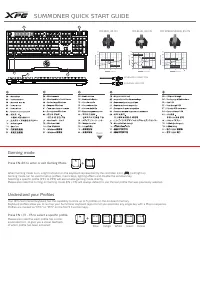
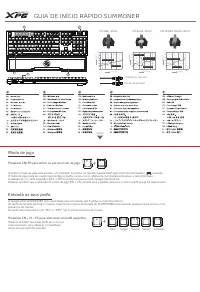
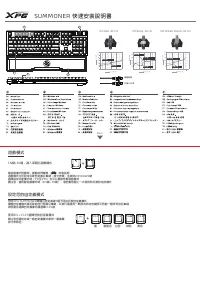
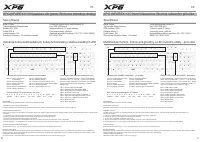
Page 2 - SUMMONER QUICK START GUIDE; Gaming mode; Press FN+F6 to enter or exit Gaming Mode.; Understand your Profiles
SUMMONER QUICK START GUIDE When Gaming mode is on, a light indicator on the keyboard represented by the controller icon ( ) will light up Gaming mode can be used to setup profiles, macro keys, lighting effects and disable the windows key. Selecting a specific profile (PF1 to PF5) will also enable gamin...
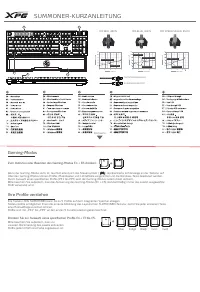
Page 4 - SUMMONER-KURZANLEITUNG; Drücken Sie zur Auswahl eines spezifischen Profils Fn + F1 bis F5.; Ihre Profile verstehen
SUMMONER-KURZANLEITUNG Wenn der Gaming-Modus aktiv ist, leuchtet eine durch das Steuersymbol ( ) repräsentierte Lichtanzeige an der Tastatur auf Über den Gaming-Modus können Profile, Makrotasten und Lichteffekte eingerichtet und die Windows-Taste deaktiviert werden. Durch Auswahl eines spezifischen Pr...
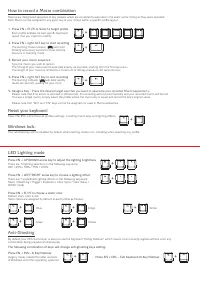
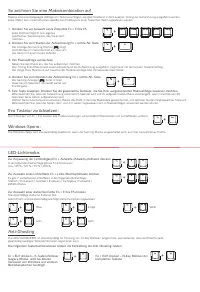
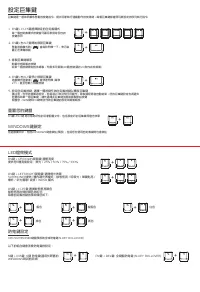
Page 5 - Ihre Tastatur zurücksetzen:; So zeichnen Sie eine Makrokombination auf
Durch Drücken von Fn + Esc werden alle Profileinstellungen, einschließlich Makrotasten und Lichteffekten, entfernt. Jedes Profil ermöglicht sein eigenes spezifisches Tastaturlayout, das Sie ändern möchten. In der folgenden Reihenfolge gibt es 5 Lichtoptionen: Aus / 25 % / 50 % / 75 % / 100 % Drücken Si...
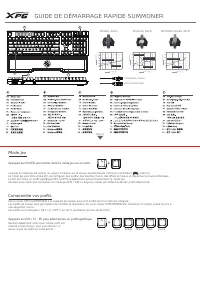
Page 6 - GUIDE DE DÉMARRAGE RAPIDE SUMMONER; Mode Jeu; Appuyez sur FN+F6 pour entrer dans le mode Jeu ou en sortir.; Comprendre vos profils
GUIDE DE DÉMARRAGE RAPIDE SUMMONER Lorsque le mode Jeu est activé, un voyant lumineux sur le clavier représenté par l’icône du contrôleur ( ) s’allume Le mode Jeu peut être utilisé afin de configurer des profils, des touches macro, des effets lumineux et désactiver la touche Windows. Le fait de choisir...
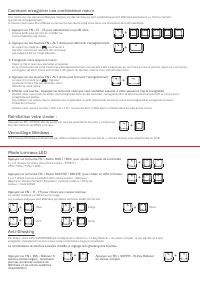
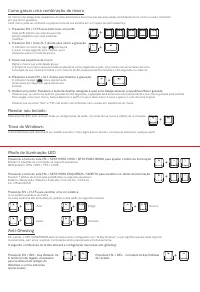
Page 7 - Comment enregistrer une combinaison macro
Une macro est une séquence désignée d’appuis sur des touches qui sont systématiquement effectués exactement au même moment que lors de l’enregistrement. À chaque macro peut être affectée à une touche donnée de votre choix dans une disposition de profil spécifique. Appuyez sur FN + ECHAP afin de supprim...
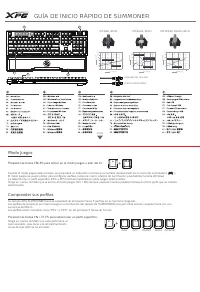
Page 8 - GUÍA DE INICIO RÁPIDO DE SUMMONER; Modo Juegos
GUÍA DE INICIO RÁPIDO DE SUMMONER Cuando el modo Juegos esté activado, se encenderá un indicador luminoso en el teclado representado por el icono del controlador ( ). El modo Juegos se puede utilizar para configurar perfiles, teclas de macro, efectos de iluminación y deshabilitar la tecla Windows. La ...
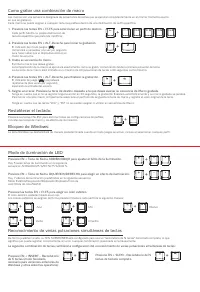
Page 9 - Como grabar una combinación de macro
Las macros son una secuencia designada de pulsaciones de teclas que se ejecutan consistentemente en el mismo momento exacto en que se grabaron. Cada macro se puede asignar a cualquier tecla que prefiera dentro de una distribución de perfil específica. Presione las teclas FN+ESC para eliminar todas las ...
Page 10 - GUIA DE INÍCIO RÁPIDO SUMMONER; Modo de jogo; Pressione FN+F6 para entrar ou sair do modo de jogo.; Entenda os seus perfis
GUIA DE INÍCIO RÁPIDO SUMMONER Quando o modo de jogo está ativado, um indicador luminoso no teclado representado pelo ícone do controlador ( ) acende O modo de jogo pode ser usado para configurar perfis, teclas macro, efeitos de iluminação e desativar a tecla Windows. A seleção de um perfil específico (...
Page 11 - Como gravar uma combinação de macro
As macros são designadas sequências de pressionamentos de teclas que são executadas consistentemente como no exato momento em que foram gravadas. Cada macro pode ser atribuída a qualquer tecla de sua escolha em um layout de perfil específico. Pressione FN+ESC para remover todas as configurações de perfi...
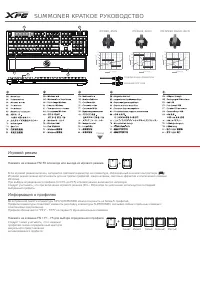
Page 12 - SUMMONER КРАТКОЕ РУКОВОДСТВО; Нажмите на клавиши FN+F6 для входа или выхода из игрового режима.; Информация о профилях
SUMMONER КРАТКОЕ РУКОВОДСТВО Если игровой режим включен, загорается световой индикатор на клавиатуре, обозначенный значком контроллера ( ) Игровой режим можно использовать для настройки профилей, макро-клавиш, световых эффектов и отключения клавиши Windows. При выборе определенного профиля (от PF1 д...
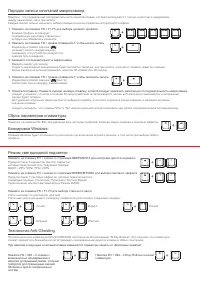
Page 14 - 게이밍
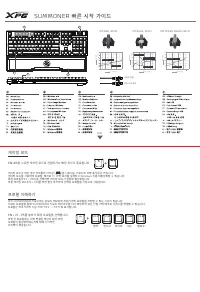
SUMMONER 빠른 시작 가이드 게이밍 모드가 켜진 경우 컨트롤러 아이콘 ( ) 을 나타내는 키보드의 조명 표시등이 켜집니다 . 게이밍 모드를 사용하여 프로필 , 매크로 키 , 조명 효과를 설정하고 Windows 키를 비활성화할 수 있습니다 . 특정 프로필 (PF1 ~ PF5) 을 선택하면 게이밍 모드가 곧바로 활성화됩니다 . 또한 게이밍 모드 (FN + F6) 를 켜면 항상 마지막에 선택된 프로필을 기본으로 사용합니다 . XPG SUMMONER 키보드에는 온보드 메모리에 최대 5 개의 프로필을 저장할 수 있는 기능이 있습니다 ....
Page 15 - LED; ALT
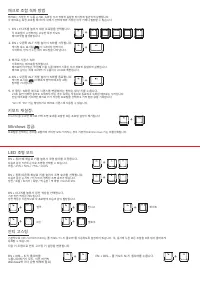
매크로는 지정된 키 누름 순서로 , 녹화된 것과 정확히 동일한 타이밍에 일관되게 실행됩니다 . 각 매크로는 특정 프로필 레이아웃 내에서 선택에 따라 지정된 아무 키에나 할당할 수 있습니다 . FN+ESC 를 누르면 매크로 키와 조명 효과를 포함한 모든 프로필 설정이 제거됩니다 . 각 프로필이 수정하려는 고유한 특정 키보드 레이아웃을 활성화됩니다 . 다음과 같은 5 단계 순서로 조명을 선택할 수 있습니다 . 꺼짐 / 25% / 50% / 75% / 100% FN + F1-F5 를 눌러서 대상 프로필을 선택합니다 . 1. 기본적으로 X...
Page 16 - ゲーミングモード; を押してゲーミングモードを開始; あなたのプロファイルを理解する
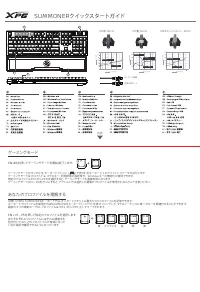
SUMMONER クイックスタートガイド ゲーミングモードがオンのとき、キーボードアイコン ( ) で表されるキーボード上のライトインジケータが点灯します ゲーミングモードはプロファイル、マクロキー、照明効果の設定時や、 Windows キーの無効化に使用できます。 特定のプロファイル (PF1 から PF5) を選択すると、ゲーミングモードも直接有効になります。 ゲーミングモード (FN + F6) をオンにすると、デフォルトでは選択した最後のプロファイルが使用されることにご注意ください。 お使いの XPG SUMMONER キーボードでは、オンボードメモリ上に最大 5 つのプロファイルを...
Page 17 - マクロの組み合わせを記録する方法
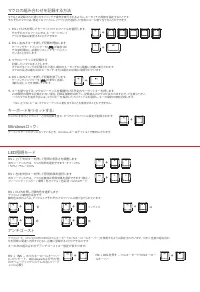
マクロとは記録された通りのタイミングで操作が実行されるように、キータッチの順序を指定することです。 それぞれのマクロは、特定プロファイルレイアウト内で選択した任意のキーに割り当てることができます。 FN+ESC を押すとマクロキーと照明効果を含む、すべてのプロファイル設定が削除されます。 それぞれのプロファイルでは、キーボードのレイ アウトを自由に変更することができます。 次のシーケンスでは、 5 つの照明を選択できます : オフ / 25% / 50% / 75% / 100% FN + F1-F5 を押してターゲットのプロファイルを選択します。 1. デフォルトで、 XPG SUMMONE...
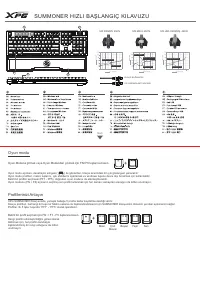
Page 18 - SUMMONER HIZLI BAŞLANGIÇ KILAVUZU; Oyun modu
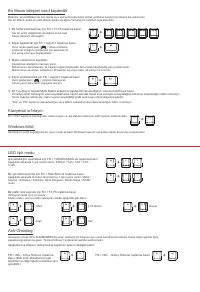
SUMMONER HIZLI BAŞLANGIÇ KILAVUZU Oyun modu açıkken, denetleyici simgesi ( ) ile gösterilen, klavye üzerindeki bir ışık göstergesi yanacaktır Oyun modu profilleri, makro tuşlarını, ışık efektlerini ayarlamak ve windows tuşunu devre dışı bırakmak için kullanılabilir. Belirli bir profilin seçilmesi (PF1...
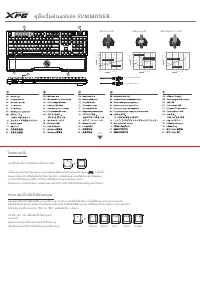
Page 20 - คู่มือเริ่มต้นฉบับย่อ SUMMONER; กลับ; MX สปีดซิลเวอร์, 45CN; โหมดเกมมิ่ง; กด FN+F6 เพื่อเข้าหรือออกจากโหมดเกมมิ่ง; ทําความเข้าใจโปรไฟล์ของคุณ
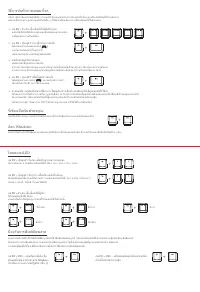
คู่มือเริ่มต้นฉบับย่อ SUMMONER เมื่อโหมดเกมมิ่งเปิด ไฟแสดงสถานะบนแป้นพิมพ์ที่แสดงโดยไอคอนตัวควบคุม ( ) จะติดขึ้น โหมดเกมมิ่งสามารถใช้เพื่อตั้งค่าโปรไฟล์, ปุ่มมาโคร, เอฟเฟ็กต์แสง และปิดใช้งานปุ่ม Windows การเลือกโปรไฟล์เฉพาะ (PF1 ถึง PF5) จะเปิดใช้งานโหมดเกมมิ่งโดยตรงด้วย โปรดทราบว่า ตามค่าเริ่มต้น ก...
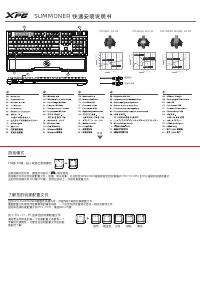
Page 22 - SUMMONER; 快速安裝說明書; 遊戲模式; FN; 進入或退出遊戲模式; 設定您的自定義模式
SUMMONER 快速安裝說明書 當遊戲模式啟動時,鍵盤的閃爍燈( )將會亮起 遊戲模式中可設定玩家自定義巨集鍵,背光效果,並鎖定 WINDOWS 鍵 選擇指定玩家模式時( PF1 至 PF5 )也可以直接啟動遊戲模式 請注意,當啟動遊戲模式時( FN 鍵 + F6 鍵),會自動啟動上一次使用時玩家設定的模式 您的 XPG SUMMONER 鍵盤可設定高達 5 種不同的玩家自定義模式 鍵盤自定義模式讓玩家能自行設置巨集鍵,玩家只需運用一顆設定好的按鍵即可啟動一個序列的巨集鍵欲啟動及選擇自定義模式請選擇 F1-F5 鍵 請注意您選定的每一個自定義模式都有一個專屬的代表顏色, Back MX RE...
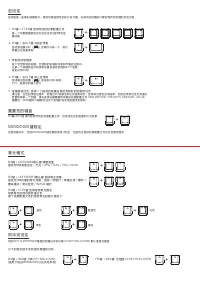
Page 23 - 燈效模式; 鍵鎖定; 設定巨集鍵
巨集鍵是一連串照順序啟動的按鍵指令,提供玩家執行連續動作的快捷鍵,每個巨集鍵都會照玩家設定的序列執行指令 FN 鍵 +ESC 鍵 將可移除所有的玩家配置文件,包括設定好的巨集鍵和燈光效果 每一個自定義模式按鍵皆可讓玩家設定各自的按鍵序列 FN 鍵 + F1-F5 鍵選擇鎖定的自定義模式 1. XPG SUMMONER 鍵盤預設為全域防鬼鍵 (N-KEY ROLLOVER) N 鍵 + INS 鍵 : 6 鍵 防鬼鍵 ( 適用於較舊的 WINDOWS 與其他系統 ) FN 鍵 + UP/DOWN 箭頭鍵 調整亮度 提供您 5 種亮度設定:無光 / 25% / 50% / 75% / 100% F...
Page 24 - 游戏模式; 了解您的玩家配置文件
SUMMONER 快速安装说明书 当游戏模式启动时,键盘的闪烁灯 ( ) 将会亮起 游戏模式中可设定玩家配置文件、宏键、背光效果,以及锁定 WINDOWS 键选择指定的玩家模式 (PF1 TO PF5) 也可以直接启动游戏模式 当启动游戏模式时 (FN 键 +F6 键 ) ,会预设启动上一次的玩家配置文件 您的 XPG SUMMONER 键盘有内建内存,存取 5 种不同的玩家配置文件 键盘配置文件提供您按键客制的编成功能,一个设定好的按键将可启动一组的宏顺序文件启动和选择玩家配置文件 (PF1 - PF5) ,请选择 F1-F5 键 请知悉当您所选的每一个玩家配置文件都有一个专属的代表颜色,方...
![XPG XPG [SUMMONER4B-BKCRU]](https://manualsarea.com/img/product/thumbs/180/36/6a/366aadf57ca0e85378683b1e6ca8812a.webp)