Triplett PQC300 - User Manual
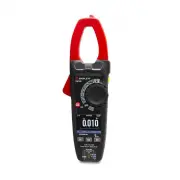
Triplett PQC300 Multimeter – User Manual, read for free online in PDF format. We hope this helps you resolve any issues you may have. If you have further questions, please contact us through the contact form.


Table of Contents:
- Page 2 – Features; •Temperature; Safety
- Page 3 – means should be used to ensure that the terminals are not “live”.; Input Protection Limits
- Page 7 – ” appears on the display.; Rel; Key again to enter MAX MIN measurement, the message “Max”; MAX MIN
- Page 10 – ESC
- Page 14 – Select the “; Hn; ” indicator
- Page 21 – “ghost”; V Lo Z; Button to select AC or DC voltage, the AC “
- Page 22 – Input Jack Insert the red test; Positive; Read the resistance on the LCD display.
- Page 25 – Touch the test probe tips across the part under test, if “; OL; ” appears in the
- Page 33 – range indication “OL” display
- Page 34 – Copyright
3
User Manual
PQC300
AC/DC True RMS Power Analysis Clamp Meter
Operating
Instruction for AC/DC TRMS H&W ANALYSIS CLAMP METER
safety
"Loading the manual" means you need to wait until the file loads and becomes available for online reading. Some manuals are very large, and the time they take to appear depends on your internet speed.
Summary
AC/DC TRMS H&W ANALYSIS CLAMP METER 4 1. Features • AC TRMS voltage • DC voltage and AC+CD TRMS voltage • Phase sequence • Active, reactive, apparent power and power factor on single-phase • Active, reactive, apparent energy on single-phase systems • AC voltage harmonics (1-25) and THD% up to 75...
5 2-4.CAUTIONS • Read and understand this user manual before operating the meter. • Improper use of this meter can cause damage, shock, injury or death. • Always remove the test leads before replacing the battery . • If the test leads need to be replaced, you must use a new one which should meet EN ...
9 3-4.Description of Internal Functions 3-4-1.Save Function 1. Press the Data Hold/Flashlight Button to freeze the result, the message “ Hold ” appears on the display. 2. Press the F1 (Save) Key to save the data in the instrument’s memory. 3-4-2.Relative Values 1. To activate the relative mode, pres...


