TP-Link TL-SX3016F 16xSFP - User Manual
TP-Link TL-SX3016F 16xSFP Switch – User Manual, read for free online in PDF format. We hope this helps you resolve any issues you may have. If you have further questions, please contact us through the contact form.

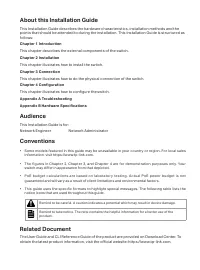
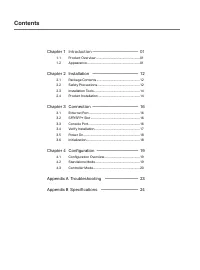
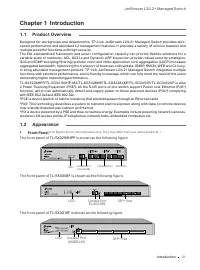
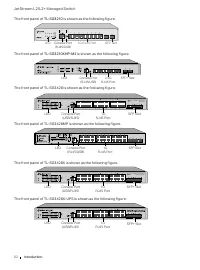
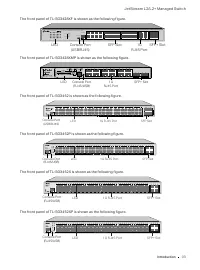
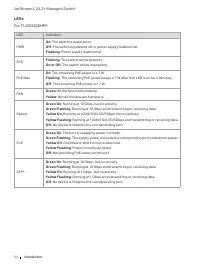
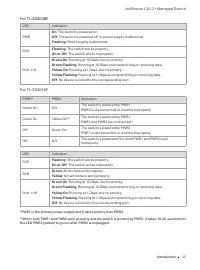
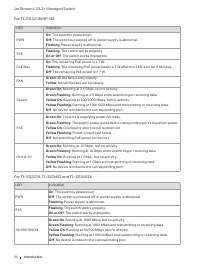
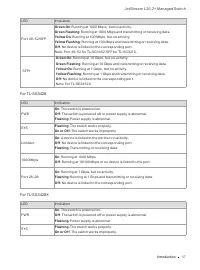
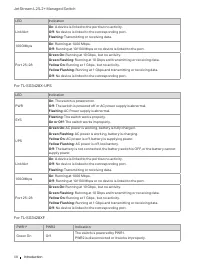
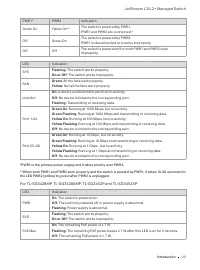
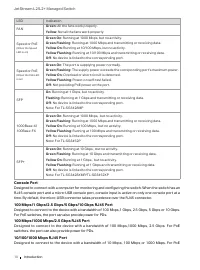
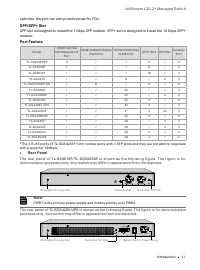
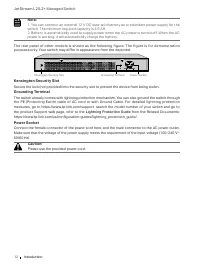
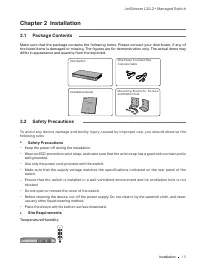
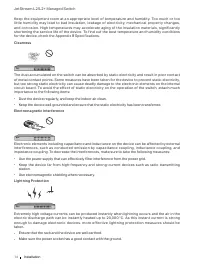
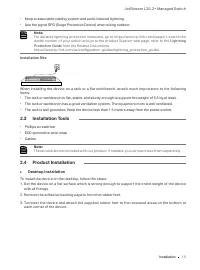
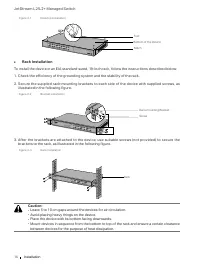
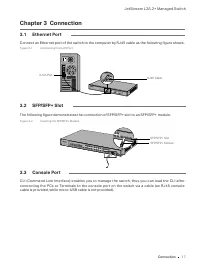
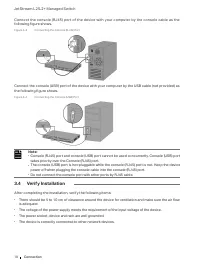
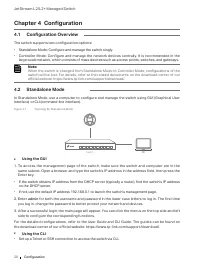
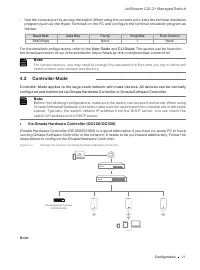
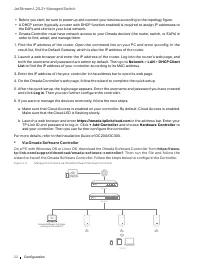
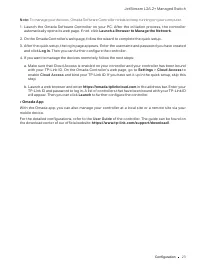
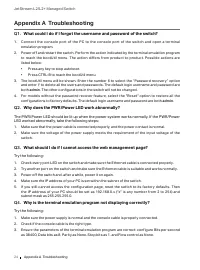
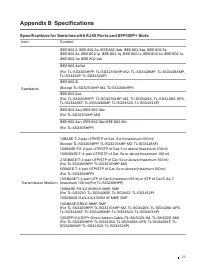
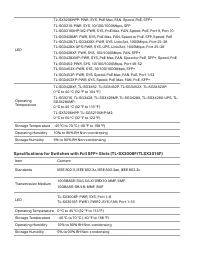


Table of Contents:
- Page 3 – About this Installation Guide; Chapter 1 Introduction; This chapter describes the external components of the switch.; Chapter 2 Installation; This chapter illustrates how to install the switch.; Chapter 3 Connection; This chapter illustrates how to configure the switch.; Audience; switch may differ in appearance from that depicted.; Related Document
- Page 4 – Contents; Chapter 1; Configuration Overview; Appendix A Troubleshooting ———————— 23
- Page 5 – Introduction; Chapter 1 Introduction; Product Overview; multiple powerful functions with high security.; Front Panel; LED; LED
- Page 8 – LEDs; : The remaining PoE power keeps ≤ 7 W after this LED is on for 2 minutes.
- Page 14 – Console Port; For PoE switches, the port can also provide power for PDs.
- Page 15 – switches, the port can also provide power for PDs.; Port Feature; with a speed of 10 Mbps.; Rear Panel; The rear panel of
- Page 16 – power is working, it will automatically charge the battery.; Kensington Security Slot; the product Support web page, refer to the; Please use the provided power cord.
- Page 17 – Installation; Chapter 2 Installation; Package Contents; differ in appearance and quantity from the depicted.; Safety Precautions; Keep the power off during the installation.; Site Requirements
- Page 18 – Clearness
- Page 19 – from the Related Documents:; Installation Tools; Desktop Installation
- Page 21 – Connection; Chapter 3 Connection
- Page 22 – Verify Installation
- Page 23 – your region may differ from the figures above.
- Page 24 – Configuration; Chapter 4 Configuration; The switch supports two configuration options:; Using the GUI; er; Using the CLI; Set up a Telnet or SSH connection to access the switch via CLI.
- Page 25 – For the detailed configurations, refer to the
- Page 26 – Via Omada Software Controller; . Then run the file and follow the
- Page 27 – Launch a Browser to Manage the Network; Cloud Access; Launch; User Guide
- Page 28 – Appendix A Troubleshooting; What could I do if I forgot the username and password of the switch?; both; Why does the PWR/Power LED work abnormally?; LED worked abnormally, take the following steps:; What should I do if I cannot access the web management page?
- Page 29 – Appendix B Specifications; Specifications for Switches with RJ45 Ports and SFP/SFP+ Slots; Item
- Page 31 – CE Mark Warning; which case the user may be required to take adequate measures.; EU Declaration of Conformity; Keep the device away from water, fire, humidity or hot environments.
Business Networking Solution
Installation Guide
JetStream L2/L2+ Managed Switch
"Loading the manual" means you need to wait until the file loads and becomes available for online reading. Some manuals are very large, and the time they take to appear depends on your internet speed.
Summary
About this Installation Guide This Installation Guide describes the hardware characteristics, installation methods and the points that should be attended to during the installation. This Installation Guide is structured as follows: Chapter 1 Introduction This chapter describes the external component...
Contents Chapter 1 Introduction ——————————— 01 1.1 Product Overview ...........................................................01 1.2 Appearance .......................................................................01 Chapter 2 Installation ——————————— 12 2.1 Package Contents .........................
JetStream L2/L2+ Managed Switch 01 Introduction Chapter 1 Introduction 1.1 Product Overview Designed for workgroups and departments, TP-Link JetStream L2/L2+ Managed Switch provides wire- speed performance and abundant L2 management features. It provides a variety of service features and multiple po...