TP-Link TL-SG3452XP 48xGE/PoE - User Manual
TP-Link TL-SG3452XP 48xGE/PoE Switch – User Manual, read for free online in PDF format. We hope this helps you resolve any issues you may have. If you have further questions, please contact us through the contact form.
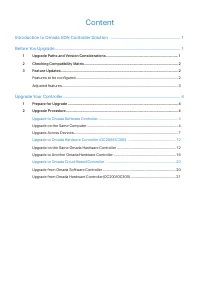
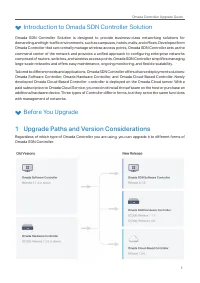
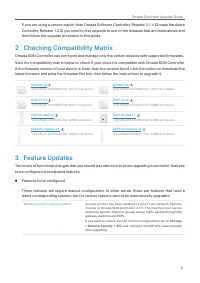
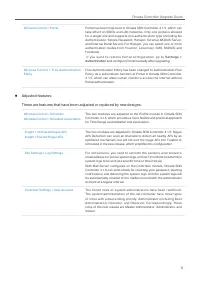
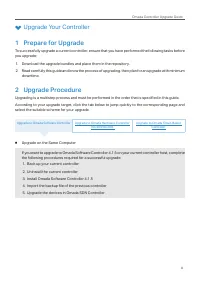

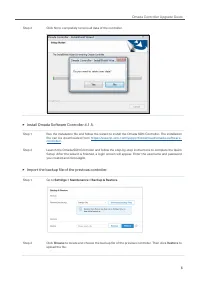
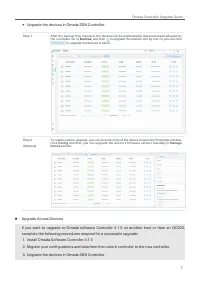
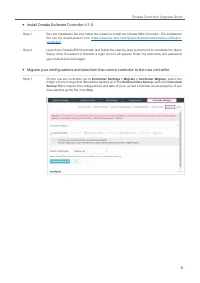
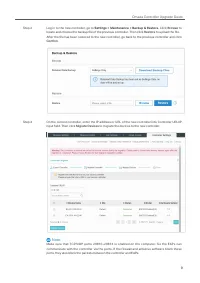
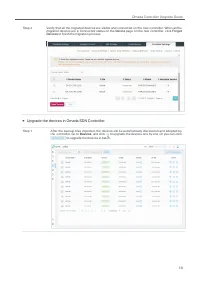
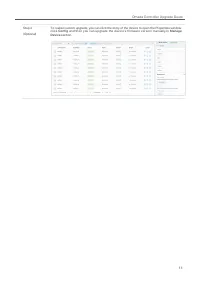
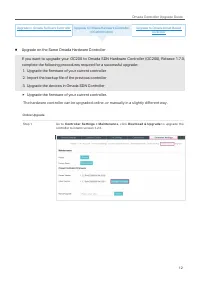
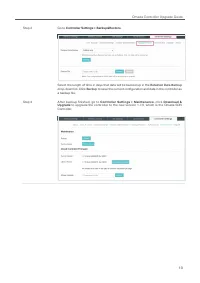
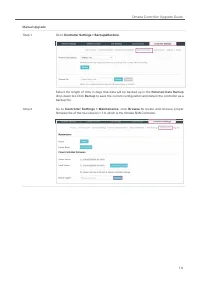
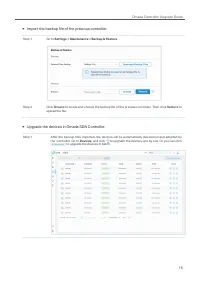
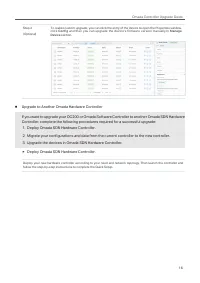

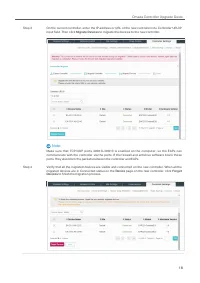
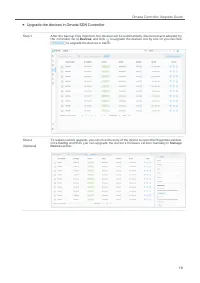
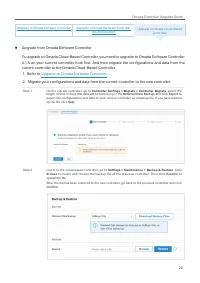
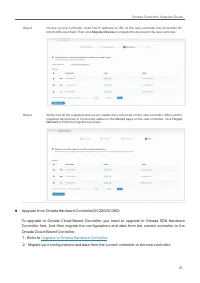
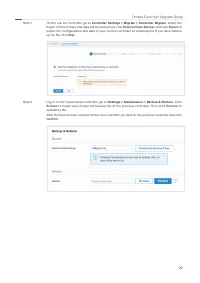

Table of Contents:
- Page 2 – Content; Upgrade to Omada Cloud-Based Controller
- Page 3 – Omada Controller Upgrade Guide; Introduction to Omada SDN Controller Solution; Upgrade Paths and Version Considerations
- Page 4 – Checking Compatibility Matrix; Features to be configured
- Page 5 – Adjusted features
- Page 6 – Upgrade Your Controller; Prepare for Upgrade; Upgrade on the Same Computer
- Page 7 – Back up your current controller.; Uninstall the current controller.
- Page 8 – Import the backup file of the previous controller.
- Page 9 – Upgrade the devices in Omada SDN Controller.; Upgrade Across Devices
- Page 14 – Upgrade on the Same Omada Hardware Controller
- Page 17 – Import the backup file of the previous controller
- Page 18 – Upgrade to Another Omada Hardware Controller
- Page 21 – Upgrade the devices in Omada SDN Controller
- Page 22 – Upgrade from Omada Software Controller
- Page 23 – Upgrade to Omada Hardware Controller
- Page 26 – COPYRIGHT & TRADEMARKS; Specifications are subject to change without notice.
Omada Controller Upgrade Guide
Omada SDN Controller 4.1.5 is a major update to the Omada Controller, representing TP-Link’s work
in developing an integrated and efficient network solution covering nearly all modules and functions.
TP-Link Team has strived to maintain the commitment to backward compatibility and straight-forward
upgrade process. However, given the vast scope of changes in Omada SDN Controller 4.1.5, there
are inevitably special considerations to be evaluated and actions to be taken in order to successfully
upgrade from your current controller. This guide provides instructions for upgrading your Omada
Controller to Release 4.1.5, which maintains your configurations and reduces the overall upgrade
downtime.
The guide includes the following sections:
•
Introduction to Omada SDN Controller Solution
•
•
"Loading the manual" means you need to wait until the file loads and becomes available for online reading. Some manuals are very large, and the time they take to appear depends on your internet speed.
Summary
Content Introduction to Omada SDN Controller Solution ........................................................................ 1 Before You Upgrade ................................................................................................................................ 1 1 Upgrade Paths and V...
1 Omada Controller Upgrade Guide Introduction to Omada SDN Controller Solution Omada SDN Controller Solution is designed to provide business-class networking solutions for demanding and high-traffic environments, such as campuses, hotels, malls, and offices. Developed from Omada Controller that can ...
2 Omada Controller Upgrade Guide If you are using a version earlier than Omada Software Controller, Release 3.1.4 (Omada Hardware Controller, Release 1.2.0) you need to first upgrade to one of the releases that are listed above and then follow the upgrade procedure in this guide. 2 Checking Compatib...