Page 3 - Table of Contents; Maintenance Checklists
Table of Contents Safety and Instructions Installation and Setup Electrical Safety Warning Parts Description Operation Open the Airflow Louver Control Panel Remote Control Combination Buttons Replacing the Batteries Installation Tools Required Parts List Installing Your AC Installing the Exhaust Hos...
Page 4 - Safety and Instructions; Installation and Setup; damage the power cord.
Safety and Instructions 01 Installation and Setup Please read all instructions before use and save this user manual for futurereference. A digital version can be obtained from Customer Support. Your safety and the safety of others are very important to us. We have providedmany important safety messa...
Page 5 - Electrical Safety Warning; authorized technical service center in order to avoid all risk.
02 ● Only use the appliance in an upright position. Make sure the angle of inclination <10°. Always place the appliance on a stable, flat, level surface to prevent the air conditioner from overturning. Electrical Safety Warning ● If the power cable is damaged, it must be replaced by the manufactu...
Page 6 - LCDI Power Plug (Leakage Current Detection and Interruption); ● Do not use the LCDI plug to turn the; RESET; ● The power supply must be replaced; TEST; Recommended Operating Environment
03 LCDI Power Plug (Leakage Current Detection and Interruption) The power cord used with this air conditioner contains a current detection devicedesigned to reduce the risk of fire. In the event that the power supply cord isdamaged, it cannot be repaired. The power supply cord must be replaced with ...
Page 8 - Parts Description; Airflow Louver
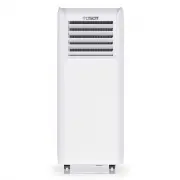
Parts Description 1 2 3 4 5 7 8 9 6 Control Panel Airflow Louver Caster Wheels Removable Filter Air Exhaust Outlet Exhaust Hose Rear Clip Power Cord Power Cord Hooks 1 2 3 Remote Control F AN ON/OFF MODE SLEEP TIMER X-FAN X-FAN SLEEP SPEED T -ON T-OFF LOCK H AUTO OPER FAN DR COO Y L 05 4 7 6 5 8 9
Page 9 - Operation; Open the Airflow Louver
Operation Open the Airflow Louver Press the position marked with "PUSH" on the airflow louver with fingers to openthe airflow louver before turning on the unit. 06
Page 10 - Control Panel; Fan Button
Control Panel 1 2 2 3 3 4 4 5 5 6 6 1 +/- Button Fan Button Sleep Button ON/OFF Button Timer Button Mode Button +/- Button ● Pressing this button will allow you to change the temperature setting.● After pressing the timer button, the +/- buttons will adjust the timer setting from 0.5-24 hours in 0.5...
Page 11 - for Fan mode and Dry mode. When in sleep mode, the AC temperature will; ON; Dry; Remote Control
2 Fan Button Pressing this button will cycle the fan speed through one of 4 fan modes, as shownbelow: Sleep Button Press this button to enter the sleep operation mode. Sleep mode is not available for Fan mode and Dry mode. When in sleep mode, the AC temperature will automatically increase by 2°F for...
Page 13 - speed according to ambient temperature.; Sleep Button
3 4 Auto Speed 1 Speed 2 Speed 3 X-Fan Button Press this button to toggle the X-Fan mode on when the unit is in operation. Whenyou turn the machine off you will find the fan is running at a low speed. Press theX-Fan button again to cancel. The X-Fan mode helps dry residual water inside theexhaust ho...
Page 14 - Combination Buttons; Light Function; signal to the air conditioner.; Change Between °F and °C; Replacing the Batteries
Combination Buttons Light Function Press and hold the “+” and “FAN” buttons simultaneously for 3 seconds to turn the lights on the air conditioner on or off. The default setting after being powered on isfor the lights to be on. Child Lock Function Press the “+” and “-” buttons simultaneously to ente...
Page 15 - Installation; Tools Required; Accessory kit for window installation
Installation Tools Required Parts List Exhaust Hose Joint Rear Clip Insect Guard Screw x 4pcs Mounting Plate x 2pcs Accessory kit for window installation Window panel Extension panel Exhaust cover Adjustment panel Fixed Clip x 2pcs Bracket Foam Seal A (non adhesive) Foam Seal B (adhesive type) Rain ...
Page 16 - Accessory kit for installing; Others; Installing Your AC
Drain Hose F AN ON/OFF MODE SLEEP TIMER LOCK X-FAN SLEEP X-FAN SPEED T- ON T-OFF H AU OPER TO FAN DR COO Y L Accessory kit for installing the drain hose Remote Control Power Cord Hook x2pcs Others Installing Your AC Here are the detailed instructions for installing the window panel into sliding sash...
Page 20 - air and insects from getting into the room.
6. Insert the window panel into the window sill and close the window securely against the Window panel. 7. Stuff Foam Seal A (non adhesive) between the glass and the window to prevent air and insects from getting into the room. 8. Optional: Attach a bracket to the window frame with a screw to preven...
Page 21 - Installing the Exhaust Hose; ) Twist the Joint and Rear Clip clockwise onto the exhaust hose.
Installing the Exhaust Hose Please note that the exhaust hose is REQUIRED to use for this portable airconditioner. This TOSOT portable air conditioner (like all air conditioners) must produce heat as a byproduct of producing cool air. If you don’t connect the exhausthose your unit will exhaust this ...
Page 23 - Continuous Drainage; Water can be drained into a floor drain by attaching a drain hose
Continuous Drainage Water can be drained into a floor drain by attaching a drain hose (included) to the continuous drain port.1. Remove the continuous drain cap by turning it counter clockwise, then remove the rubber plug from the spout. 20 drainage port
Page 24 - Installing the Power Cord Hooks; Screws
2. Insert the drainage hose into the drain connector. Note: When using the continuous drainage option make sure that the air conditioner is located on a flat, level surface and that the drain hose is directeddownwards and clear of any obstructions. Placing the air conditioner on an unevensurface may...
Page 25 - Cleaning and Maintenance; Precautions; Otherwise, it may cause electric shock.; Cleaning outer case; Filter 2
Cleaning and Maintenance Precautions ● Before cleaning the air conditioner, please turn off the unit and disconnect power. Otherwise, it may cause electric shock. ● Do not wash the air conditioner with water. Otherwise, it may cause electric shock.● Do not use volatile liquid (such as thinner or gas...
Page 26 - Offseason checklist; please refer to the “Removing Collected Water” part on page 19.; Postseason checklist
2. Clean the filterAfter removing, use the dust attachment of your vacuum to suck up any dirt orwarm water mixed with a mild detergent. A soft bristle brush may help removesome dirt if needed. 3. Reinstall the filterAfter the filter has dried completely, reinstall back into the air conditioner. Main...
Page 27 - Troubleshooting; control is 25 feet. Do not exceed; Issues
Troubleshooting Whether the unit isrestarted up afterstopping immediately? Is plug loose?Power failure?Is the power too low?Whether the air filter is too dirty?Whether the set temperature is proper?Whether door and window are closed?Whether the unit is interfered seriously (such as static pressure, ...
Page 28 - Is the unit in auto mode?
Issues Self check Possible solutions What is 3-Minute Compressor Protection? All TOSOT Air Conditioners have a 3-Minute Compressor Protection feature to helpextend the lifespan of your unit. You may notice this happening when the unit is notblowing cold air or you can’t hear the sound of the compres...
Page 29 - be performed by qualified individuals.; Malfunction Codes; Overload malfunction; Error code; Chassis is full of water
If you notice or experience any of the following conditions, please turn off the airconditioner, disconnect from power, discontinue use, and contact support immediately. ● The power cord is overheating or otherwise damaged ● Abnormal sound during operation● A strange odor is emitted from the unit● E...
Page 30 - Warranty & Customer Support; Warranty Information; Questions? We are here to help; Share your experience
Warranty & Customer Support Warranty Information 1. 1-Year warranty: TOSOT Portable Air Conditioner comes with a 1-year warranty from the date of purchase. This warranty covers manufacturing and material defects. Please visit https://tosotdirect.com/warranty for more details. 2. Additional 6-Mon...