Toro 51836 - Manual
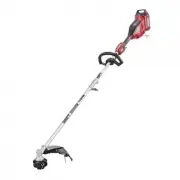
Toro 51836 Grass Trimmer – Manual, read for free online in PDF format. We hope this helps you resolve any issues you may have. If you have further questions, please contact us through the contact form.


Table of Contents:
- Page 2 – WARNING; Introduction
- Page 3 – Safety
- Page 4 – IV. Maintenance and Storage
- Page 6 – Safety and Instructional Decals
- Page 8 – Setup; Installing the Attachment; Procedure
- Page 9 – Installing the Auxiliary Handle
- Page 10 – Installing the Guard
- Page 11 – Product Overview; Specifications; Appropriate Temperature Ranges
- Page 12 – Operation; Starting the Trimmer; Shutting Off the Trimmer
- Page 13 – Charging the Battery Pack
- Page 15 – Maintenance; CAUTION; Replacing the String
- Page 16 – Storage
- Page 17 – Troubleshooting
- Page 20 – California Proposition 65 Warning Information
Form No. 3440-180 Rev B
Flex-Force Power System
™
60V
MAX String Trimmer
Model No. 51832—Serial No. 321000001 and Up
Model No. 51832T—Serial No. 321000001 and Up
Model No. 51836—Serial No. 321000001 and Up
Register at www.Toro.com.
Original Instructions (EN)
*3440-180*
"Loading the manual" means you need to wait until the file loads and becomes available for online reading. Some manuals are very large, and the time they take to appear depends on your internet speed.
Was this manual helpful?
About this manual
- Brand
- Toro
- Model
- 51836
- Document type
- Manual
- Category
- Grass Trimmer
- Language(s)
- English
- Pages
- 20
- File size
- 1.9 MB
- Format
Other Manuals for Toro 51836
Summary
For assistance, please seewww.Toro.com/supportfor instructional videosor contact 1-888-384-9939before returning thisproduct. WARNING CALIFORNIA Proposition 65 Warning The power cord on this product contains lead, a chemical known to the State of California to cause birth defects or other reproductiv...
Models 51832, 51832T, and 51836 include Model51810T Power Head and the Model 88716 StringTrimmer Attachment. The Model 51810T Power Head is compatible witha variety of Toro-approved attachments that, whencombined, comply with specific standards; see thefollowing table for more detail. Combination Po...
6. Do not use non-rechargeable batteries. 7. Charge the battery pack with only the batterycharger specified by Toro. A charger suitable for1 type of battery pack may create a risk of firewhen used with another battery pack. 8. Charge the battery pack in a well-ventilated areaonly. 9. Do not expose a...


