Page 2 - CONTENTS
1 Read this Manual Inside you will find many helpful hints on how to use and maintain your air conditioner properly. Just a little preventive care on your part can save you a great deal of time and money over the life of your air conditioner. You’ll find many answers to common problems in the chart ...
Page 4 - SAFETY PRECAUTIONS
3 SAFETY PRECAUTIONS Safety rules To prevent injury to the user or other people and property damage, the following instructions must be followed. Incorrect operation due to ignoring of instructions may cause harm or damage. Your air conditioner should be used in such a way that it is protected from ...
Page 5 - WARNING! Electrical Information
4 WARNING! Electrical Information Be sure the electrical service is adequate for the model you have chosen. This information can be found on the serial plate, which is located on the side of the cabinet or back of unit. Be sure the air conditioner is properly grounded. To minimize shock and fire haz...
Page 6 - PARTS IDENTIFICATION; Medium-sized Phillips screwdriver
5 PARTS IDENTIFICATION Check all accessories are included in the package. Refer to the installation instructions for usage. Note: all illustrations in this manual are for explanation purposes only. The actual unit and parts may be slightly different. The actual shape shall prevail Suggested tools fo...
Page 7 - Front
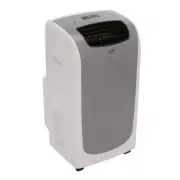
6 Front 1. Control Panel 2. Blade Control Handle (adjust manually) 3. Vertical Louver Blade 4. Handle (both sides) 5. Remote Signal Receptor 6. Caster Back 7. Air filter 8. Air Inlet 9. Drain Outlet 10. Vent Control 11. Air Outlet 12. Power Cord Hooks (for storage) 13. Bottom Drain Outlet
Page 8 - AIR CONDITIONER FEATURES
7 AIR CONDITIONER FEATURES Before you begin, thoroughly familiarize yourself with the control panel and remote controller and the functions. The unit can be controlled by either the control panel or remote controller. CONTROL PANEL 1. POWER button Press to turn unit ON or OFF 2. FAN SPEED button Pre...
Page 9 - Air Flow Direction Adjustment
8 OPERATING INSTRUCTIONS COOL mode (operating temperature range: 17-35°C/62-95°F) Press the MODE button until the COOL indicator light illuminates. Press UP ( ∧ ) or DOWN ( ∨ ) buttons to set your desired room temperature. The temperature can be set within a range of 17-30°C / 62-88°F. Press the FAN...
Page 10 - INSTALLATION INSTRUCTIONS; Location
9 INSTALLATION INSTRUCTIONS Fig.1 Location The air conditioner should be placed on a firm foundation to minimize noise and vibration. For safe and secure positioning, place the unit on a smooth, level floor strong enough to support the unit. The unit has casters to aid placement, but it should only ...
Page 11 - Installation in a double-hung sash window
10 Fig.5 Installation in a double-hung sash window 1. Trim foam seal (adhesive type) to the proper length and attach to window stool. (Fig.5) 2. Adjust the length of the slider kit according to the width of window. Attach window slider kit to window stool, on top of foam seal. (Fig.6) 3. Trim the fo...
Page 12 - Continuous Water Drainage:
11 Fig.12 Exhaust hose installation: Install or remove the exhaust according to usage mode: COOL or AUTO mode Install FAN or DRY mode Remove 1. Install the exhaust hose to unit as depicted in Fig.12. 2. Install the exhaust adaptor to the hose as shown in Fig.13. Refer to previous pages for window ki...
Page 13 - CARE AND MAINTENANCE; IMPORTANT
12 CARE AND MAINTENANCE IMPORTANT Be sure to power off and unplug the unit before cleaning or servicing. Do not use gasoline, thinner or other chemicals to clean the unit Do not wash the unit directly under a tap or use a hose. May cause electrical danger. If the power cord is damaged, contact Sunpe...
Page 14 - TROUBLESHOOTING TIPS
13 TROUBLESHOOTING TIPS PROBLEM POSSIBLE CAUSES SUGGESTED REMEDIES Unit does not start after Power button is pressed P1 error code is displayed. Drain water in bottom tray. Room temperature is lower than the set temperature (in Cooling mode). Set temperature to a lower setting. Not cool enough The w...
Page 15 - REMOTE CONTOLLER; CAUTION
14 REMOTE CONTOLLER Handling the remote controller Use the remote within a distance of 26 ft from the appliance, pointing it towards the receiver. Reception is confirmed by a beep. CAUTION Be sure there are no barriers between the remote and the unit’s receiver (i.e. curtains, doors or other obstacl...
Page 16 - TEMP DOWN button
15 Function buttons 1. TEMP DOWN button Press to decrease set temperature by 1°C (2°F) incr ements to 17°C (62°F) 2. MODE button Press to select operation mode: AUTO → COOL → DRY → FAN 3. RESET button Once the recessed RESET button is pressed, all settings will be cancelled and controller will retur...
Page 18 - If Auto mode is not comfortable for you, switch to COOL mode.
17 Using the Remote Controller AUTO operation With the AC unit plugged in: 1. Press the MODE button to select Auto. 2. Press the TEMP button to set desired temperature, between 21 -28°C / 70-84°F. Each press is an increment of 1°C (2°F). 3. Press the ON/OFF button to start the AC unit. NOTE: Under A...
Page 19 - Your Guarantee; What is NOT COVERED:; SUNPENTOWN INTERNATIONAL INC.
18 Your Guarantee If this product is found to be faulty as a result of faulty materials or workmanship within one year from date of purchase, it will be repaired free of charge. This guarantee is subject to the following terms: • Sunpentown must be notified of the fault. • Proof of purchase must be ...