Sony ICFS80 - User Manual
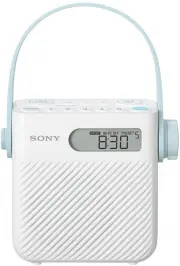
Sony ICFS80 Radio – User Manual, read for free online in PDF format. We hope this helps you resolve any issues you may have. If you have further questions, please contact us through the contact form.


ICF-S80 [GB/FR]
4-562-885-
12
(1)
ICF-S80
©2014 Sony Corporation Printed in China
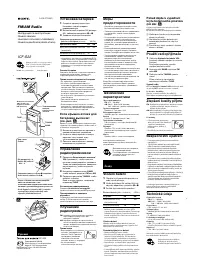
FM/AM Shower Radio
Operating Instructions GB
Mode d’emploi FR
4-562-885-
12
(1)
Getting Started
Listening to the Radio
Listening to a preset station
Presetting stations
Preset favorite stations to the 5 preset buttons. 10 FM and 5 AM stations (North
American model) or 5 FM and 5 AM stations (Other models) can be preset.
Convenient functions
Auto Off Timer
The radio automatically turns off after a set
time (in minutes) has elapsed. With this
function, you can avoid forgetting to turn off
the power of the unit.
1
Press AUTO OFF.
The “AUTO OFF” indicator starts flashing and
the default setting (“60”) appears on the
display. If you press AUTO OFF while the
radio is off, the radio turns on automatically.
2
Press AUTO OFF repeatedly to select
the desired setting while the “AUTO
OFF” indicator is flashing.
Each time you press the button, the duration
(in minutes) changes on the display as
follows:
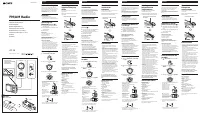
Guide to parts and controls
Unit
The serial
number is
located here.
/
(power) button
Volume control
Strap belt
Speaker
Display
Preset buttons*
FM/AM button
TIMER SET/ON/OFF button (for countdown
timer)
ENTER/SET CLOCK button
(holding down the button enters the clock
setting mode.)
+,
– buttons
AUTO OFF button
String eyelets
Battery compartment cover
*
The preset button numbered 3 has a tactile dot. Use the
tactile dot as a reference when operating the radio.
Display
North American model
Other models
Flashes when setting the countdown
timer, and lights up while the countdown
timer is in progress.
Lights up or flashes when the battery
power is low. Replace all the batteries with
new ones when this indicator starts
flashing.
Lights up when the unit is receiving radio
signals.
Flashes when setting the auto off timer,
and lights up when the auto off timer is in
progress.
Lights up when presetting the stations or
countdown times to the preset buttons, or
when selecting a preset station or preset
countdown time.
Lights up when the clock display mode is
set to the 12-hour system. (“AM” and “PM”
does not light up in the 24-hour system.)
Frequency/time/message area
Indicates the currently selected band.
For North American model, “FM 1,” “FM 2”
or “AM” lights up, and for other models,
“FM” or “AM” lights up.
Tip
You can see if the unit is receiving radio signals or not by checking the “
” indicator when the volume is at minimum level.
1
Install the batteries.
Insert three R14 (size C) batteries (not
supplied). Always insert the
side of
the battery first.
Take out the FM
wire antenna.
Take out the FM wire antenna as shown
below, being careful not to allow the FM
wire antenna become caught between
the unit and the cover.
Slide the lock/unlock switch in the direction
of arrow (
), and open the battery
compartment cover (
).
The radio is turned on and “
”
lights up on the display.
1
Turn on the radio.
2
Select the band.
Improving radio reception
1
Tune to the station you want.
Follow steps 1 to 3 in “Listening to the Radio”
above.
1
Select the FM or AM band, and then press the preset button to listen
to the preset station.
3
Press ENTER.
The selected setting is confirmed with a
beep and the “AUTO OFF” indicator stops
flashing. If you do not press ENTER within
about 3 seconds, the currently selected
setting is confirmed automatically.
Tip
You can check the time left until the radio turns off by
pressing AUTO OFF again after setting the auto off timer.
To cancel the auto off timer
You can cancel the auto off timer using either
of the following methods:
•
Set the auto off timer to “OFF.”
•
Turn off the radio once, and then turn it on again.
To change the auto off timer while
the auto off timer is in progress
Start over from step 1, and select the desired
setting in step 2.
Countdown Timer
You can set the countdown timer to 1 minute
intervals (maximum 90 minutes). When the
countdown ends, an alarm buzzer reminds you
that time is up.
1
Press TIMER SET/ON/OFF.
and “1”* (default setting) start flashing on
the display.
*
“1” will flash only when you have set the first time.
Thereafter, the previously selected countdown time (in
minutes) will flash.
2
Press + or – to set the countdown
timer between 1 and 90 minutes
while and “1” (default setting) are
flashing on the display.
3
Press TIMER SET/ON/OFF or ENTER.
and the selected countdown time stop
flashing and the countdown starts with a
beep.
When the countdown ends, and “0:00”
start flashing and an alarm buzzer beeps for
about 60 minutes.
To stop the alarm buzzer
Press any button.
To stop the countdown timer
Press TIMER SET/ON/OFF. The countdown
timer will be cancelled and the current time
will appear on the display.
To preset frequently used
countdown timer settings to the
preset buttons
You can preset frequently used countdown
times to the 5 preset buttons.
1
Press TIMER SET/ON/OFF, and then select
the countdown time by pressing + or –.
2
Press and hold the desired preset button
(1 – 5) until you hear a beep and the preset
number appears on the display.
To use the preset countdown
timer
1
Press TIMER SET/ON/OFF.
2
Press the desired preset button while
and the preset countdown time are
flashing on the display.
3
Press TIMER SET/ON/OFF or ENTER.
The countdown starts with a beep.
Notes
•
The default settings of the countdown timers are 3 minutes
(Button 1), 10 minutes (Button 2), 20 minutes (Button 3), 40
minutes (Button 4) and 60 minutes (Button 5). Once
presetting your own countdown timers, your settings will
overwrite the default settings.
•
The preset countdown times will reset to the default
countdown times after about 60 seconds if the batteries
are removed from the unit. In this case, preset the
countdown times again.
•
Even when the radio is turned off either by pressing
/
or
by the auto off timer function, the countdown continues to
the end.
Tip
To check the station you are currently listening to while
counting down, press + or –. The currently selected band and
frequency will appear on the display for a few seconds.
To change the AM tuning
interval
This function is only available on models
except for North American and European
models.
1
Press
/
to turn off the radio.
2
Press and hold AUTO OFF for more
than 4 seconds while holding down
the preset button 1.
The AM tuning interval is changed with a
beep and the new setting (9 kHz or 10 kHz)
appears on the display.
For FM
For AM
2
Set the clock.
“0:00” (or “12:00 AM”) will flash on the display when the batteries are
inserted. Press and hold SET CLOCK until the hour indication starts
flashing.
Notes
•
The clock setting mode will be cancelled after about 65 seconds if there is no operation.
•
The clock setting will reset to the factory default after about 60 seconds when you remove batteries from the unit. In such a case,
set the clock again.
Hour setting
Minute setting
Press + or – to set
the hour.
Press + or – to set the
minutes.
Press ENTER to
confirm the hour
setting.
Press ENTER to
confirm the minutes
setting.
Each time you press and hold the buttons,
AM tuning interval changes cyclically.
Changing tuning interval erases all the AM
preset stations stored in the unit. Preset the
stations again, after changing the tuning
interval.
Note
The AM tuning interval can be changed only when the radio
is turned off. Be sure to turn off the radio beforehand.
WARNING
Do not install the appliance in a confined space, such as a
bookcase or built-in cabinet.
Do not expose the appliance to naked flame sources (for
example, lighted candles).
The nameplate and important information concerning safety
are located on the bottom exterior.
Batteries or batteries installed apparatus shall not be
exposed to excessive heat such as sunshine, fire or the like.
For customers in Europe
Notice for customers: the following
information is only applicable to equipment
sold in countries applying EU directives
This product has been manufactured by or on behalf of Sony
Corporation, 1-7-1 Konan Minato-ku Tokyo, 108-0075 Japan.
Inquiries related to product compliance based on European
Union legislation shall be addressed to the authorized
representative, Sony Deutschland GmbH, Hedelfinger Strasse
61, 70327 Stuttgart, Germany. For any service or guarantee
matters, please refer to the addresses provided in the
separate service or guarantee documents.
Disposal of waste batteries and electrical
and electronic equipment (applicable in the
European Union and other European
countries with separate collection systems)
This symbol on the product, the battery or on
the packaging indicates that the product and
the battery shall not be treated as household
waste. On certain batteries this symbol might
be used in combination with a chemical
symbol. The chemical symbols for mercury (Hg)
or lead (Pb) are added if the battery contains more than
0.0005% mercury or 0.004% lead. By ensuring these products
and batteries are disposed of correctly, you will help prevent
potentially negative consequences for the environment and
human health which could otherwise be caused by
inappropriate waste handling. The recycling of the materials
will help to conserve natural resources.
In case of products that for safety, performance or data
integrity reasons require a permanent connection with an
incorporated battery, this battery should be replaced by
qualified service staff only. To ensure that the battery and the
electrical and electronic equipment will be treated properly,
hand over these products at end-of-life to the applicable
collection point for the recycling of electrical and electronic
equipment. For all other batteries, please view the section on
how to remove the battery from the product safely. Hand the
battery over to the applicable collection point for the
recycling of waste batteries. For more detailed information
about recycling of this product or battery, please contact your
local Civic Office, your household waste disposal service or
the shop where you purchased the product or battery.
Notice for the customers in the
USA
The following FCC statement applies only to the version of
this model manufactured for sale in the U.S.A. Other versions
may not comply with FCC technical regulations.
NOTE:
For United States customers. Not applicable in Canada,
including in the province of Quebec.
This equipment has been tested and found to comply with
the limits for a Class B digital device, pursuant to Part 15 of
the FCC Rules. These limits are designed to provide
reasonable protection against harmful interference in a
residential installation.
This equipment generates, uses and can radiate radio
frequency energy and, if not installed and used in accordance
with the instructions, may cause harmful interference to radio
communications. However, there is no guarantee that
interference will not occur in a particular installation. If this
equipment does cause harmful interference to radio or
television reception, which can be determined by turning the
equipment off and on, the user is encouraged to try to
correct the interference by one or more of the following
measures:
ˋ
ˋ
Reorient or relocate the receiving antenna.
ˋ
ˋ
Increase the separation between the equipment and
receiver.
ˋ
ˋ
Consult the dealer or an experienced radio/TV technician
for help.
CAUTION
You are cautioned that any changes or modifications not
expressly approved in this manual could void your authority
to operate this equipment.
Product Features
ˋ
ˋ
Protected against splashing water (IPX4 rating) for
use in a bathroom, shower, etc.
ˋ
ˋ
Scan tuning and manual tuning for FM and AM
receptions.
ˋ
ˋ
Two timer functions: 90 minute countdown timer and
auto off timer.
ˋ
ˋ
5 preset memory buttons for easy tuning and easy
use of countdown timer.
Water resistant feature
(Read before using the
radio)
Water resistance performance of this product
This product has a splash water resistance*
1
specification that
is equivalent to IPX4*
2
water resistance as specified in
“Degrees of protection against ingress of water” of the
IEC60529 “Degrees of protection provided by enclosures (IP
Code).” Depending on usage, water entering the unit may
cause a fire, electric shock or malfunction.
Use the radio with a full understanding of the following.
*1
The battery compartment cover must be firmly closed and
locked.
*2
Protected against splashing water from all directions with
no harmful effects to the radio's function.
Liquid* covered under the water resistance performance
specifications:
Applicable
Fresh water, tap water
Not applicable
Liquids other than the above
(water with detergent or bath
agents, spring water, hot water,
pool water, seawater, etc.)
*
Do not use this product in the sea, pool, spring, or sauna.
Salt water, chlorine water, sulfur or high temperature water
may cause a malfunction.
The water resistance performance of this radio is based on
our measurements under the conditions described above.
Note that malfunctions as a result of water immersion
caused by misuse by the customer are not covered by the
warranty.
For maintaining water resistance
performance
Check the following items and use the radio properly.
•
The battery compartment cover plays a very important role
in maintaining the water resistance performance. When
using the radio, be sure that the cover is firmly closed and
locked securely. When closing the cover, be careful not to
allow foreign objects, such as debris, hair, etc., to be
caught in between the rubber seal and the contact area of
the back of the cover. If the cover does not firmly close
because of such foreign objects, water may enter the
battery compartment and cause a malfunction. When
foreign objects adhere to the rubber seal or to the contact
area of the back of the cover, wipe them off using a soft,
lint-free cloth.
•
Be careful not to allow the FM wire antenna become
caught between the unit and the battery compartment
cover when closing the cover after taking out the antenna.
•
Water resistance performance may not be maintained if
damage, dents or scratches occur on the surface of the
rubber seal. In addition, depending on the length of time
that the radio is used or the environment in which it is
used, the rubber seal may deform or crack. To maintain
water resistance performance, we recommend replacing
the rubber seal once a year. (Replacement is a fee-based
service.) For details, consult your nearest Sony dealer or
service center.
Rubber seal
(light blue)
•
This product is not water-pressure resistant. Because high
water pressure will be applied, do not immerse the unit in
water, or pour flushing water directly from the faucet. In
addition, do not pour flushing water directly from the
shower head when the distance between the shower head
and the unit is too close (less than about 30 cm
(11 7/8 inches)). When using shower equipment with jet
shower functions for body massage, be careful not to pour
water directly onto the unit. If water is poured directly onto
the unit, water may enter the unit because of the higher
water pressure.
•
Do not use or leave the radio in extremely hot (about
above 40° C (104 °F)) or cold (about below 0 °C (32 °F))
environments. Water resistance performance may not be
maintained because of deformation or damage. If using
the radio in an environment below 0 °C (32 °F), moisture
adhering to the unit will freeze and the unit may
malfunction.
•
Do not pour high-temperature water or use a hair dryer or
similar device to blow hot air directly onto the unit to dry
any moisture that might be clinging to it. In addition, never
use the radio in high temperature locations such as in the
sauna or near the stove.
•
Be careful not to drop the unit or subject it to mechanical
shock. Deformation or damage may cause a deterioration
of the water resistance performance.
How to care for the radio when wet
•
If the radio is left wet for a long time, limescale or mold
may develop on the unit. Be sure to wipe off any moisture
after using the radio and dry the unit in a well-ventilated
place.
•
Particularly in cold regions, wipe off any moisture on the
unit after use, using a soft, dry cloth. Leaving moisture on
the unit may cause a malfunction if the moisture freezes.
•
If water enters inside the speaker grills (inside the holes on
the front panel), the audio quality may sound strange but
this is not a malfunction. If this happens, place the front
side of the radio face down on a soft dry cloth or towel to
allow the water to drain from the grills. Then leave the
radio at room temperature and dry the unit until no
moisture remains.
Adjust the angle of
the FM wire
antenna for good
reception.
Insert the tip of the FM wire antenna into
the suction cup.
When removing the wire antenna from the
suction cup, pinch the tip of the wire
antenna and remove it. Do not forcibly pull
the wire cord itself as this may cause the
wire antenna to break.
Attach the suction cup (supplied) securely as
shown below.
When radio reception is poor, it can be improved by using the wire antenna (FM) or reorienting the unit
itself (AM). If reception problems still persist, try changing the installation location to a place such as near
a window or door.
How to attach the strap belt
Only one end of the strap belt is attached at the time of purchase.
Attach the other end as shown below. To remove the belt, take it off
in the reverse order.
Note
Fit the hole of the belt into the
head of the projecting part
securely. Otherwise, the belt
may come off and the radio
may fall from its hanging
position.
Hanging the Radio
You can hang this radio as shown below, using the strap belt or a
string (not supplied).
Notes
•
Do not hang the radio in an unstable or easy to fall position.
•
If using a string, choose one that is strong enough to support the weight of the
radio and tie it tightly to prevent the radio from falling.
•
Avoid excessive pressure onto the strap belt or string. Otherwise the belt or the
string may break. Be careful not to apply excessive pressure to the belt or the
string when hanging the radio.
How to take out or store the FM wire
antenna
Notes
•
When you close the battery
compartment cover with the FM wire
antenna in the wrong position, the
water resistance performance cannot
be maintained as the wire antenna is
caught between the unit and the
battery compartment cover. Guide
the wire antenna through the
notched part and then close the
compartment cover.
•
When storing the wire antenna,
guide it through the groove and take
care it does not stick out from the
cable housing.
When attaching the cover, hold the cover firmly and slide the lock/unlock switch
to the LOCK position in the direction of the arrow (
).
Reorient the unit itself to find good
reception. (A ferrite bar antenna is built
into the unit.)
Precautions
•
Use the radio only on three R14 (size C) batteries (not
supplied).
•
Avoid exposure to temperature extremes, direct sunlight,
sand, dust or mechanical shock. Never leave in a car
parked in the sun.
•
Should any solid object fall into the unit, remove the
batteries, and have the unit checked by a qualified
personnel before operating it any further.
•
To clean the casing, use a soft dry cloth. Do not use any
type of solvent, such as alcohol or benzine, which may
damage the finish.
•
Do not apply any shock or excessive impact to the unit. The
glass material of the display may break and cracks and
shards may cause injury. If the display is damaged, stop
using the unit and do not touch the broken or cracked
parts.
Notes on battery replacement
•
If water enters the battery compartment, remove the
batteries and wipe off the inside of the battery
compartment and the compartment cover, and let them
dry. Be especially careful not to leave any moisture around
the battery terminals.
•
Never replace the batteries with wet hands. Doing so may
cause an electric shock.
•
When the battery power drops to a certain level, the sound
may become weak or distorted, and the battery indicator
(
) will start flashing on the display. After that, when
the batteries become fully exhausted, the status of the
indicator will change from “flashing” to“lit-up,” and the
power will go off. If this happens, replace all the batteries
with new ones.
•
Be sure to replace the batteries within 60 seconds after the
unit is turned off and the batteries are removed. Otherwise,
the settings such as for the clock, preset countdown timer
and preset stations will be initialized. Should this happen,
perform the necessary settings again. Note that the battery
indicator (
) will remain lit even after the batteries are
replaced. The battery indicator disappears when you turn
on the radio after battery replacement.
•
Do not mix an old battery with a new one or mix different
types of batteries.
•
Remove the batteries from the unit if the unit is not to be
used for an extended period of time. When using the radio
again, perform the necessary settings, such as for the
clock, presets for stations and countdown times.
•
Battery installed devices shall not be exposed to excessive
heat such as sunshine, fire or the like.
In case of battery leakage
If battery fluid has leaked, do not touch the fluid with your
bare hands.
Battery fluid may remain inside the unit. Consult your nearest
Sony dealer.
If battery fluid gets into your eyes, do not rub your eyes, as
blindness may occur. Quickly wash your eyes with plenty of
clean water and immediately seek medical attention.
If battery fluid gets onto your body or clothing, burns or
injury may occur. Quickly wash off with clean water, and seek
medical attention if skin inflammation or injuries occur.
If you have any questions or problems concerning your
unit, please consult your nearest Sony dealer.
Troubleshooting
Should any problems persist after you have made the
following checks, consult your nearest Sony dealer.
Display is dim, or no indication is displayed.
•
The radio is being used in extremely high or low
temperatures or in a place with excessive moisture.
Very weak or interrupted sound, or
unsatisfactory reception.
•
Replace all the batteries with new ones if they are
exhausted.
•
To improve radio reception, change the installation location
to a place such as near a window or door.
There is noise in the speaker output.
•
If a mobile phone is placed close to the radio, a loud noise
may be heard from the radio. Keep the phone away from
the radio.
Batteries become exhausted very quickly.
•
Be sure to turn off the radio when not using it. See “Battery
life” under “Specifications” for details about the estimated
battery life.
•
When
starts flashing, replace all the batteries with
new ones.
•
Batteries have a recommended use-by date for proper use.
When using expired batteries, battery life will be extremely
short. Check the use-by date on the batteries and if they
are expired, replace them with new ones.
The battery indicator (
) remains lit even
after the batteries are replaced.
•
Turn off the radio once, and then turn it on again.
•
Check if all batteries are new ones.
A desired station cannot be received when a
preset button is pressed.
•
You may have held down the preset button to which the
station was preset, causing the station to be replaced by a
new one. Preset the desired station again.
User registration
For customers in Europe
Register now for free updates at :
www.sony-europe.com/myproducts
For customers in Canada
Please register this product online at:
http://productregistration.sony.ca/
For customers who purchased this
product in the USA
Please register this product on line at
http://www.sony.com/productregistration.
Proper registration will enable us to send you periodic
mailings about new products, services, and other
important announcements. Registering your product will
also allow us to contact you in the unlikely event that the
product needs adjustment or modification. Thank you.
Specifications
Time display
12-hour system/24-hour system (selectable)
Frequency range
FM
North American model
87.5 MHz – 108 MHz (100 kHz step)
Other models
87.5 MHz – 108 MHz (50 kHz step)
AM
North American model
530 kHz – 1,710 kHz (10 kHz step)
European model
531 kHz – 1,602 kHz (9 kHz step)
Other models
531 kHz – 1,602 kHz (9 kHz step)
530 kHz – 1,710 kHz (10 kHz step)
Intermediate frequency
FM: 128 kHz
AM: 45 kHz
Speaker
Approx. 7.7 cm (3 1/8 inches) dia., 8 Ω, monaural
Audio power output
500 mW
Power requirements
4.5 V DC, three R14 (size C) batteries
Battery life
*
Approx. 100 hours (FM reception)
Approx. 100 hours (AM reception)
* When listening through the speaker on Sony (LR14SG)
alkaline batteries. Measured by JEITA (Japan Electronics and
Information Technology Industries Association) standards.
The actual battery life may vary depending on usage and
circumstances.
Dimensions (W/H/D)
Approx. 145 mm × 128.4 mm × 62.1 mm
(5
3
/
4
inches × 5 1/8 inches × 2
1
/
2
inches)
Mass
Approx. 375 g (13
1
/
4
oz) (excl. batteries)
Approx. 575 g (1 lb 4
1
/
4
oz) (incl. batteries)
Supplied accessory
Suction cup (1)
Design and specifications are subject to change without
notice.
Tip
The clock display mode can be changed between the 24-hour system and
12-hour system while the unit is turned off by pressing + and the preset button
1 until you hear a beep.
To maintain water resistance performance, be sure that the battery compartment cover is firmly closed and
locked securely. For details, see
“Water resistant feature (Read before using the radio).”
Taking out the wire antenna
Notch
Storing the wire antenna
Groove
2
Press and hold the desired preset button (1 – 5) until
you hear a beep and the preset number appears on
the display.
To change the preset station
1
Tune to a new station.
2
Press and hold the preset button
you want to change until you hear
a beep.
The preset station on the selected button
will be replaced by the new one.
Preset buttons
Example: Presetting a tuned station to
the preset button 1
Press and hold the
button until you
hear a beep.
The preset number lights up in
the upper right corner of the
display when the registration is
completed.
Note
To prevent the preset from being
changed by mistake, do not hold
down the preset button for more
than 2 seconds.
If no station has been preset to the
pressed button, “– – –” appears (below),
and the unit returns to the frequency
before the button was pressed.
Example: Listening to the preset station registered
on the preset button 1
Select the FM or AM
band.
Press the preset
button 1.
The frequency appears and
the preset number lights up on
the display, and you can listen
to the station registered on the
preset button 1.
Tip
Press + or – once when the clock is displayed. The
frequency of the currently tuned station appears on the
display for a few seconds.
3
Tune to the station you want.
Press and hold + or
– until the frequency
begins to change.
Auto scan tuning
The unit automatically scans the
frequency range for receivable stations.
Once a station is found, the unit receives
the radio signals of that station for
about 3 seconds, and then continues to
search for the next receivable station.
Press ENTER within 3 seconds
when you hear the 3-second
preview of the desired station.
Note that the unit starts
searching the next station if
you don't press ENTER.
You can tune to the desired station
manually. Use the manual tuning to
find a specific station, for example
when you know the frequency of the
station in advance.
Manual tuning
Press + or – repeatedly
until the desired
station is tuned in.
Display Example (when tuning
to an FM station)
Currently selected band
North American model: “FM 1,” “FM 2” or
“AM” lights up.
Other models: “FM” or “AM” lights up.
Tip
Press + or – once when the clock is displayed. The
frequency of the currently tuned station appears
on the display for a few seconds.
Repeatedly pressing the
button changes the
band as follows:
Tip (for North American model only)
Regardless of your selection (“FM 1” or “FM 2”), you can listen to the same FM
programs. “FM 1” and “FM 2” are for when presetting stations.
North American model
Other models
Tip (for North American model only)
You can preset up to 10 FM stations: each 5 stations from both “FM 1”
and “FM 2” bands.
Before presetting, check which one of FM bands is currently selected.
"Loading the manual" means you need to wait until the file loads and becomes available for online reading. Some manuals are very large, and the time they take to appear depends on your internet speed.