Sharp R291ZST - User Manual
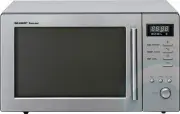
Sharp R291ZST Microwave – User Manual, read for free online in PDF format. We hope this helps you resolve any issues you may have. If you have further questions, please contact us through the contact form.


Table of Contents:
- Page 3 – WARNING
- Page 4 – SPECIAL NOTES AND WARNING
- Page 5 – INSTALLATION INSTRUCTIONS; OVEN DIAGRAM
- Page 6 – OPERATION OF CONTROL PANEL; Control Panel Display
- Page 7 – BEFORE OPERATING; Getting Started; To Cancel a Programme During Cooking
- Page 8 – MANUAL OPERATIONS; Microwave Time Cooking
- Page 9 – Sequence Cooking; Instant CookTM
- Page 10 – Increasing Time During a Cooking Programme
- Page 11 – AUTOMATIC OPERATIONS; Notes for Automatic Operations
- Page 12 – Easy Defrost
- Page 13 – Instant Action
- Page 14 – Easy Cook
- Page 15 – CARE AND CLEANING; SERVICE CALL CHECK
- Page 16 – FROZEN VEGETABLE CHART
- Page 17 – FRESH VEGETABLE CHART
- Page 18 – EASY COOK MENU GUIDE
- Page 19 – INSTANT ACTION MENU GUIDE
- Page 20 – EASY DEFROST MENU GUIDE
- Page 21 – COOKWARE AND UTENSIL GUIDE
- Page 22 – HELPFUL HINTS
- Page 23 – COOKING GUIDES; QUICK REFERENCE GUIDE; CONTENTS COOKING GUIDE
R-291Z(ST)
R
J
OPERATION MANUAL and COOKING GUIDE
MICROWAVE OVEN
Thank you for buying a Sharp Microwave Oven.
Please keep this operation manual handy, as it describes all
the features of your oven and will enable you to cook many
varieties of foods.
The manual is divided into two sections:
1.OPERATION (P2~P14)
This section describes your oven and teaches you how to use
all the features.
2.COOKING GUIDES
This section is at the back of the manual, it contains the more
commonly used information such as how to prepare food, which
cooking utensil to use, standing time.
It also contains recipes for automatic cooking and manual
cooking.
Please take some time to read your operation manual carefully,
paying particular attention to the warnings and special notes,
the automatic cooking menus programmed into your new oven
have been carefully developed to give optimum results when
the step by step instructions are followed.
When selecting another home appliance, please again consider
our full range of Sharp products.
MODEL
CONTENTS
Pages
Warranty
1
Warning
2
Special Notes and Warning
3
Installation Instructions
4
Oven Diagram
4
Operation of Control Panel
5
Control Panel Display
5
Before Operating
6
Getting Started
6
Stop/Clear
6
To Cancel a Programme During Cooking
6
Manual Operations
7
Microwave Time Cooking
7
Sequence Cooking
8
Instant Cook
8
Increasing Time During a Cooking
Programme
9
Automatic Operations
10
Notes for Automatic Operations
10
Easy Defrost
11
Instant Action
12
Easy Cook
13
Care and Cleaning
14
Service Call Check
14
Specifications
14
Cooking Guides
1
~
8
R-291Z(ST) [Cover].indd 1
R-291Z(ST) [Cover].indd 1
6/26/12 3:37:10 PM
6/26/12 3:37:10 PM
"Loading the manual" means you need to wait until the file loads and becomes available for online reading. Some manuals are very large, and the time they take to appear depends on your internet speed.
Summary
2 WARNING IMPORTANT SAFETY INSTRUCTIONS : READ CAREFULLY AND KEEP FOR FUTURE REFERENCE. To reduce the risk of fire in the oven cavity: a. Do not overcook food. b. Remove wire twist-ties from paper or plastic bags before placing bag in the oven. c. Do not heat oil or fat for deep frying. The temperat...
3 SPECIAL NOTES AND WARNING DO DON’T Eggs, fruits, vegetables,nuts, seeds,sausages and oysters * Puncture egg yolks and whites and oysters before cooking to prevent "explosion". * Pierce skins of potatoes, apples, squash, hot dogs, sausages and oysters so that steam escapes. * Cook eggs in s...
4 INSTALLATION INSTRUCTIONS 1. Remove all packing materials from the oven cavity, (do not remove the waveguide cover) , and the feature sticker from the outside of the door, if there is one. Check the unit for any damage, such as a misaligned door, damaged door seals around the door or dents inside ...


