Page 2 - AUSTRALIA; NEW ZEALAND; WARRANTY; Consumer Electronic Products; Congratulations on Your Purchase!; IMPORTANT; DO NOT RETURN THIS DOCUMENT TO SHARP
2 FOR LOCATION ENQUIRIES WITHIN AUSTRALIA REGARDING YOUR LOCAL SHARP APPROVED SERVICE CENTRE VISIT OUR WEBSITE AT www.sharp.net.au OR CALL SHARP CUSTOMER CARE 1300 135 022 SHARP CORPORATION OF AUSTRALIA PTY LTD (LOCAL CALL COST APPLY WITHIN AUSTRALIA) FOR LOCATION ENQUIRIES WITHIN NEW ZEALAND REGARD...
Page 3 - WARNING
1 WARNING IMPORTANT SAFETY INSTRUCTIONS: READ CAREFULLY AND KEEP FOR FUTURE REFERENCE. 1. To reduce the risk of fire in the oven cavity: a. No other liquid than room temperature water suitable for drinking (filtered) can be poured into the water tank. b. The oven should not be left unattended during...
Page 5 - INSTALLATION INSTRUCTIONS
3 INSTALLATION INSTRUCTIONS 1. Remove all packing materials from the oven cavity, and the feature sticker from the outside of the door, if there is one. Check the unit for any damage, such as a misaligned door, damaged door seals around the door or dentsinside the oven cavity or on the door. If ther...
Page 6 - OVEN DIAGRAM
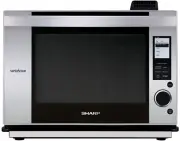
4 OVEN DIAGRAM WARNING:The oven cavity, door, outer cabinet, accessories and dishes will become very hot, use thick dry ovengloves when removing food or accessories from the oven to prevent burns. 1 Ventilation openings 2 Door open handle 3 LCD display 4 Control panel 5 Oven lamp 6 Upper position 7 ...
Page 7 - Touch Control Panel Layout; OPERATION OF CONTROL PANEL; Display Information
5 Touch Control Panel Layout OPERATION OF CONTROL PANEL The operation of the oven is controlled by pressing the appropriate pads arranged on the surface of the control panel.An entry signal tone should be heard each time you press the control panel to make a correct entry.In addition the oven will b...
Page 8 - IMPORTANT INSTRUCTIONS; WATER TANK; DRIP TRAY; Read Carefully Before Cooking in SuperSteam Convection & Steam
6 IMPORTANT INSTRUCTIONS WATER TANK Fill the water tank with room temperature watersuitable for drinking (filtered). Be sure to follow thedirections below. 1. Pull the water tank toward you to remove.2. Wash the water tank and lid for the first time. (Figure 1) 3. Fill the water tank with room tempe...
Page 9 - Oven Door Opening; SuperSteam Convection & Steam in Automatic and Manual Cooking
7 Before cooking 1. Make sure the water tank is filled with room temperature water suitable for drinking (filtered) and is installed. (See page 6.) 2. Make sure the empty drip tray is installed. (See page 6.)3. Place food in the oven unless preheating is needed. (Refer to each chart to check if preh...
Page 10 - Descale Function
8 Perform the Drain Water function at least once a day afterusing SuperSteam Convection or Steam mode. It takesup to 8 minutes. Drain Water function is very useful to prevent scale buildup and the use of stale water. It causes evaporation ofthe internal steam system. P R O C E D U R E 1 Make sure th...
Page 11 - BEFORE OPERATING; P R O C E D U R E; Getting Started
9 BEFORE OPERATING CLEAN THE OVENBEFORE FIRST USE • Before operating your Superheated Steam oven,make sure you read and understand this operationmanual completely. • Before the oven can be used, follow these procedures: 1. Place the drip tray correctly. See page 6.2. See below for getting started.3....
Page 12 - AUTOMATIC COOKING; COMPLETE MEALS; GRILL • ROAST • BAKE; SuperSteam Convection
10 AUTOMATIC COOKING Automatic Operation is available with SuperSteam Convection, Steam and Microwave. Refer to each function forthe details. SuperSteam Convection has 4 options: CompleteMeals, Grill, Roast and Bake.Refer to the SuperSteam Convection Menu Guide fordetails on page 36-40. COMPLETE MEA...
Page 14 - Steam
12 AUTOMATIC COOKING Steam has 6 options: Fresh Veg 1, Fresh Veg 2, FrozenVeg, Fresh Fish/Prawns, Frozen Convenience and Rice.Refer to the Steam Chart for details on page 41. Turn the Knob to select FRESH VEG 1 and press Enter . 2 Turn the Knob to enter amount (0.3 kg) andpress Enter . 3 Make sure S...
Page 15 - AUTO DEFROST; Microwave; SENSOR REHEAT
13 AUTOMATIC COOKING AUTO DEFROST Auto Defrost automatically defrosts all the food shownin the Defrost Chart on page 7 in the cookbook provided. * Suppose you want to defrost a 0.5 kg steak with Standard time. P R O C E D U R E 1 Press Microwave , turn the Knob to select AUTO DEFROST andpress Enter ...
Page 16 - MANUAL COOKING; Manual Cooking Chart; COOKING TIME INPUT
14 MANUAL COOKING Manual Cooking is an option in SuperSteam Convection, Convection, Steam and Microwave.Refer to the Manual Cooking Chart. The chart gives information on each setting. Manual Cooking Chart COOKING TIME INPUT Your oven can be programmed for up to 2 hours 30 minutes depending on the co...
Page 18 - SUPER STEAM GRILL
16 MANUAL COOKING NOTES: 1. If the oven door is not opened after preheating, the oven will hold the preheat temperature for 30 minutesand then "ENERGY SAVE MODE" will be displayed. 2. To program only preheat, press START after entering the desired preheat temperature. For SuperSteamGrill, pr...
Page 19 - Convection; OVEN
17 MANUAL COOKING Convection Manual Convection has 2 functions, Oven and Grill, and eachfunction has 2 options, With Preheat or Without Preheat.Use Convection as you would use a conventional oven.There is no need to change traditional cooking times. Thismode does not use steam. This mode can be prog...
Page 20 - STEAM HIGH • STEAM LOW; STEAM REHEAT
18 MANUAL COOKING STEAM has 4 functions: Steam High, Steam Low,Steam Reheat and Proof. STEAM HIGH • STEAM LOW Use Steam High to steam foods such as chicken orvegetables. Use Steam Low to steam fish or egg custardgently. With Steam Low mode, cooking time is a littlelonger than Steam High mode. Steam ...
Page 21 - PROOF
19 MANUAL COOKING PROOF Use Proof to aid dough rising when making regular orsweet yeast breads. Proof can be programmed for up to2 hours 30 minutes (2H30). * Suppose you want to proof for 20 minutes. P R O C E D U R E 1 Turn the Knob to select PROOF and press Enter . 2 Press Steam , turn the Knob to...
Page 23 - OTHER CONVENIENT FEATURES; Temperature Adjustment
21 OTHER CONVENIENT FEATURES Automatic Cooking Time Adjustment(More or Less Time Adjustment) You can adjust cooking results as you like. The automatic settings can be adjusted to yourpreferred result with the MORE/LESS option. Select MORE or LESS in the display before START . To change the oven temp...
Page 24 - SUPER STEAM CONVECTION AND CONVECTION; MICROWAVE; Multiple Sequence Cooking
22 OTHER CONVENIENT FEATURES SUPER STEAM CONVECTION AND CONVECTION There are 2 patterns in Super Steam Convection andConvection which can be programmed into MultipleSequence Cooking. 1 Preheat + Convection (Oven) + Convection (Oven) 2 Preheat + SuperSteam Convection (SuperSteam Bake/Roast) + Convect...
Page 25 - Info
23 OTHER CONVENIENT FEATURES Back/Info provides 7 features and step-by-step instructions for special functions. These features can be selected by pressing Back/Info in home page (displayed ENERGY SAVE MODE) andthen turning the Knob and pressing Enter . DRAIN WATER The remaining water inside the stea...
Page 26 - CLEANING AND CARE; Oven Cleaning - Exterior; Steam Clean
24 CLEANING AND CARE CLEAN THE OVEN AT REGULAR INTERVALS - Keep the oven clean and remove any food deposits,which lead to deterioration of the surface. This couldadversely affect the life of the appliance and possiblyresult in a hazardous situation. IMPORTANT CAUTIONS: • DISCONNECT THE POWER CORD BE...
Page 27 - Door Seals
25 CLEANING AND CARE Door Seals Always keep the door seals clean to prevent anydamage. If water condenses inside the door seals, wipedry with a soft cloth. Polish with another soft cloth. Donot use a chemical or abrasive cleaner on thesesurfaces. Care should be taken not to rub, damage,pull or move ...
Page 28 - TROUBLESHOOTING CHART; ERROR MESSAGE / INFORMATION MESSAGE; Troubleshooting Chart
26 TROUBLESHOOTING CHART Due to technical error, contact a SERVICE CENTREAPPROVED BY SHARP. SENSOR ERROR will be shown if:(a) the sensor does not detect the vapour.(b) the door is opened or the Stop/Clear pad is pressed before the cooking time is displayed. To clear the message, press the Stop/Clear...
Page 32 - COOKING GUIDES; About Your Oven; About Cooking Options
30 COOKING GUIDES About Your Oven This Operation Manual is valuable: read it carefully andalways save it for reference. Be aware that, unlike microwave-only ovens, SuperSteam Ovens have a tendency to become hot duringcooking with SuperSteam Convection, Convection or Steam. Your oven has a variety of...
Page 33 - About Utensils and Coverings
31 COOKING GUIDES About Utensils and Coverings The chart below will help you decide what utensils and coverings should be used in each mode. Small flat pieces of aluminum foil placedsmoothly on food can be used to shieldareas from cooking or defrosting tooquickly. Keep foil at least 2 cm fromwalls o...
Page 34 - SuperSteam Convection and Steam Cooking Advice
32 COOKING GUIDES ACCESSORIES There are many microwave or heat-resistant accessories available for purchase. Evaluate carefully before you purchase so that they meet your needs. A microwave-safe thermometer will assist you indetermining correct cooking result and assure you that food has been cooked...
Page 35 - - Advice for SUPERSTEAM CONVECTION and STEAM -
33 Density Quantity Size Shape Temperature of food Seasoning & flavouring Food characteristics Food density will affect the amount of cooking time needed. Cut the food intothinner parts if possible, and arrange in single layer. The cooking time must be increased as the amount of food cooked in t...
Page 36 - - Special Notes and Warning for MICROWAVE -; DO; Microwave Cooking Advice
34 * Puncture egg yolks and whites and oysters before cooking to prevent"explosion". * Pierce skins of potatoes, apples, squash, hot dogs, sausages andoysters so that steam escapes. * Use specially bagged popcorn for the microwave oven. * Listen while popping corn for the popping to slow to ...
Page 38 - AUTOMATIC COOKING CHART; SuperSteam Convection Menu Guide; RECIPES FOR COMPLETE MEALS
36 AUTOMATIC COOKING CHART SuperSteam Convection Menu Guide RECIPES FOR COMPLETE MEALS [ Utensils ]Large Shallow Casserole dish2 Baking traysRack[ Ingredients for the Salmon Steak ]4 Salmon Steaks (Approx. 200 g each)Juice of 1 LemonBlack Pepper to taste [ Ingredients for the Spinach Bake ] Olive Oi...
Page 41 - SUPERSTEAM GRILL
39 0.2 - 1.0 kg(100g) 0.25 - 1.00 kg(50g) 0.2 - 1.0 kg(100g)whole fish 0.20 - 0.80 kg(50g) AUTOMATIC COOKING CHART • Season with salt, pepper and paprika.• Pierce the skin of the chicken legs.• Put the chicken legs on the rack, skin side down, in baking tray. • After cooking, place on a dish and ser...
Page 42 - SUPERSTEAM ROAST; SUPERSTEAM BAKE
40 SUPERSTEAM ROAST AUTOMATIC COOKING CHART 0.9 - 2.0 kg (100g) 0.9 - 1.5 kg (100g) 1.0 - 2.0 kg (100g) 1.0 - 2.0 kg (100g) • Season with salt, pepper and paprika.• Place on rack in baking tray, uncovered and cook.• After cooking, stand covered with aluminium foil for 10 minutes. • Tie meat with str...
Page 43 - Steam Menu Guide
41 • Wash vegetables, then remove excess water.• Put vegetables in a steam tray.• Place the steam tray on rack in baking tray, uncovered.• After cooking, stand for 1 - 5 minutes. • Put frozen vegetables in a steam tray.• Place the steam tray on rack in baking tray, uncovered.• After cooking, stand f...