Shark IF281 - User Manual

Shark IF281 – User Manual, read for free online in PDF format. We hope this helps you resolve any issues you may have. If you have further questions, please contact us through the contact form.


Table of Contents:
- Page 2 – QUICK; AND HANDVAC CONTAIN ELECTRICAL; This vacuum consists of a motorized; WARNING
- Page 3 – ASSEMBLY; Your ION Power Pack Battery does not come fully charged.; In Use; RECYCLING THE ION POWER PACK BAT TERY
- Page 4 – CHARGING THE ION POWER PACK BATTERY; OUT OF THE VACUUM; USING THE ION POWER PACK CHARGING DOCK; SMART RESPONSETM TECHNOLOGY
- Page 5 – VERSATILE CLEANING; FLOOR
- Page 6 – Empty; EMPT YING THE DUSTCUP; MAINTAINING YOUR VACUUM; CLEANING THE FILTERS
- Page 7 – ACCESSING BRUSHROLLS; BRUSHROLL; CHECKING FOR BLOCK AGES
- Page 8 – power and remove the ION Power Pack before servicing.; LIGHT INDICATOR; TROUBLE SHOOTING
- Page 9 – Products purchased, used or operated outside of North America.
- Page 10 – NOTES
- Page 11 – PRINTED IN CHINA; PLEASE READ CAREFULLY AND KEEP FOR; TECHNICAL SPECIFICATIONS
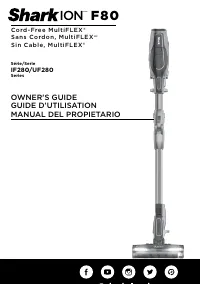
OWNER'S GUIDE
IF280/UF280
Series
ION
TM
F 8 0
C o r d - F re e M u l t i F L E X
®
"Loading the manual" means you need to wait until the file loads and becomes available for online reading. Some manuals are very large, and the time they take to appear depends on your internet speed.
Was this manual helpful?
About this manual
- Brand
- Shark
- Model
- IF281
- Document type
- User Manual
- Language(s)
- English
- Pages
- 11
- File size
- 2.7 MB
- Format
Summary
s h a r k c l e a n . c o m s h a r k c l e a n . c o m QUICK START GUIDE THE DUOCLEAN® FLOOR NOZZLE, WAND, AND HANDVAC CONTAIN ELECTRICAL CONNECTIONS: 1. This vacuum consists of a motorized nozzle, wand, and handvac. These components contain electrical connections, electrical wiring, and moving par...
s h a r k c l e a n . c o m s h a r k c l e a n . c o m ASSEMBLY 1. Insert wand into floor nozzle. 2. Insert handheld vacuum into wand. 3. Insert battery into handheld vacuum. For proper operation, ensure all components are firmly connected. 2 (Click) 3 (Click) 1 (Click) YOUR ION POWER PACK BATTERY ...
s h a r k c l e a n . c o m s h a r k c l e a n . c o m CHARGING THE ION POWER PACK BATTERY Connect ION Power Pack Battery Charger to the Charging Dock by inserting the charger plug into the port. Turn plug clockwise to lock. Place battery onto dock, then connect charger to wall outlet. OUT OF THE V...