Page 2 - THANK YOU
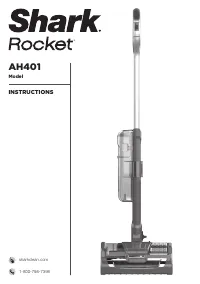
1 1-800-798-7398 THANK YOU for purchasing the Shark ® Rocket ® Powerhead PLEASE READ CAREFULLY AND KEEP FOR FUTURE REFERENCE. These instructions are designed to help you get a complete understanding of your new Shark Rocket Powerhead. If you have any questions, please call the customer service line ...
Page 3 - CONTENTS; Getting To Know Your Shark
2 s h a r k c l e a n . c o m CONTENTS Important Safety Instructions . . . . . . . . . . . . . . . . . . . . . . . . . . . 3 Getting To Know Your Shark ® Rocket ® Powerhead . . . . . . . . . 5 Assembling Your Vacuum . . . . . . . . . . . . . . . . . . . . . . . . . . . . . . 7 Speed Settings . . . ....
Page 4 - IMPORTANT SAFETY INSTRUCTIONS; FOR HOUSEHOLD USE ONLY; WARNING; GENERAL USE
3 1-800-798-7398 IMPORTANT SAFETY INSTRUCTIONS FOR HOUSEHOLD USE ONLY WARNING To reduce the risk of injury, fire, electric shock, and property damage resulting from improper use of the appliance, carefully observe the following instructions. This unit contains electrical connections and moving parts...
Page 5 - SAVE THESE INSTRUCTIONS; PLEASE READ CAREFULLY BEFORE USE
4 s h a r k c l e a n . c o m SAVE THESE INSTRUCTIONS PLEASE READ CAREFULLY BEFORE USE 20 DO NOT use if airflow is restricted. If the air paths or the floor nozzle become blocked, turn the vacuum cleaner off and unplug from electrical outlet. Remove all obstructions before you turn on the unit again...
Page 6 - MAIN UNIT
5 1-800-798-7398 GETTING TO KNOW YOUR SHARK ® ROCKET ® POWERHEAD WELCOME! Congratulations on your purchase. Use this instruction manual to learn about your new vacuum’s great features. From assembly to use to maintenance, you will find it all in here. MAIN UNIT A Power/LO/HI Switch B Upper Cord Hook...
Page 8 - ASSEMBLING
7 1-800-798-7398 IMPORTANT: Always inspect wires for damage before assembly. ASSEMBLING YOUR VACUUM 1 Insert upper part of the wand into lower portion until you hear a click. Make sure not to pinch the wires. STEP 1
Page 10 - LO
9 1-800-798-7398 SPEED SETTINGS NOTE: Before vacuuming your delicate area rugs or carpets, refer to the manufacturer’s recommended cleaning instructions. The Powerhead has a 2-speed Power slider switch on the handle. LO - The brushroll spins slowly. HI - The brushroll spins quickly. SUCTION CONTROL ...
Page 11 - CHOOSING THE APPROPRIATE; ALL-SURFACE BRUSHROLL
10 s h a r k c l e a n . c o m CHOOSING THE APPROPRIATE BRUSHROLL & SETTING ALL-SURFACE BRUSHROLL The All-Surface Brushroll can be used on all floor types. It is optimized for deep-carpet cleaning. LO - For gentle cleaning on hard floors and area rugs. HI - For deep-cleaning carpets by removing ...
Page 12 - USING YOUR VACUUM; Solid Red
11 1-800-798-7398 USING YOUR VACUUM TIP: For quick cord access, rotate upperhook down and removecord. Rotate back up for cord storage. 1 Plug power cord into electrical outlet. Step on floor nozzle and pull wand back. Select appropriate vacuum setting and start cleaning. Please note, the brushroll w...
Page 13 - STORAGE
12 s h a r k c l e a n . c o m STORAGE 1 Wrap power cord around cord hooks.
Page 14 - MAINTENANCE; EMPTYING THE DUST CUP
13 1-800-798-7398 WARNING: To reduce the risk of shock and unintended operation, turn power off and unplug unit before servicing. NOTE: Clean the dust screen inside the dust cup as required. NOTE: The unit will only run when the dust cup is locked into place. NOTE: Empty dust cup when debris reaches...
Page 16 - Pre-Motor Filter Kit
15 1-800-798-7398 MAINTENANCE WARNING: Hand wash filters with water only to prevent damage from cleaning chemicals. Allow ALL filters to dry completely before replacing in the vacuum to prevent liquid from being drawn into electric parts. RECOMMENDED FILTER CLEANING SCHEDULE: Pre-Motor Filter Kit (F...
Page 20 - TROUBLESHOOTING GUIDE
19 1-800-798-7398 TROUBLESHOOTING GUIDE Vacuum is not picking up debris. No suction or light suction. (Refer to Maintenance section for more information.) • Check filters to see if they need cleaning. Follow instructions for rinsing and completely air-drying the filters before reinserting in the vac...
Page 21 - NOTES
Page 23 - LIMITED WARRANTY
22 s h a r k c l e a n . c o m FIVE (5) YEAR LIMITED WARRANTY The 5-Year Limited Warranty applies to purchases made from authorized retailers of SharkNinja Operating LLC . Warranty coverage applies to the original owner and to the original product only and is not transferable.SharkNinja warrants tha...