Page 2 - Contents; Safety information
Contents English 2 Contents Safety information 4 What you need to know about the safety instructions 4 Important safety symbols 4 Important safety precautions 5 Installation cautions 8 Critical usage warnings 9 Usage cautions 11 Critical cleaning warnings 14 Installation 15 Unpacking your washer 15 ...
Page 3 - Troubleshooting; Specifications
Contents English 3 Troubleshooting 66 Checkpoints 66Samsung Smart Home 71 Information codes 72 Specifications 76 Fabric care chart 76 Protecting the environment 77 Specification sheet 78 FlexWash_DC68-03768L-00_EN.indd 3 2017-09-13 2:26:05
Page 4 - What you need to know about the safety instructions; What the icons and signs in this user manual mean:
Safety information English 4 Safety information Congratulations on your new Samsung washer. This manual contains important information on the installation, use and care of your appliance. Please take some time to read this manual to take full advantage of your washer’s many benefits and features. Wh...
Page 5 - Important safety precautions; WARNING; This appliance is not to be used by persons (including children)
Safety information English 5 These warning signs are here to prevent injury to yourself and others.Please follow them explicitly.After reading this manual, store it in a safe place for future reference. Read all instructions before using the appliance.As with any equipment that uses electricity and ...
Page 6 - For use in Europe
Safety information Safety information English 6 4. If the supply cord is damaged, it must be replaced by the manufacturer, its service agent or similarly qualified persons in order to avoid a hazard. 5. The new hose-sets supplied with the appliance are to be used and old hose-sets should not be reus...
Page 7 - Critical installation warnings; The appliance is heavy, therefore take care when lifting it.
Safety information English 7 Critical installation warnings The installation of this appliance must be performed by a qualified technician or service company.• Failure to do so may result in electric shock, fire, an explosion, problems with the product, or injury. The appliance is heavy, therefore t...
Page 8 - Do not pull or bend the power cord excessively.; Installation cautions; CAUTION
Safety information Safety information English 8 Do not install this appliance near a heater or any flammable material. Do not install this appliance in a humid, oily or dusty location, or in a location exposed to direct sunlight or water (rain drops). Do not install this appliance in a location expo...
Page 9 - Critical usage warnings
Safety information English 9 Critical usage warnings WARNING If the appliance is flooded, turn off the water and power supplies immediately and contact your nearest Samsung service center.• Do not touch the power plug with wet hands.• Failure to do so may result in electric shock. If the appliance g...
Page 10 - electric shock or fire.
Safety information Safety information English 10 Do not turn the appliance off by unplugging the power plug while an operation is in progress.• Plugging the power plug into the wall socket again may cause a spark and result in electric shock or fire. Do not let children or the infirm use this washer...
Page 11 - Usage cautions
Safety information English 11 Usage cautions CAUTION If the washer is contaminated by a foreign substance such as detergent, dirt, food waste, etc., unplug the power plug and clean the washer using a damp, soft cloth.• Failure to do so may result in discoloration, deformation, damage, or rust. The f...
Page 12 - The product you have purchased is designed for domestic use only.
Safety information Safety information English 12 The product you have purchased is designed for domestic use only. Using the product for business purposes qualifies as product misuse. If the product is used for business purposes, the product will not be covered by the standard warranty provided by S...
Page 13 - the surface and use a sponge to clean it. Never use a metal brush.
Safety information English 13 • Do not use the liquid detergent container (on applicable models only) for powdered detergent. Remove the container and put powdered detergent directly into the Main wash compartment. Do not place any objects (such as shoes, food waste, animals) other than laundry into...
Page 14 - Critical cleaning warnings
Safety information Safety information English 14 Do not wash clothing with large buckles, buttons, or other heavy metal objects in the washer. Sort the laundry by color on the basis of its colorfastness and select the recommended cycle, water temperature, and additional functions.• Failure to do thi...
Page 15 - Installation; Unpacking your washer
Installation English 15 Installation Follow these instructions carefully to ensure proper installation of the washer and to prevent accidents when doing laundry. WARNING Control board, heat sink, motor, inlet valve, and pump are intentionally not grounded and may present a risk of electric shock onl...
Page 16 - What’s included
Installation Installation English 16 What’s included Make sure all the parts are included in the product package. If you have a question about the washer or the parts, contact a local Samsung customer center or your retailer. 11 09 07 08 10 12 13 14 01 03 04 02 05 15 16 06 01 Lower detergent compart...
Page 17 - NOTE
Installation English 17 Accessories (supplied) Bolt caps Hose guide (x2) Tie straps Aqua Pebble Water hoses (sold separately) Spanner * When not using the pedestal, use the rubber cups for soft floors or surfaces. Accessories (not supplied) You must purchase these items at a local service center. An...
Page 18 - Installation requirements; Electrical supply and grounding; Water supply
Installation Installation English 18 Installation requirements Electrical supply and grounding • AC 220-240 V / 50 Hz fuse or circuit breaker is required. • Use an individual branch circuit specific to the washing machine. To ensure proper grounding, the washing machine comes with a power cord featu...
Page 19 - Drain; Water temperature
Installation English 19 Drain Samsung recommends a standpipe 46 cm high. The drain hose must be connected through the hose clip to the standpipe, and the standpipe must fully cover the drain hose. Flooring For best performance, the washer must be installed on a solid floor. Wood floors may need to b...
Page 20 - Alcove or closet installation; Minimum clearance for stable operation:
Installation Installation English 20 Alcove or closet installation Minimum clearance for stable operation: Sides 25 mm Rear 152 mm Top 533 mm Front 51 mm If both the washer and a dryer are installed in the same location, the front of the alcove or closet must have at least a 465 cm² unobstructed air...
Page 21 - STEP 1; Select a location; STEP 2; Remove the shipping bolts
Installation English 21 Step-by-step installation STEP 1 Select a location Location requirements:• A solid, level surface without carpeting or flooring that may obstruct ventilation• No direct sunlight• Adequate room for ventilation and wiring• Ambient temperature always higher than the freezing poi...
Page 22 - STEP 3; Adjust the levelling legs; STEP 4; Connect the water hoses
Installation Installation English 22 STEP 3 Adjust the levelling legs 1. Gently slide the washer into position. Excessive force may damage the levelling legs. 2. Level the washer by manually adjusting the levelling legs. 3. When levelling is complete, tighten the nuts using the wrench. NOTE An adjus...
Page 24 - Connect the other end of the water
Installation Installation English 24 8. Connect the other end of the water hose to the inlet valve on the back of the washing machine. Turn the hose clockwise to tighten. 9. Open the water tap and check if there are any leaks around the connection areas. If there are water leaks, repeat the steps ab...
Page 25 - For models with an additional hot water inlet:
Installation English 25 For models with an additional hot water inlet: 1. Connect the red end of the hot water hose to the hot water inlet on the back of the machine. 2. Connect the other end of the hot water hose to the hot water tap. Aqua stop hose (applicable models only) A The aqua stop hose ale...
Page 26 - STEP 5; Position the drain system; In a wall standpipe drain system
Installation Installation English 26 STEP 5 Position the drain system A B C The pipe connector is attached on the product. NOTE A : Upper drain hose B : Lower drain hose C : Pipe Connector In a wall standpipe drain system The drain hose must be placed into a wall standpipe drain system. After insert...
Page 27 - Over the edge of a wash basin; hose; ln a standpipe or laundry tub; height of the standpipe
Installation English 27 The pipe connector can be positioned in the following ways: A B Over the edge of a wash basin The pipe connector (B) must be placed at a height of between 60 cm and 90 cm from the floor. To keep the spout of the drain hose bent, use the supplied plastic hose guide (A) . Secur...
Page 28 - Dimensions of the pipe connector
Installation Installation English 28 A E F D B C Dimensions of the pipe connector A 172 mm D 67 mm B 112.5 mm E Ø 35 C 85 mm F 60 mm • Check the inner diameter of the drain outlet at the installation site. • To make the washer drain properly, make sure the outer diameter of the drain hose (E) is sma...
Page 29 - To position without the pipe connector; hose guide
Installation English 29 To position without the pipe connector If you do not use the pipe connector, each drain hose can be positioned in the following ways: A A Over the edge of a wash basin The drain hose must be placed at a height of between 60 cm and 90 cm from the floor. To keep the spout of th...
Page 31 - To position using the pipe connector; STEP 6; Final check and power on; POWER; Environment
Installation English 31 NOTE To position using the pipe connector You washer comes with a pipe connector that is designed to join the upper drain hose and the lower drain hose. You can choose to use the connector to combine two drain hoses into a single outlet. 1. Insert the clamp ring on the end of...
Page 32 - Before you start; Initial settings; Laundry guidelines; Sort
Before you start English 32 Before you start Initial settings Run Calibration (recommended) Calibration ensures accurate weight detection by the washer. Make sure the tub or drum is empty before running Calibration. To calibrate the upper washer 1. Press POWER on the control panel of the upper washe...
Page 33 - Empty pockets; • Metal objects such as coins, pins, and; Use a laundry net; • Do not wash the laundry net by itself; Determine the load capacity; Lower washer
Before you start English 33 STEP 2 Empty pockets Empty all the pockets of your laundry items • Metal objects such as coins, pins, and buckles on clothing may damage other laundry items as well as the drum or tub. Turn clothing with buttons and embroideries inside out • If pants or jacket zippers are...
Page 34 - Add the correct detergent type
Before you start Before you start English 34 STEP 5 Add the correct detergent type The type of detergent depends on the type of fabric (cotton, synthetic, delicate items, wool), color, wash temperature, and degree of soiling. Always use “low suds” HE laundry detergent which is designed for automatic...
Page 35 - Guide to cleaning agents; Upper washer; To apply cleaning agents to the upper washer
Before you start English 35 Guide to cleaning agents Upper washer A You can apply detergent manually into the tub using the provided Aqua Pebble.• Softener compartment (A) : Add a recommended amount of fabric softener as instructed by the manufacturer. To apply cleaning agents to the upper washer 1....
Page 37 - Add a recommended amount of fabric
Before you start English 37 A 4. Add a recommended amount of fabric softener to the softener compartment. Do not exceed the max line (A) . 5. Close the protective cover, and then the top door. NOTE When the cycle is complete, take out the Aqua Pebble, turn it over, and put it on the softener compart...
Page 40 - Operations; Control panel
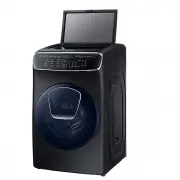
Operations English 40 Operations Your dual loading washer features upper and the lower washers for your convenience. The upper washer is an automatic tub loader that is designed to wash relatively small loads with cold water only while the lower washer is a drum loader that takes care of normal or r...
Page 41 - Smart Control; Cycle overview; • For exercise wear such as training pants, shirts/tops, and
Operations English 41 08 Smart Control After connecting the upper washer to your home network using the Samsung Smart Home app, you can control the washer remotely. When started, the Smart Control indicator blinks and the top door locks. The washer enters waiting mode and waits for remote commands. ...
Page 46 - Simple steps to start; Press
Operations Operations English 46 Simple steps to start 03 01 06 06 04 05 01 03 04 05 1. Press POWER on the control panel of a desired washer (upper/lower) to turn the washer on. 2. Put laundry into the washer. 3. Select a cycle. 4. Change the cycle settings (temperature and/or soil level) as appropr...
Page 47 - To change the cycle during operation
Operations English 47 To change the cycle during operation 1. Press START/PAUSE to stop operations temporarily. 2. Select a different cycle. 3. Press and hold START/PAUSE again to start the new cycle. WARNING • Do not put anything on top of your washer while it is running.• While the lower washer is...
Page 48 - Samsung Smart Home
Operations Operations English 48 This product is a smart washer that supports the Samsung Smart Home service.The amount of time the EZ setup function (for connecting the washer to your network) can take to complete the network connection varies, depending on your network conditions. Samsung Smart Ho...
Page 50 - Special features; Child Lock
Operations Operations English 50 Special features Child Lock To prevent children or infants from accidently starting or setting the washer, Child Lock locks all buttons except for the POWER button. Note that each washer operates independently and has its own Child Lock function. If you want to activ...
Page 51 - Smart Check
Operations English 51 Smart Check The Smart Check function helps you diagnose and troubleshoot your washer if it has an issue. To enable this function, you must first download the Samsung Smart Washer app from the Play Store or the Apple Store, and install it on a mobile device that has a built-in c...
Page 52 - Sound; AddWash
Operations Operations English 52 Sound Mute or unmute the sound (button beeps, indicator beeps, and chimes, etc.) • Press Sound to mute the alarm or beep from the washer. • Press again to unmute the washer. Drum Light (lower washer only) The drum light turns on when the door is opened, and turns off...
Page 54 - Maintenance; General considerations; Cleaning; Surface of the washer
Maintenance English 54 Maintenance Keep the washer clean to prevent its performance from deteriorating and to preserve its life cycle. WARNING Control board, heat sink, motor, inlet valve and pump are intentionally not grounded and may present a risk of electric shock only during servicing. General ...
Page 55 - Add Door; locking
Maintenance English 55 Add Door A 1. Open the Add Door. 2. Use a wet cloth to clean the Add Door. - Do not use cleaning agents. Discoloration may occur. - Use caution when cleaning the rubber packing and the locking mechanism (A) . - Dust off the door area regularly. 3. Wipe up and close the Add Doo...
Page 56 - Mesh filter
Maintenance Maintenance English 56 Mesh filter Clean the mesh filter of the water hose once or twice a year. 1. Turn off the washer, and then unplug the power cord. 2. Close the taps. 3. Loosen and disconnect the water hose from the back of the washer. Cover the hose with a cloth to prevent water fr...
Page 57 - Recovery from freezing; If the washer will not be used for an extended period of time
Maintenance English 57 Recovery from freezing The washer may freeze when the temperature in its location drops below 32 °F (0 °C). 1. Turn off the washer, and then unplug the power cord. 2. Pour warm water over the tap to loosen the water hose. 3. Disconnect the water hose, and soak it in warm water...
Page 58 - Tub Clean; Fabric softener
Maintenance Maintenance English 58 Upper washer Tub Clean Tub Clean is a self-cleaning cycle that removes dirt and bacteria that may occur inside the tub. We recommend running Tub Clean every 20 washes. 1. Make sure the tub is empty. 2. Press POWER . 3. Press Tub Clean . 4. Press and hold START/PAUS...
Page 59 - Lint filter
Maintenance English 59 2. Use a soft brush (for example, a toothbrush) to clean inside the compartment and remove impurities. 3. Run the RINSE+SPIN cycle to rinse the compartment. After supplying water and draining 5 times, the 18-minute cycle completes with the final spin process. Lint filter We re...
Page 60 - Drum Clean
Maintenance Maintenance English 60 Lower washer Drum Clean Perform this cycle regularly to clean the drum and to remove mold from it. 1. Make sure the drum is empty. 2. Press POWER to turn on the washer. 3. Press Drum Clean . 4. Press and hold START/PAUSE . CAUTION • Do not use any cleaning agents. ...
Page 61 - Main wash compartment; Remove all residue and traces of
Maintenance English 61 Main wash compartment The main wash compartment needs to be cleaned periodically to remove buildup of laundry additives. 1. Open the top-front cover. Grasp the main wash compartment, and then pull up to remove. 2. Remove all residue and traces of accumulated laundry agents fro...
Page 63 - Emergency drain
Maintenance English 63 Emergency drain In case of a power failure, drain the water inside the drum before taking out the laundry. 1. Power off the washer, and then unplug it from the electrical outlet. 2. Gently press the top area of the filter cover to open. A 3. Put an empty, spacious container in...
Page 64 - Pump filter
Maintenance Maintenance English 64 Pump filter It is advisable to clean the pump filter 5 or 6 times a year to prevent it from clogging. A clogged pump filter may reduce the bubble effect. A 1. Turn off the washer, and then unplug the power cord. 2. Drain the remaining water inside the drum. See the...
Page 66 - Checkpoints; Symptom
Troubleshooting English 66 Troubleshooting Checkpoints If you encounter an issue to check with the washer, first check the table below and try the suggestions. Symptom Action Does not turn on. • Make sure your home electrical system is providing electrical power that matches the requirements of the ...
Page 71 - Problem
Troubleshooting English 71 Samsung Smart Home Problem Action I could not find “Samsung Smart Home” in the app market. • The Samsung Smart Home app is available for smartphones that run Android 4.0 (ICS) or higher, or iOS 7.0 or higher. The Samsung Smart Home app fails to operate. • The Samsung Smart...
Page 75 - • Power off the washer, and then contact a Samsung service
Troubleshooting English 75 Code Action Upper washer Lower washer 1 SF SF System failed. • Power off the washer, and then contact a Samsung service center. 1 AC AC Check communications between main and sub PBAs. • Try powering off and restarting the cycle.• If the information code remains, contact a ...
Page 77 - Iron dry or steam temperatures; Protecting the environment
Speci fications English 77 Iron dry or steam temperatures High Medium Low Warning symbols for laundering Do not wash Do not wring Do not bleach Do not tumble dry No steam (added to iron) Do not iron Dry-clean Dry-clean Do not dry-clean Line dry / Hang to dry Drip dry Dry flat Protecting the environm...
Page 78 - Specification sheet; Type
Speci fications Specifications English 78 Specification sheet “*” Asterisk(s) means variant model and can be varied (0-9) or (A-Z). Type Front loading washing machine Model name WV16M9945K* Dimensions (W × D × H) 686 x 864 x 1192 mm Water pressure 50-800 kPa Net weight 136 kg Wash and spin capacity ...
Page 79 - Memo
Memo English 79 FlexWash_DC68-03768L-00_EN.indd 79 2017-09-13 2:26:24