Page 2 - Important Safety Instructions; CAUTION
2 3 E E Important Safety Instructions 1. Read these instructions. 2. Keep these instructions. 3. Heed all warnings. 4. Follow all instructions. 5. Do not use this apparatus near water. 6. Clean only with dry cloth. 7. Do not block any ventilation openings. Install in accordance with the manufacturer...
Page 3 - Table of Contents; Chapter 1
E 5 E 4 Table of Contents Chapter 1 Overview This chapter briefly introduces the Camera and describes its key features, part names and functions. Chapter 1 Overview 5 Introduction 6 Part Names and Functions 7 Chapter 2 Installing the Camera 9 Checking the Contents of the Package 10 Precautions for I...
Page 4 - Front View
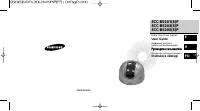
E 7 E 6 Introduction Part Names and Functions The Anti-Vandal Dome Camera is a dome-typed surveillance device thatoffers the best features of surveillance for banks, retail stores, commercialbuildings, industrial settings, and etc. It is designed to withstand intentionalor accidental impact or vanda...
Page 5 - Part Names and Functions; Camera Operation Switches (Setup Switches); In the usual operation mode; order to open the submenu, and to accept the current value.; Chapter 2; Installing the Camera
8 9 Part Names and Functions E E ❶ Camera Operation Switches (Setup Switches) The functions of the camera operation switches change depending on whetherthe Camera is currently in the usual operation mode (i.e., the setup menu is notshowing on the screen) or the setup menu mode. ➻ In the usual operat...
Page 6 - Before Installation; Checking the Contents of the Package; PLASTIC ANCHOR
10 11 Before Installation E E Checking the Contents of the Package Be sure to check that the following items are included in the package. Anti-Vandal Dome Camera User’s Guide ALARM & RS485 Cable User’s Guide ✔ PLASTIC ANCHOR 2 ea. ❙ ❙ for ceiling installation ✔ ASSY SCREW TAPPING 2 ea. ❙ ❙ for c...
Page 7 - Precautions for Installation and Use
12 13 Before Installation E E Precautions for Installation and Use Installation Examples ✔ Please check whether the installation site can sufficiently support the weight of the Camera before installation. ✔ Make sure that the cable is not caught on anything or its insulation sheath is not removed. (...
Page 8 - Power Adapter Cable; For installing directly on a ceiling
14 15 Preparing Cables E E Installing the Camera The following cables are required to install and use the Camera. Power Adapter Cable Video Cable The power adapter that plugsinto the Camera’s power inputreceptacle has the rated volt-age of DC 12V 600mA or AC24V 300mA. The cable that connects thevide...
Page 9 - For installing on a pipe; For installing on a pipe coming down from the ceiling
16 17 Installing the Camera E E 6. Adjust the LENS direction. 1) Turn the STOPPER RING counter-clockwise as shown in the illustration to move the LENS body and COVER LENS. 2) Move the LENS body to adjust the vertical direction and turn the LENS body together with the COVER LENS to adjust the horizon...
Page 10 - For installing on a horizontal pipe
18 19 Installing the Camera E E 6. Remove the DOME COVER to adjust the LENS direction.1) Use the supplied L WRENCH to unfasten the 4 BOLTS for CASE fixing by turning them counter-clockwise as shown in the illustration. 2) Disassemble the ASSY-DOME in the direction shown in the illustration. 7. Adjus...
Page 11 - align the INDEX KEY arrow mark (
20 21 Installing the Camera E E 7) Route the cables through the PIPE assembly hole on the side of the PIPE, align the INDEX KEY arrow mark ( ) of the CAMERA body to the groove on the CAMERA, mount the CAMERA body and turn it clockwise all the way tight, and then fasten the two SCREWS. 8) Use a “minu...
Page 12 - Connecting Cables and Checking Operations; First connect one end of the BNC cable to the VIDEO OUT.
E 23 E 22 Connecting Cables and Checking Operations 1. First connect one end of the BNC cable to the VIDEO OUT. 2. Next, connect the other end of the BNC cable to the video input terminal of the monitor. 3. Then, plug in the power adapter. Use a “minus” screwdriver to connect one part of the power a...
Page 13 - Structure of the Setup Menu; Chapter 3; Setup Menu Overview
E 25 E 24 Structure of the Setup Menu ON... ALC... MANU... MANU... LINE... ON... CAMERA ID ON.../OFF CAMERA ID SETUP CAMERA ID POSITION SETUP AREA SETUP BLC SETUP LEVEL SETUP LEVEL SETUP 3200K/5600K/USER RED, BLUE SETUP PHASE SETUP AREA SETUP SENSITIVITY SETUP RS485, PRESET D-ZOOM, PIP, MIRROR, POSI...
Page 14 - CAMERA MENU Organization; ALC
26 27 CAMERA MENU Organization E E ➼ ALC (Auto Light Control) If you set the IRIS to ALC and press the [ENTER] key, a submenu screen whereyou can set the video output level and BLC will be displayed.In the LEVEL item, you can use the [LEFT/RIGHT] keys to set the video outputlevel.If you set the BLC ...
Page 15 - AUTO FOCUS; AF; The user can manually adjust the focus with the MANUAL FOCUS MODE.; MANU
28 29 CAMERA MENU Organization E E AUTO FOCUS In the AUTO FOCUS menu, you can specify the Focus method. You can set theFocus to ONEAF, AF, or MF. ➼ AF (Auto Focus) Automatically FOCUSes by continuously monitoring the screen with the AUTOFOCUS MODE. In the AF MODE, a FOCUS key press will not be proce...
Page 16 - SHUTTER
30 31 CAMERA MENU Organization E E AGC/MOTION ➼ AGC (Auto Gain Control) You can specify whether to control the AGC GAIN when the obtained video isbelow a certain level of brightness because it was recorded under insufficientlighting. From the SET UP MENU, use the UP/DOWN keys while in the high-speed...
Page 17 - ATW; Set the WHITE BAL menu to ATW.; AWC; BLUE graphs; WHITE BAL
32 33 CAMERA MENU Organization E E ➼ ATW Set the WHITE BAL menu to ATW. ➼ AWC Set the WHITE BAL menu to AWC and press the [ENTER] key with a piece ofwhite paper placed in front of the lens. In the AWC mode, Auto White BalanceControl works only when the [ENTER] key is pressed. ➼ MANU (Manual White Ba...
Page 18 - This function is not used on the Anti-Vandal Dome Camera.
34 35 CAMERA MENU Organization E E ➼ CTRL TYPE This function is not used on the Anti-Vandal Dome Camera. ➼ RS485 Select the Baud Rate (4800, 9600, 19200, or 38400 bps) and Camera Address (0~255) for RS485 communication. When using a multiple number of cameras,each must use a different address. (If t...
Page 19 - POSITION SET; Stores the Zoom and Focus positions.; PRESET ID
36 37 CAMERA MENU Organization E E You can store up to 10 Zoom and Focus positions with the PRESET. The PRESETfunction can be used when you connect the SSC-1000(Controller[Sold Separately])and RS485. When you select the ON... item and press the [ENTER] key, you can use the[LEFT, RIGHT, UP, DOWN] key...
Page 20 - EXIT; Exits the setup menu and returns to the usual operation mode.; QUIT; PRESET; Saves the settings that have been changed so far.; MOTION DET; LANGUAGE
38 39 CAMERA MENU Organization E E You can move the cursor to the SENSITIVITY position and use the [LEFT/RIGHT]keys to set the sensitivity for MOTION detection (LOW, MEDIUM, HIGH).After setting the position in the same way you did with BLC AREA, press the[ENTER] key to return to the previous MOTION ...
Page 21 - Product Specifications; ITEM; External Connector Pin Specifications; CN 753 : Camera Power Input and Video Signal Output; Pin No Pin Specifications
E 41 E 40 Product Specifications ITEM DESCRIPTION Product Type Anti-Vandal Dome Camera Power Source Voltage AC 24V ± 10% (NTSC:60Hz ± 0.1Hz, PAL:50Hz ± 0.1Hz), DC12V +10% ~ -5% Power Consumption Approx. 6W Broadcast System NTSC(PAL) Standard Color System Imaging Device 1/4 inch IT S-HAD CCD Effectiv...