Samsung MX-H730 - User Manual

Samsung MX-H730 Sound System – User Manual, read for free online in PDF format. We hope this helps you resolve any issues you may have. If you have further questions, please contact us through the contact form.


Table of Contents:
- Page 2 – Safety Warnings; CAUTION; Accessories; WARNING
- Page 3 – Precautions; Holding discs; Handling and Storing Discs
- Page 4 – Contents; Symbols
- Page 5 – Description; Front Panel; • Press this button to switch your mini-compact
- Page 6 – CH Speaker Connector Terminals; Rear Panel
- Page 7 – Remote Control; Installing batteries in the Remote Control; Display Function; Pull the fixing tab of the Toroidal ferrite core to open it.
- Page 8 – Selecting a Track; search; You can also press and hold the
- Page 9 – Press the; Auto Change Function
- Page 10 – Playing a USB Device; OFF
- Page 11 – Using Bluetooth; To connect the product to a Bluetooth device; or the
- Page 12 – The timer enables you to switch the system on or; Timer Function; During each step, you have a few seconds to set the; Using the Bluetooth Power On; When the product is turned off, you can connect
- Page 13 – Select; Selecting a Stored Station; Press
- Page 14 – Recording Speed; You can select the recording speed before recording.; Recording Function
- Page 15 – GIGA SOUND Function; Your mini-compact system provides predefined; Selecting EQ Mode
- Page 16 – Troubleshooting; Symptom; I cannot eject the disc.; STOP; RESET
- Page 17 – Specifications
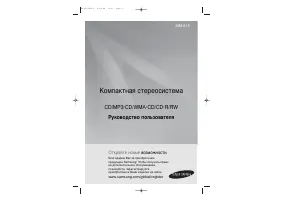
MINI-Compact System
MP3-CD/WMA-CD/CD-R/RW Playback
user manual
Imagine
the possibilities
Thank you for purchasing this Samsung product.
To receive more complete service,
please register your product at
www.samsung.com/register
MX-H630
MX-H730
"Loading the manual" means you need to wait until the file loads and becomes available for online reading. Some manuals are very large, and the time they take to appear depends on your internet speed.
Summary
2 English English 2 English 3 TUNER/AUX FM Antenna User's Manual Remote Control/Batteries Toroidal Ferrite core ( 1 EA) (For Power cable) (Optional) Safety Warnings TO REDUCE THE RISK OF ELECTRIC SHOCK, DO NOT REMOVE THE COVER (OR BACK). NO USER-SERVICEABLE PARTS ARE INSIDE. REFER SERVICING TO QUALI...
2 English English 2 English 3 Precautions • Ensure that the AC power in your house matches the requirements listed on the identification sticker located on the back of your product. • Do not place the product on amplifiers or other equipment which may become hot. Make sure the ventilation slots are ...
4 English English 4 English 5 Thank you for buying this SAMSUNG mini-compact system. Please take time to read these instructions. They will allow you how to operate your system and take full advantage of its features. Safety Warnings ....................................... 2Accessories ................