Page 2 - Contents; USING THIS INSTRUCTION BOOKLET; Safety precautions
2 ENGLISH Contents Safety precautions ...........................................................................................2Installing your microwave oven .......................................................................7How a microwave oven works ...........................................
Page 3 - LEGEND FOR SYMBOLS AND ICONS; PRECAUTIONS TO AVOID POSSIBLE EXPOSURE TO; WARNING
3 ENGLISH LEGEND FOR SYMBOLS AND ICONS WARNING Hazards or unsafe practices that may result in severe personal injury or death . CAUTION Hazards or unsafe practices that may result in minor personal injury or property damage. Warning; Fire hazard Warning; Hot surface Warning; Electricity Warning; Exp...
Page 7 - Installing your microwave oven
7 ENGLISH Place the oven on a flat level surface 85 cm above the floor. The surface should be strong enough to safety bear the weight of the oven. 1. When you install your oven, make sure there is adequate ventilation for your oven by leaving at least 10 cm (4 inches) of space behind and, on the sid...
Page 8 - Your new microwave oven; CHECKING PARTS
8 ENGLISH Your new microwave oven CHECKING PARTS Unpack your microwave oven and check to make sure that you have all the parts shown here. If any part is missing or broken, call your dealer. WARRANTY AND SERVICE INFORMATION When contacting Samsung, please provide the specific model and serial number...
Page 9 - CONTROL PANEL; Operation; SETTING THE CLOCK; USING THE PAUSE/CANCEL BUTTON; USING ONE MINUTE + BUTTON
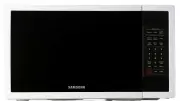
9 ENGLISH CONTROL PANEL 1. AUTO DEFROST BUTTON 2. ONE TOUCH SENSOR COOK 3. PIZZA REHEAT (INSTANT COOK) BUTTON 4. AUTO COOK MENUS 5. NUMBER BUTTONS 6. POWER LEVEL BUTTON 7. CLOCK BUTTON 8. PAUSE/CANEL BUTTON 9. ONE MINUTE + BUTTON 10. BEVERAGE (INSTANT COOK) BUTTON 11. MORE/LESS BUTTON 12. KITCHEN TI...
Page 10 - USING THE ONE TOUCH SENSOR COOK BUTTONS; Sensor Cooking guide; USING THE INSTANT COOK BUTTONS; Instant Cook chart
10 ENGLISH USING THE ONE TOUCH SENSOR COOK BUTTONS By actually sensing the steam that escapes as food heat, this feature automatically adjusts the oven’s heating time for various types and amounts of precooked food. All food should be precooked and at refrigerator temperature. 1. Press the Sensor Co...
Page 11 - USING THE SNACK BAR BUTTONS; Snack Bar chart
11 ENGLISH USING THE SNACK BAR BUTTONS 1. Press the Snack Bar button corresponding to the food you are cooking. The display shows “A-1” (item code). Press the Snack Bar button repeatedly to select the item you want.(Refer to the Snack Bar Chart below) 2. Press the Number 1 or 2, 3 button to select t...
Page 12 - USING THE RICE/PASTA BUTTONS
12 ENGLISH Code Item Weight Initial temperature A-3 Frozen Pasta 1-2 serves Water: Boiling water Remarks Place frozen pasta into microwave-safe rice cooker or bowl or round Glass Pyrex dish without lids on and cook uncovered. After oven beeps at half cooking time, stir well and press start to contin...
Page 13 - USING THE MEAT/FISH BUTTONS
13 ENGLISH USING THE MEAT/FISH BUTTONS 1. Press the Meat/Fish button corresponding to the food you are cooking. The display shows “A-1” (item code). Press the Meat/Fish button repeatedly to select the item you want.(Refer to the Meat/Fish Chart below) 2. Press the Number 1 or 2, 3 button to select t...
Page 14 - SETTING COOKING TIMES & POWER LEVELS
14 ENGLISH SETTING COOKING TIMES & POWER LEVELS Your microwave allows you to set up to two different stages of cooking, each with its own time length and power level. The Power Level button lets you control the heating intensity from Warm (1) to High (0) . One-stage cooking For simple one-stage ...
Page 15 - SWITCHING THE BEEPER ON/OFF; Cooking instructions; COOKING UTENSILS; Recommended use
15 ENGLISH SWITCHING THE BEEPER ON/OFF You can switch the beeper off whenever you want. 1. Press the Sound button. The display shows “On”. (“START” will flash) 2. Press the Sound button twice to turn the volume off. The display shows: “OFF”. (“START” will flash) 3. Press Start . The display returns ...
Page 16 - GENERAL TIPS; COOKING TECHNIQUES
16 ENGLISH Shielding Shield food with narrow strips of aluminum foil to prevent overcooking. Areas that need shielding include poultry wing-tips, the ends of poultry legs, and corners of square baking dishes. Use only small amounts of aluminum foil. Larger amounts can damage your oven. Turning Turn ...
Page 17 - AUTO SENSOR COOK
17 ENGLISH • Home canning in the microwave oven is not recommended because all harmful bacteria may not be destroyed by the microwave heating process. • Although microwaves do not heat the cookware, the heat from the food is often transferred to the cookware. Always use pot holders when removing foo...
Page 18 - COOKING GUIDE; Guide for cooking meat in your microwave
18 ENGLISH COOKING GUIDE Guide for cooking meat in your microwave • Place meat on a microwave-safe roasting rack in a microwave-safe dish.• Start meat fat-side down. Use narrow strips of aluminum foil to shield any bone tips or thin meat areas. • Check the temperature in several places before lettin...
Page 19 - Guide for cooking seafood in your microwave; Cooking eggs in your microwave
19 ENGLISH Guide for cooking seafood in your microwave • Cook fish until it flakes easily with a fork.• Place fish on a microwave-safe roasting rack in a microwave-safe dish.• Use a tight cover to steam fish. A lighter cover of wax paper or paper towel provides less steaming. • Do not overcook fish;...
Page 20 - AUTO DEFROSTING GUIDE
20 ENGLISH AUTO DEFROSTING GUIDE Follow the instructions below when defrosting different types of food. Code Item Weight (g) Initial temperature 1 Meat 100-2000 20-60 min. Remarks Shield the sdges with aluminium foil. Turn the meat over, when the over beeps. This programme is suitable for beef, lamb...
Page 21 - RECIPES; Beef and barley stew
21 ENGLISH RECIPES Beef and barley stew 675 g beef stew cubes, cut into ½-inch pieces ½ cup chopped onion 2 Tbs. all-purpose flour 1 Tbs Worcestershire sauce 1 can (380-405 g) beef broth 2 medium carrots, cut into ½-inch slices (about 1 cup) ½ cup barley 1 bay leaf ¼ tsp. pepper 1 pkg. (250-280 g) f...
Page 22 - Appendix; TROUBLESHOOTING GUIDE; Warm potato salad
22 ENGLISH Appendix TROUBLESHOOTING GUIDE Before you call a repair person for your oven, check this list of possible problems and solutions. Neither the oven’s display nor the oven operate. • Properly insert the plug into a grounded outlet. • If the outlet is controlled by a wall switch, make sure t...
Page 23 - CARE AND CLEANING; ERROR MESSAGE; TECHNICAL SPECIFICATIONS
23 ENGLISH The turntable makes noises or sticks. • Clean the turntable, roller ring and oven floor. • Make sure the turntable and roller ring are positioned correctly. Using your microwave causes TV or radio interference. • This is similar to the interference caused by other small appliances, such a...
Page 24 - QUESTIONS OR COMMENTS
Code No.: DE68-03349H QUESTIONS OR COMMENTS COUNTRY CALL OR VISIT US ONLINE AT AUSTRALIA 1300 362 603 NEW ZEALAND 0800 SAMSUNG (0800 726 786) CHINA 400-810-5858 HONG KONG (852) 3698 4698 INDIA 1800 1100 11 3030 8282 1800 3000 8282 1800 266 8282 INDONESIA 0800-112-8888 021-5699-7777 JAPAN 0120-327-52...