Page 2 - Safety; SAVE THESE INSTRUCTIONS
English - 2 IMPORTANT SAFETY SYMBOLS AND PRECAUTIONS What the icons and signs in this user manual mean: WARNING Hazards or unsafe practices that may result in severe personal injury or death. CAUTION Hazards or unsafe practices that may result in minor personal injury or property damage. CAUTION To ...
Page 4 - GROUNDING; Use of Extension Cords; CRITICAL INSTALLATION
English - 4 17. To reduce the risk of fire in the oven cavity: a. Do not overcook food. Carefully attend appliance when paper, plastic, or other combustible materials are placed inside the oven to facilitate cooking. b. Remove wire twist-ties from paper or plastic bags before placing the bags in the...
Page 8 - Contents
English - 8 Contents SAFETY INFORMATION 2 2 What You Need To Know About Safety Instructions 2 Precautions To Avoid Possible Exposure To Excessive Microwave Energy 2 Important Safety Symbols And Precautions 3 Important Safety Instructions 4 Grounding Instructions 4 Critical Installation Warnings 5 In...
Page 9 - Setting up your; CHECKING THE PARTS; WARRANTY AND SERVICE
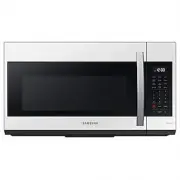
English - 9 0 1 SET TING UP Y OUR MICR O W A VE O VEN Setting up your microwave oven Be sure to follow these instructions closely so that your new microwave oven works properly. CHECKING THE PARTS Carefully unpack your microwave oven, and make sure you’ve received all the parts shown below. If your ...
Page 11 - SETTING THE TIME; SETTINGS; SMART CONTROL
English - 11 0 1 SET TING UP Y OUR MICR O W A VE O VEN SETTING THE TIME Your microwave oven is equipped with a built-in clock. Set the clock when first installing your microwave oven and after a power failure. The time is displayed whenever the microwave oven is not being used. 1. Press the Clock bu...
Page 12 - VOICE CONTROL
English - 12 How to connect the microwave oven 1. Download and open the SmartThings app on your smart device. 2. Follow the app’s on-screen instructions to connect your microwave oven. 3. To operate smart control function from the microwave oven, touch and hold OK button for 3 seconds. 4. Once the p...
Page 13 - AUTO CONNECTIVITY
English - 13 0 1 SET TING UP Y OUR MICR O W A VE O VEN Function ‘Alexa’ ‘OK Google’ Turn Off/Stop • Turn off the microwave • Turn off the microwave • Stop the microwave • Stop the microwave Pause • Pause the microwave • Pause the microwave Check Status • Is the microwave running? • Is the microwave ...
Page 14 - Using your microwave oven; KITCHEN TIMER BUTTON
English - 14 Using your microwave oven Cooking has never been easier than with your new Samsung microwave oven. The following section describes everything you need to know about using your microwave oven. KITCHEN TIMER BUTTON Use the Kitchen Timer for timing up to 99 minutes, 99 seconds. 1. Press th...
Page 15 - SENSOR COOKING BUTTONS; REHEAT BUTTON
English - 15 0 2 U SING Y OUR MICR O W A VE O VEN SENSOR COOKING BUTTONS The Sensor Cooking buttons let you cook favorite foods using preset power levels and times at the touch of a button. If the food is not thoroughly cooked or reheated when you use the auto cook feature, complete the cooking proc...
Page 16 - AUTO DEFROST BUTTON; FIT CHOICE BUTTON
English - 16 Reheating table Follow the instructions below when reheating different types of food. Food Amount Procedure Dinner plate (rh-2) 1 serving (1 plate) Use only precooked, refrigerated foods. Cover the plate with vented plastic wrap or waxed paper tucked under the plate. If the food is not ...
Page 17 - BEVERAGE BUTTON
English - 17 0 2 U SING Y OUR MICR O W A VE O VEN Fit Choice table Menu / Item No. / Amount Remarks FC-1 Spinach 1 1 Serving Wash and clean the spinach. Place the spinach in a microwave safe bowl. Add 1-4 tablespoons of water (1 Tbsp per serving). Cover during cooking and stir afterwards. 2 2 Servin...
Page 18 - SNACKS BUTTON
English - 18 Soften / Melt table Menu / Item No. / Amount Remarks St-1 Melt butter 1 1 stick (¼ lbs.) Remove the wrapping and cut the butter in half vertically. Place the butter in a dish and cover with wax paper. Stir well after finishing and let stand for 1-2 minutes. 2 2 sticks (½ lbs.) St-2 Melt...
Page 19 - MICROWAVE COOKING TIMES & POWER LEVELS
English - 19 0 2 U SING Y OUR MICR O W A VE O VEN Menu / Item No. / Amount Remarks Sn-6 Chicken wings, refrigerated 1 1 serving (5-6 oz) Use precooked, refrigerated chicken wings. Place the chicken wings around the plate in a spoke-like fashion and cover with wax paper. Let stand for 1 to 2 minutes....
Page 20 - MICROWAVE-SAFE UTENSILS
English - 20 Cookware Comments Recycled paper or metal trims May cause arcing. Glassware Oven-to-table ware Can be used, unless decorated with a metal trim. Fine glassware Can be used to warm foods or liquids. Delicate glass may break or crack if heated suddenly. Glass jars Regular glass is too thin...
Page 21 - Cooking; GENERAL MICROWAVE TIPS; COOKING MEAT
English - 21 0 3 C OOK W ARE / C OOKING GUIDE Cooking guide Microwave energy actually penetrates food, attracted and absorbed by the water, fat, and sugar in the food. The microwaves cause the molecules in the food to move rapidly. The rapid movement of these molecules creates friction and the resul...
Page 22 - COOKING SEAFOOD; COOKING POULTRY
English - 22 Food Cooking time/ power level Instructions Whole chicken Up to 4 lbs. Cooking Time: 7-11 min. / lb. 180 °F dark meat 170 °F light meat Place the chicken breast-side down on the roasting rack. Cover with wax paper. Turn over half way through cooking process. Cook until the juices run cl...
Page 23 - RECIPES; COOKING EGGS; COOKING VEGETABLES
English - 23 0 4 C OOKING GUIDE RECIPES Beef and barley stew 1½ lbs. beef stew cubes, cut into ½-inch pieces ½ cup chopped onion 2 Tbs. all-purpose flour 1 Tbs. Worcestershire sauce 1 can (13.75-14.5 oz.) beef broth 2 medium carrots, cut into ½-inch slices (about 1 cup) ½ cup barley 1 bay leaf ¼ tsp...
Page 24 - Cleaning and; CLEANING THE EXTERIOR
English - 24 Warm potato salad 2 lbs. small red potatoes, cut into ½-inch pieces 4 slices bacon (uncooked), cut into ½-inch pieces ¼ cup chopped onion 2 tsp. sugar 1 tsp. salt 1 tsp. flour ½ tsp. celery seed ⅛ tsp. pepper 2½ Tbs. apple cider vinegar 1. In a 2-quart casserole, combine the potatoes an...
Page 26 - CLEANING THE GREASE FILTER; REPLACING THE OVEN LIGHT
English - 26 CLEANING THE GREASE FILTER Your microwave oven has reusable grease filter. The grease filters should be removed and cleaned at least once every four months or as required. To order a new grease filter, contact SamsungParts at 1-800-627-4368 or your Samsung dealer. You can also order onl...
Page 27 - REPLACING THE CHARCOAL FILTER; Troubleshooting
English - 27 06 TROUBLESHOO TING REPLACING THE CHARCOAL FILTER If your oven is vented to the inside, the charcoal filter should be replaced every 6 to 12 months and more often if necessary. The charcoal filter cannot be cleaned. To order a new charcoal filter, contact SamsungParts at 1-800-627-4368 ...
Page 28 - Appendix
English - 28 English - 28 Problem Solutions Vent Motor suction force is too weak. Set the vent mode to high. The Vent Fan will only operate in low speed mode while the microwave is working. Operating noise is too loud. The microwave makes noise during operation. This is normal. If you hear an abnorm...
Page 31 - Memo
English - 31 English - 31 08 WARRANT Y Memo DAMAGE. WITHOUT LIMITING THE FOREGOING, PURCHASER ASSUMES ALL RISK AND LIABILITY FOR LOSS, DAMAGE OR INJURY TO PURCHASER AND PURCHASER’S PROPERTY AND TO OTHERS AND THEIR PROPERTY ARISING OUT OF THE USE, MISUSE OR INABILITY TO USE THIS PRODUCT SOLD BY SAMSU...