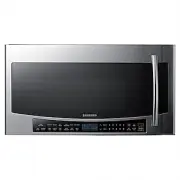
Page 2 - Microwave Oven; User manual
Microwave Oven User manual MC17J8100CS MC17J8100CS_AA_DE68-04224D-01_EN.indd 1 2015-11-26 �� 4:08:11
Page 3 - Important safety instructions; Contents
2 English C ontents Important safety instructions 4 Setting up your new microwave oven 15 Checking the parts 15 Setting up your microwave oven 16 Installing the metal shelf 16 Checking the control panel 17 Setting the time 18 Using my setting feature 18 Using your microwave oven 20 Using the stop/cl...
Page 5 - SAVE THESE INSTRUCTIONS
4 English Impor tant saf ety ins truc tions SAVE THESE INSTRUCTIONS Congratulations on your new Samsung microwave oven. This manual contains important information on the installation, use and care of your appliance. Please take time to read this manual to take full advantage of your microwave oven’s...
Page 9 - GROUNDING INSTRUCTIONS
8 English Important safety instructions Impor tant saf ety ins truc tions SAVE THESE INSTRUCTIONS CAUTION 1. Clean Ventilating Hoods Frequently - Grease should not be allowed to accumulate on the hood of the filter. 2. When flaming foods under the hood, turn the fan on. 3. Use care when cleaning the...
Page 16 - Setting up your new microwave oven; Checking the parts; NOTE
English 15 Se tting up y our ne w micr o w ave ov en Setting up your new microwave oven Be sure to follow these instructions closely so that your new microwave oven works properly. Checking the parts Carefully unpack your microwave oven, and make sure you’ve received all the parts shown below. If yo...
Page 17 - Setting up your microwave oven
16 English Setting up your new microwave oven Se tting up y our ne w micr o w ave ov en Setting up your microwave oven Installing the metal shelf When you need to use the Metal Shelf, place it on the plastic hooks inside your oven and make sure it is positioned properly to avoid electrical arcing th...
Page 18 - Checking the control panel
English 17 Se tting up y our ne w micr o w ave ov en Checking the control panel 01 Turntable On/Off Button 02 Light Button (Hi/Low/Off) 03 Vent Button (3 Speed & On/Off) 04 Slim Fry Button 05 Fit Choice Button 06 Steam Cook Button 07 Speed Cook Button 08 Express Menu Button 09 Auto Cook Button 1...
Page 19 - Setting the time
18 English Setting up your new microwave oven Se tting up y our ne w micr o w ave ov en 1. Press the My Settings button. 2. Press the 9 button. 3. Press the OK button. 4. Use the numeric buttons to enter the current time. You need to press at least three numbers to set the clock. For example, if the...
Page 20 - Filter Reminder
English 19 Se tting up y our ne w micr o w ave ov en The functions, options, and corresponding numeric buttons are listed in the table below. No. Function Description Options 1 Display Weight Weight options are pounds and kilograms. 1 Lbs.2 Kg. 2 12 HR/24 HR The clock can display in either the 12 HR...
Page 21 - Using the stop/clear button; Using your microwave oven
20 English Using y our micr o w ave ov en Using the stop/clear button The STOP/CLEAR button allows you to clear instructions you have entered. It also allows you to pause the oven’s cooking cycle, so that you can check the food. • To pause the oven during cooking, press the STOP/CLEAR button once. T...
Page 22 - Using the more/less feature
English 21 Using y our micr o w ave ov en Using the microwave +30 sec. feature This feature offers a convenient way to heat food in set time increments at the High power level (100 % power). 1. Press the + 30 sec button for each additional 30 seconds you want the food to be cooked for. (For example,...
Page 23 - Using the steam clean feature
22 English Using your microwave oven Using y our micr o w ave ov en Using the steam clean feature The steam provided by the steam clean system will soak the cavity surface. After using the steam clean function, you can easily clean the cavity of the oven. 1. Open the door. 2. Carefully pour about 2f...
Page 24 - Turntable on/off feature; Turning on the light
English 23 Using y our micr o w ave ov en Turntable on/off feature For best cooking results, leave the turntable on. However, for large dishes it can be turned off.Press the Turntable On/Off button to turn the turntable on or off. CAUTION The turntable may become too hot to touch. Use pot holders to...
Page 25 - Using the warm hold feature; Using the defrost button
24 English Using your microwave oven Using y our micr o w ave ov en Using the warm hold feature You can keep cooked food warm in your microwave oven for up to 99 minutes and 99 seconds. 1. Press the Warm Hold button. 2. Enter the warm hold time by pressing the numeric buttons. If you don`t set the t...
Page 27 - Accessory usage - Use accessories in the combinations shown below; Using the slim fry button
26 English Using your microwave oven Using y our micr o w ave ov en Accessory usage - Use accessories in the combinations shown below Using the slim fry button The Slim Fry menu contains pre-set cooking programs for 9 different items. You do not need to set the cooking times or the power level. 1. P...
Page 29 - Using the fit choice button
28 English Using your microwave oven Using y our micr o w ave ov en Using the fit choice button The Fit Choice menu contains pre-set cooking programs for 30 different items. You do not need to set the cooking times or the power level. 1. Place the food on the tray or the rack. (See Accessory Usage o...
Page 36 - Using the steam cook button
English 35 Using y our micr o w ave ov en Using the steam cook button The Steam Cook menu contains pre-set cooking programs for 9 different items. You do not need to set the cooking times or the power level. 1. Add ½ cup (100 ml) of water to the Glass Steamer. Put food on the insert tray of the Glas...
Page 39 - Using the speed cook button
38 English Using your microwave oven Using y our micr o w ave ov en Using the speed cook button The Speed Cook menu contains pre-set cooking programs for 41 different items. You do not need to set the cooking times or the power level. 1. Place the food on the tray or the rack. (See Accessory Usage o...
Page 46 - Using the auto cook button
English 45 Using y our micr o w ave ov en Using the auto cook button The Auto Cook menu contains pre-set cooking programs for 45 different items. You do not need to set the cooking times or the power level. 1. Place the food on the tray or the rack. (See Accessory Usage on page 26) 2. Press the Auto...
Page 53 - Using the express menu feature
52 English Using your microwave oven Using y our micr o w ave ov en Using the express menu feature This feature offers a convenient way to heat food that you cook frequently. You do not need to set either the cooking times or the power level. 1. Place the food on the turntable. (glass tray) 2. Press...
Page 55 - Using the microwave setting cooking times & power levels
54 English Using your microwave oven Using y our micr o w ave ov en Using the microwave setting cooking times & power levels Your oven allows you to set two different cooking stages, each with its own time length and power level. The power level lets you control the heating intensity from Warm (...
Page 57 - Convection bake/roast
56 English Using your microwave oven Using y our micr o w ave ov en Brown Browning adds texture and taste to your food. When browning, use the low or high rack accessory. Use the low rack when the height of food is such that the food would touch the upper heater if placed on the high rack. 1. Press ...
Page 60 - Cookware for cooking with speed bake/roast
English 59 Using y our micr o w ave ov en Cookware for cooking with speed bake/roast Use only cookware that is specially manufactured for microwave ovens. Do not use metal cookware with this combination mode. Do not use any type of plastic cookware, as it can melt. Food suitable for speed bake/roast...
Page 62 - Cookware guide; Recommended cooking utensils
English 61 C ookw ar e guide To cook food in your microwave oven, microwaves must be able to penetrate the food without being reflected or absorbed by the dish.It is important to choose the correct cookware, therefore look for cookware that is marked microwave-safe. The following table lists various...
Page 63 - Testing utensils
62 English Cookware guide C ookw ar e guide Testing utensils If you are not sure whether a dish is microwave-safe or not, you can perform this test: 1. Fill a 1 cup glass measuring cup with water and put it inside your oven, next to the dish you want to test. 2. Set the microwave to 1 minute using t...
Page 64 - Cooking guide; Cooking techniques
English 63 C ooking g uide Stirring Stir foods such as casseroles and vegetables while cooking to distribute heat evenly. Food at the outside of the dish absorbs more energy and heats more quickly, so stir from the outside to the center. The oven will turn off when you open the door to stir your foo...
Page 66 - Cleaning the exterior; Cleaning the control panel; Cleaning the interior; Cleaning and maintaining your microwave oven
English 65 Cleaning and maint aining y our micr ow av e ov en Keeping your microwave oven clean improves its performance, wards off unnecessary repairs, and lengthens its life. Cleaning the exterior It’s best to clean spills on the outside of your microwave oven as they occur. Use a soft cloth and w...
Page 67 - Storing and repairing your microwave oven
66 English Cleaning and maintaining your microwave oven Cleaning and maint aining y our micr ow av e ov en Storing and repairing your microwave oven If you need to store your microwave oven for a short or extended period of time, choose a dust-free, dry location. Dust and dampness may adversely affe...
Page 68 - Replacing the oven light
English 67 Cleaning and maint aining y our micr ow av e ov en Replacing the oven light When replacing the oven light, make sure that you are wearing gloves to avoid injury from the heat of the bulb. 1. Unplug the oven or turn off the power at the main power supply. 2. Open the door. 3. Remove the ve...
Page 69 - Cleaning the grease filter
68 English Cleaning and maintaining your microwave oven Cleaning and maint aining y our micr ow av e ov en Cleaning the grease filter Your microwave oven has two metal reusable grease filters. The grease filters should be removed and cleaned at least once every four months or as required. 1. To remo...
Page 70 - Replacing the charcoal filter
English 69 Cleaning and maint aining y our micr ow av e ov en Replacing the charcoal filter If your oven is vented to the inside, the charcoal filter should be replaced every 6 to 12 months and more often if necessary. The charcoal filter cannot be cleaned. To order a new charcoal filter, contact th...
Page 71 - Check points; Troubleshooting
70 English Tr ouble shoo ting Check points If you encounter a problem with your oven, first check the table below and try the recommendations. If a problem persists, or if an information code keeps appearing on the display, contact a local Samsung service center. Problem Cause Action General The but...
Page 76 - Information codes
English 75 Tr ouble shoo ting Information codes If the oven fails to operate, you may see an information code on the display. Check the table below for the code, and then follow the directions. Code Description Action C-20 The temperature sensor read the temperature incorrectly. Press the STOP/CANCE...
Page 77 - Specifications; Appendix
76 English Appendix Appendix Specifications Model MC17J8100CS Oven Cavity 1.7 cu ft Controls 10 power levels, including Defrost Timer 99 minutes, 99 seconds Power Source 120 VAC, 60 Hz Power Consumption 1700 Watt Microwave / 1750 Watt Heater Microwave Power Output 950 Watts Cook Top Light 40 Watt in...
Page 78 - Limited warranty to original purchaser; Warranty
English 77 W arranty Samsung over-the-range (otr) microwave oven Limited warranty to original purchaser This SAMSUNG brand product, as supplied and distributed by Samsung Electronics America, Inc. (SAMSUNG) and delivered new, in the original carton to the original consumer purchaser, is warranted by...
Page 80 - Memo
Memo MC17J8100CS_AA_DE68-04224D-01_EN.indd 79 2015-11-26 �� 4:08:31