Samsung HW-K450 - Quick Guide
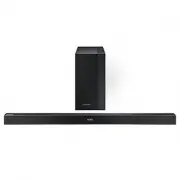
A user manual for the Samsung HW-K450 soundbar system covers essential setup, connectivity, and operation details. The guide emphasizes safety–preventing electrical hazards and proper handling of components like remote control batteries–and provides step-by-step instructions for wiring power, connecting subwoofers, TVs via optical cable or Bluetooth (SoundConnect), and mounting the unit on a wall. It also includes troubleshooting for common issues such as pairing failures or sound problems, alongside technical specifications and regulatory compliance information.


Table of Contents:
- Page 1 – Product Identification and Support Information
- Page 2 – Electrical Safety Warnings and Symbols
- Page 3 – Power Wiring and Operational Precautions
- Page 4 – Component Connection and Power Setup
- Page 5 – Subwoofer and Rear Speaker Connection
- Page 6 – Connecting Soundbar to Television via Optical Cable
- Page 7 – Bluetooth Soundbar Linking with Samsung TV
- Page 8 – Connecting Bluetooth Devices to Soundbar
- Page 9 – Connecting External Audio Devices
- Page 10 – Firmware Updates and Wall Mounting Preparation
- Page 11 – Soundbar Wall Mounting Assembly
- Page 12 – Wall Mount Installation and Detachment
- Page 13 – Remote Control Operation and Battery Insertion
- Page 14 – Soundbar Control Functions
- Page 15 – Troubleshooting and Licensing Information
- Page 16 – Technical Specifications and Performance Data
- Page 17 – Compliance Declaration
- Page 18 – Warranty Conditions and Service Information
- Page 19 – Customer Contact and Disposal Instructions
User Manual
HW-K450
* Design and specifications are subject to change without prior notice.
For further information, refer to the Web Manual.
Web manual : www.Samsung.com
→
Support
→
Product name search
→
HW-K450
"Loading the manual" means you need to wait until the file loads and becomes available for online reading. Some manuals are very large, and the time they take to appear depends on your internet speed.
Was this manual helpful?
About this manual
- Brand
- Samsung
- Model
- HW-K450
- Document type
- Quick Guide
- Category
- Sound Bar
- Language(s)
- English
- Pages
- 19
- File size
- 3.9 MB
- Format
Other Manuals for Samsung HW-K450
Summary
Identification details for the HW-K450 product, access to web manual resources, and specification change disclaimers.
Safety warnings, electrical symbols for high voltage, AC/DC voltage, precautions against electric shock, moisture exposure, proper plug insertion, and safe disconnection procedures.
Instructions for wiring the main power supply plug, color-coded wire connections, and operational precautions including ventilation, heat avoidance, and battery safety.
Ask a question
Related manuals
Popular Samsung Sound Bars




More Samsung Sound Bars models
 Samsung HW-J8501R Quick Guide
 Samsung HW-J8510 User Manual
- Samsung HW-J8511 User Manual
 Samsung HW-K335 Quick Guide
 Samsung HW-K360 Quick Guide
 Samsung HW-K430 Quick Guide
 Samsung HW-K460 User Manual
 Samsung HW-K470 Quick Guide
 Samsung HW-K550 Quick Guide
- Samsung HW-K551 Quick Guide
 Samsung HW-K650 Quick Guide
- Samsung HW-K651 Quick Guide