Page 3 - GENERAL SAFETY RULES; SAVE THESE INSTRUCTIONS; ELECTRICAL SAFETY
3 GENERAL SAFETY RULES SAVE THESE INSTRUCTIONS WARNING: Read and understand all instructions. Failure to fol-low all instructions listed below, may result in electricshock, fire and/or serious personal injury. WORK AREA ■ Keep your work area clean and well lit. Cluttered benches and dark areas invit...
Page 4 - SPECIFIC SAFETY RULES; ADDITIONAL SAFETY RULES
4 SPECIFIC SAFETY RULES Hold tool by insulated gripping surfaces when performing an operation where the cutting tool may contacthidden wiring or its cord. Contact with a “live” wire will make exposed metal parts of the tool “live” and shock the operator. ADDITIONAL SAFETY RULES ■ Know your power too...
Page 5 - SYMBOL MEANING; SYMBOLS
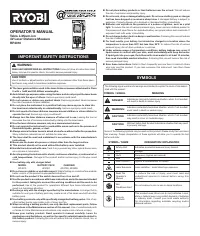
5 Important: Some of the following symbols may be used on your tool. Please study them and learn their meaning. Proper interpretation of these symbols will allow you to operate the tool better and safer. SYMBOL NAME DESIGNATION/EXPLANATION V Volts Voltage A Amperes Current Hz Hertz Frequency (cycles...
Page 6 - INSTRUCTIONS
6 SPECIFICATIONS UNPACKING APPLICATIONS Use your router only for the purposes listed below: ■ Routing grooves, shaping edges, freehand designs, etc. in wood. ■ Chamfering, rabbeting, dadoing, and dovetailing in wood. ■ Routing edges on laminates. Plunge Depth 0 - 2 in. (0 - 5.08 cm) Collet 1/2 in. (...
Page 7 - FEATURES
7 HEAVY DUTY MOTOR Your router has a powerful 10 amp motor with sufficientpower to handle tough routing jobs. It delivers 2horsepower for heavy duty performance. The motor alsohas externally accessible brushes for ease of servicing. SWITCH To turn the router ON , toggle the switch to the I position....
Page 8 - FRONT VIEW OF ROUTER
8 FEATURES OPERATION FRONT VIEW OF ROUTER Fig. 1 CHIP SHIELD SPINDLE LOCK ACCU-STOP TM MICRO-ADJUSTABLE DEPTH STOP STOP BAR LOCK KNOB ZERO RESET INDICATOR SCALE HANDLE EACH 90 O ROTATION OF DEPTH STOP KNOB EQUALS 1/64 in. (0.4 mm) CHANGE IN DEPTH OF CUT EACH COMPLETE ROTATION (360 O ) OF DEPTH STOP ...
Page 9 - REAR VIEW OF ROUTER
9 FEATURES REAR VIEW OF ROUTER Fig. 2 PLUNGE LOCK LEVER COLLET NUT HEX NUT(S) ROUTER BASE 1 5 16 15/16 in. (23.8 mm) WRENCH SUBBASE WARNING: Do not attempt to modify this tool or create accessories not recommended for use with this tool. Any such alterationor modification is misuse and could result ...
Page 10 - ADJUSTMENTS; CUTTER INSTALLATION
10 ADJUSTMENTS WARNING: Your router should never be connected to powersupply when you are assembling parts, making ad-justments, installing or removing cutters, or whennot in use. Disconnecting your router will preventaccidental starting that could cause serious injury. CUTTER INSTALLATION See Figur...
Page 11 - DEPTH OF CUT
11 ADJUSTMENTS Fig. 5 Fig. 6 TIP OF CUTTER TOUCHING WORKPIECE = ZERO DEPTH OF CUT STOP BAR LOCK KNOB SCALE ZERO RESET INDICATOR WITH RED LINE CUTTER INSIDE SUBBASE HEX NUTS PLUNGE LOCK LEVER TO UNLOCK TO LOCK WARNING: Do not use cutters with undersized shanks. Under-sized shanks will not tighten pro...
Page 12 - OPTIONAL DEPTH CONTROL KNOB
12 ADJUSTMENTS ■ Lock plunge lock lever to position cutter at "zero"depth of cut. ■ Adjust hex nuts until they come in contact with stopflange. This will provide a position stop at “zero”depth of cut. ■ Make sure the hex nuts are securely tightened againsteach other. ■ Rotate depth stop to d...
Page 13 - DEPTH STOP
13 EACH 90 ° ROTATION OF DEPTH STOP KNOB EQUALS 1/64 in. (0.4 mm) CHANGE IN DEPTH OF CUT TO ADJUST DEPTH OF CUT USING OPTIONALDEPTH CONTROL KNOB See Figure 9. ■ UNPLUG YOUR ROUTER. WARNING: Failure to unplug your router could result in acciden-tal starting casuing serious injury. ■ Loosen lock knob ...
Page 14 - VARIABLE SPEED CONTROL SELECTOR; SPEED SELECTION CHART
14 ADJUSTMENTS WARNING: Always wear safetey goggles or safety glasses withside shields when using your router. Failure to do socould result in dust, shavings, chips, loose particles,or foreign objects being thrown in your eyes result-ing in possible serious injury. If the operation isdusty, also wea...
Page 15 - SWITCH; ROUTING; OPERATION
15 SWITCH See Figure 13. To turn the router ON , toggle the switch to the I position. To turn the router OFF , toggle the switch to the O position. CAUTION: We suggest that you practice with your router beforeinstalling a cutter and making cuts in wood. ROUTING See Figure 14. For ease of operation a...
Page 17 - TOP EDGE SHAPING; PROPER CUTTING SEQUENCE; PILOT BIT EDGING
17 OPERATION PILOT WORK WORK PILOT 6 5 1 8 1/4 in. to 1 in. (6.35 mm to 25.4 mm) 7 4 3 TOP EDGE SHAPING WHOLE EDGE SHAPING Fig. 17 Fig. 18 GUIDE 2 PROPER CUTTING SEQUENCE ROUTER ROUTER PILOT BIT EDGING See Figure 17. Rabbets and molded edges can be cut using pilotedcutters. The pilot extends below t...
Page 18 - PROPER FEEDING
18 PROPER FEEDING The right feed is neither too fast nor too slow. It is the rateat which the bit is being advanced firmly and surely toproduce a continuous spiral of uniform chips. A feed tofast produces large, individual chips and a feed to slowcreates sawdust. If you are making a small diameter,s...
Page 20 - MAINTENANCE; GENERAL
20 OPERATION DEPTH OF CUT As previously mentioned, the depth of cut is importantbecause it affects the rate of feed that, in turn, affects thequality of the cut (and, also, the possibility of damage toyour router motor and bit). A deep cut requires a slowerfeed than a shallow one, and a too deep cut...
Page 21 - LUBRICATION
21 MAINTENANCE Fig. 24 BRUSH CAP BRUSH ASSEMBLY BRUSH ASSEMBLY BRUSH CAP LUBRICATION All of the bearings in this tool are lubricated with asufficient amount of high grade lubricant for the life of theunit under normal operating conditions. Therefore, nofurther lubrication is required. CUTTERS Get fa...
Page 22 - PLUNGE LOCK LEVER; HELPFUL HINTS
22 MAINTENANCE PLUNGE LOCK LEVER See Figures 25, 26, and 27. After extended use, the plunge lock may wear. If thishappens, you can easily adjust the lever. TO ADJUST PLUNGE LOCK LEVER ■ UNPLUG YOUR ROUTER. WARNING: Failure to unplug your router could result in acciden-tal starting causing serious in...
Page 23 - ACCESSORIES; OPTIONAL STRAIGHT GUIDE
23 ACCESSORIES WARNING: When using a UL listed router table, large router bitsshould be used for edging only. Do not use routerbits that are larger in diameter than the opening inthe router base for any purpose. Failure to heed thiswarning could result in serious personal injury. WARNING: Do not use...
Page 24 - ELECTRONIC PLUNGE ROUTER; VARIABLE SPEED – DOUBLE INSULATED; RYOBI TECHNOLOGIES INC.; • SERVICE; MODEL NUMBER; EXTENSION CORD CAUTION
OPERATOR'S MANUAL ELECTRONIC PLUNGE ROUTER RE180PL1 VARIABLE SPEED – DOUBLE INSULATED RYOBI TECHNOLOGIES INC. 1428 Pearman Dairy Road Anderson, SC 29625 Post Office Box 1207 Anderson, SC 29622 www.ryobitools.com Phone 1-800-525-2579 983000-448 6-04 • SERVICE Now that you have purchased your tool, sh...