Ring B08JNR77QY - User Manual
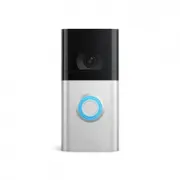
Ring B08JNR77QY Video Doorbell – User Manual, read for free online in PDF format. We hope this helps you resolve any issues you may have. If you have further questions, please contact us through the contact form.


Charge the battery.
Fully charge
the battery by plugging it
into a power source using the provided
orange cable.
The red light will turn off once it’s
fully charged
.
Charged
Charging
Download the Ring app.
The Ring app walks you through setting up
and managing your Ring Doorbell.
Search for “Ring” in one of the app stores
below, or visit
ring.com/app
Set up your Ring Doorbell
near your wifi router.
In the Ring app, select
Set Up a Device
and follow the in-app instructions.
Try it out.
After setup, push the button on the front of
your Ring Doorbell to see video from the
camera in the Ring app.
CAUTION!
You’ll be working with electrical wires during
the install process. If you are uncomfortable
or inexperienced with doing so, consult with
a licensed electrician. Do not wire your Ring
Doorbell to a DC-powered intercom system
or other DC power source.
Quick Start
1. Remove battery.
Fully charge before use.
2. Open the Ring app and
select Set Up a Device.
Then follow the in-app instructions.
3. Scan this code.
This identifies your Ring device
to make setup fast and easy.
2
5
6
7
9
10
3
User Guide
Doorbell 4
Included installation hardware.
Bag
Hardware
A
(5) Short Mounting Screws
To mount Ring Doorbell directly to a wall
(5) Wall Anchors
To install on concrete, stucco, or brick
B
(2) Security Screws
To secure Ring Doorbell after installation
Corner Mount Hardware
C
(5) Short Bracket Screws
To mount Ring Doorbell to the corner mount
(3) Medium Bracket Screws
To secure the corner mount to a wall
(3) Wall Anchors
To install on concrete, stucco, or brick
D
(2) Wire Nuts
(2) Wire Extenders
Insert the battery.
After charging, insert the battery in the
bottom of your Ring Doorbell until it
clicks into place.
Do you have an in-home chime?
The chime can ring when the button on your
Ring Doorbell is pressed. To set this up, just
follow the instructions in the app.
Don’t have an in-home chime?
If you see the “No In-Home Chime” button
during setup, be sure to press it.
NO IN-HOME CHIME
Consider purchasing a Ring Chime or Ring
Chime Pro, which allows you to hear alerts
from anywhere in your home. Learn more
at
ring.com
Motion detection range
Install your Ring Doorbell.
For the best results, mount it around four feet
(1.20 meters) above the ground.
If you’re connecting to existing doorbell
wiring that’s higher than four feet and want
to angle your Ring Doorbell down for a better
view, you can purchase a Wedge Kit online at
ring.com/accessories.
4 feet
(1.20 metres)
You’ll need to install wall anchors when
installing on stucco, brick, or concrete
(skip ahead to page 12 if installing on wood).
We sent you two sets of wall anchors. Let’s
figure out which ones you’ll need, and how
to install them.
If installing directly to your wall,
grab 4 of
the wall anchors from Bag A. Using your Ring
Doorbell as a template, mark 4 drill holes
on the wall. Use a 1/4” masonry drill bit (not
included) to drill the holes, then insert the 4
wall anchors.
QR+FR
If connecting to existing doorbell wires
, shut
off power at the breaker. If you’re not sure
which breaker controls your doorbell, turn off
the master breaker for your home, or contact
an electrician.
Once power is turned off
, remove the
doorbell button from the wall
and disconnect the wires.
Your Ring Doorbell is compatible with
doorbell systems supplying 8–24 volts AC
at 50 or 60Hz, 40VA max.
Optional: Remove your existing doorbell.
Optional: Install the wall anchors.
Wall Anchors
A
Camera field of view
If you have problems with video quality after
installation, you may need to move your router
closer to your door, or add a Ring Chime Pro.
Learn more at:
ring.com/chime-pro
Remove the faceplate.
Firmly grasp the bottom of the faceplate and
pull to remove.
Take out the battery.
Press the metal tab in and slide the
battery out.
4
"Loading the manual" means you need to wait until the file loads and becomes available for online reading. Some manuals are very large, and the time they take to appear depends on your internet speed.


