Ring 5AT1S7-WEN0 - Manuals
User Manual Ring 5AT1S7-WEN0


Summary
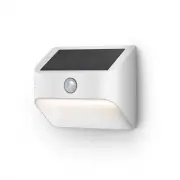
Slide off the mounting plate. Slide the tabs out of the grooves and remove the plate from the rear of your Steplight. Remove the battery cover. Press in the tab on the bottom and lift to remove. 5 4
Remove the battery pull-tab. Once removed, the included lithium-ion battery will be activated and your Steplight will flash twice to indicate its powered on. Risk of fire, explosion, or burn. Do not short circuit, crush, heat above 60°C, incinerate, or disassemble the battery. 7 6
Charge your Steplight. Plug the provided micro USB cord into a USB power supply (not included), then connect it to your Steplight to fully charge the battery. The light will slowly turn on and off while charging and glow on continuously once charged. Once charged, remove the micro USB cord. If you c...