Pioneer MVH S600BS - Manual

A user manual for Pioneer car audio receivers outlines essential procedures for updating system firmware, including preparation steps like using a compatible USB drive formatted to FAT32. The guide covers model compatibility, critical safety warnings (such as avoiding power interruptions or touchscreen use during updates), and default-reset implications after installation. It also includes methods for checking the current firmware version before and after updates via menu navigation.


Table of Contents:
- Page 1 – Firmware Update Prerequisites and Safety Warnings
- Page 2 – Checking Current Firmware Version
- Page 3 – Downloading Firmware Update Files
- Page 4 – Firmware Update Procedure and Safety Rules
- Page 5 – Step-by-Step Firmware Update Process
- Page 6 – Verifying Successful Firmware Update
- Page 7 – Target Version Verification and Support Information
!
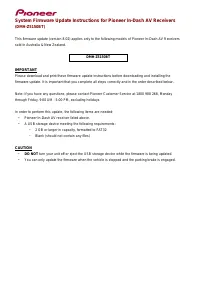
System Firmware Update Instructions for Certain Pioneer Audio Receivers
(FH-S700BS, FH-S701BS, DEH-S6000BS, DEH-S6010BS, FH-S500BT, FH-S501BT, MVH-S600BS,
MVH-S501BS, DEH-S5000BT, DEH-S5010BT, MVH-S400BT, DEH-S4000BT, DEH-S4010BT, MVH-
S300BT, and MVH-S301BT)
This firmware update (version 8.15) applies only to the following models of Pioneer products sold in the
United States and Canada.
IMPORTANT
Please download and print these firmware update instructions before downloading and installing the
firmware update. It is important that you complete all steps correctly and in the order described below.
Note: If you have any questions, please contact Pioneer Customer Service toll free at 1-800-421-1404,
Monday through Friday, 7:30 AM - 11:30 AM and 12:30 PM - 4:00 PM (Pacific Time), excluding holidays, or
by email through
https://parts.pioneerelectronics.com/contact
.
In order to perform this update, the following items are needed:
•
Pioneer receiver listed above
•
A USB storage device with the following requirements:
-
2 GB or larger in capacity, formatted to FAT32
-
Should be blank (should not contain any files)
CAUTION
•
DO NOT
turn your unit off, eject the USB storage device while the firmware is being updated.
•
You can only update the firmware when the vehicle is stopped and the parking brake is engaged.
FH-S700BS
FH-S701BS
DEH-S6000BS
DEH-S6010BS
FH-S500BT
FH-S501BT
MVH-S600BS
MVH-S501BS
DEH-S5000BT
DEH-S5010BT
MVH-S400BT
DEH-S4000BT
DEH-S4010BT
MVH-S300BT
MVH-S301BT
"Loading the manual" means you need to wait until the file loads and becomes available for online reading. Some manuals are very large, and the time they take to appear depends on your internet speed.
Was this manual helpful?
Helpful for 3 of 3 readers
About this manual
- Brand
- Pioneer
- Model
- MVH S600BS
- Document type
- Manual
- Language(s)
- English
- Pages
- 7
- File size
- 5.1 MB
- Format
Other Manuals for Pioneer MVH S600BS
Summary
Instructions for updating system firmware to version 8.15 for compatible Pioneer audio receiver models, requiring a USB storage device formatted to FAT32 with at least 2 GB capacity.
Procedure for viewing the current unit firmware version by navigating to the SYSTEM INFO screen and verifying the version number.
Method for downloading and extracting firmware update files from the Pioneer website, specifying compatible product models and resulting file formats.