Philips WAC7500/05 - User Manual
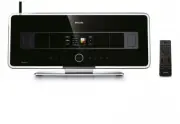
Philips WAC7500/05 – User Manual, read for free online in PDF format. We hope this helps you resolve any issues you may have. If you have further questions, please contact us through the contact form.


Table of Contents:
- Page 2 – Philips Consumer Electronics; EC DECLARATION OF CONFORMITY
- Page 3 – Contents
- Page 4 – 2 Add a Philips Wireless Music Station; 3 Technical data
- Page 5 – Important; Safety
- Page 6 – Notice; Recycling
- Page 8 – Top view; Your Wireless; Overview; Front view
- Page 11 – Turn on / switch to standby; Prepare; Connect to AC power
- Page 12 – Create wireless connection
- Page 15 – Import music from a PC; Install WADM software on; Build a music
- Page 16 – Record music; Rip music from CDs on the
- Page 17 – Internet radio; Register the WAC7500 with Philips; Listen to Internet radio; Play; Mute the sound; Play HD music
- Page 18 – Manually add Internet radio stations; Mark Internet radio stations as; Listen to Favorite Stations
- Page 19 – FM radio; Listen to FM radio; Change frequency; Listen to My Media
- Page 20 – Select preset channels; Manual search & store; Automatic channel search
- Page 21 – Wirelessly stream music from; Install Windows Media Player 11
- Page 22 – Connect audio devices
- Page 23 – Play options; Repeat play
- Page 24 – Play from a playlist
- Page 27 – Set Dynamic Bass Boost; Activate Incredible Surround; Activate Smart EQ
- Page 28 – Set standby timer; Alarm; Time settings; Synchronize with RDS radio station; Set the time format
- Page 29 – Cleaning
- Page 30 – Restore the default settings
- Page 31 – 2 Add a Philips; Add a Philips Wireless Music
- Page 32 – Music Follows Me; Delete a Philips Wireless Music
- Page 34 – Supplied accessories
- Page 35 – 4 Troubleshooting
Register your product and get support at
www.philips.com/welcome
WAC7500
EN
User manual
1
Contact information
45
wac7500_um_cover.indd 1
9/30/2009 12:46:39 PM
"Loading the manual" means you need to wait until the file loads and becomes available for online reading. Some manuals are very large, and the time they take to appear depends on your internet speed.
Was this manual helpful?
About this manual
- Brand
- Philips
- Model
- WAC7500/05
- Document type
- User Manual
- Language(s)
- English
- Pages
- 69
- File size
- 4.4 MB
- Format
Summary
Philips Consumer Electronics HK- 0738-WAC7500 (report No.) EC DECLARATION OF CONFORMITY We, Philips Consumer Electronics (manufacturer’s name) Philips, Glaslaan 2, 5616 JB Eindhoven, The Netherlands (manufacturer’s address) declare under our responsibility that the electrical product: Philips WAC750...
Contents En gl is h EN Mark Internet radio stations as Favorites 17 Listen to Favorite Stations 17 Manually add Internet radio stations 17 Listen to My Media 18 FM radio 18 Listen to FM radio 18 Change frequency 18 Automatic channel search 19 Automatic channel search & autostore 19 Select preset...
3 EN Philips Consumer Electronics HK- 0738-WAC7500 (report No.) EC DECLARATION OF CONFORMITY We, Philips Consumer Electronics (manufacturer’s name) Philips, Glaslaan 2, 5616 JB Eindhoven, The Netherlands (manufacturer’s address) declare under our responsibility that the electrical product: Philips W...
Ask a question
Related manuals
Popular Philips Other


More Philips Other models
 Philips VRA999 Manual
 Philips VRB612AT Manual
 Philips VRB664AT Manual
 Philips VRZ250AT Manual
 Philips VSS2286/00T Manual
 Philips WAC700 Manual
 Philips WACS700 Manual
 Philips WACS7000, WACS7005 Manual
 Philips WACS7500 Manual
 Philips WAS7500/05 Quick Guide
 Philips Wireless Equipment Box Manual
 Philips wk10295 Manual