Philips TAM2805/10 - User Manual
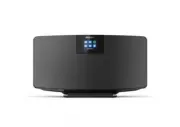
Philips TAM2805/10 – User Manual, read for free online in PDF format. We hope this helps you resolve any issues you may have. If you have further questions, please contact us through the contact form.


Table of Contents:
- Page 2 – Contents
- Page 3 – Important; Safety; Hearing safety
- Page 4 – Your Internet radio; Introduction
- Page 5 – Overview of the remote control
- Page 6 – Get started; Connect the radio antenna; Place your product
- Page 9 – Listen to the; Use menu in Internet radio
- Page 10 – Store Internet radio stations; Select a preset Internet radio; Listen to Spotify
- Page 12 – Display DAB+ information; Listen to FM; Tune to FM radio stations
- Page 15 – Adjust network settings; Reset all the settings; Check software information
- Page 16 – 0 Use system; Set clock and alarm
- Page 18 – information; Power; 2 Troubleshooting; No power
Register your product and get support at
www.philips.com/support
User manual
Internet Radio
M2805
"Loading the manual" means you need to wait until the file loads and becomes available for online reading. Some manuals are very large, and the time they take to appear depends on your internet speed.
Was this manual helpful?
About this manual
- Brand
- Philips
- Model
- TAM2805/10
- Document type
- User Manual
- Language(s)
- English
- Pages
- 21
- File size
- 6.5 MB
- Format
Summary
1 EN Contents 1 Important 2 Safety 2 Hearing safety 2 2 Your Internet radio 3 Introduction 3 What's in the box 3 Over view of the main unit 3 Over view of the remote control 4 3 Get started 5 Connect the radio antenna 5 Connect power 5 Place your product 5 Prepare the remote control 6 Power on 6 Per...
2 EN 1 Important Safety Read and understand all instructions before you use this product. If damage is caused by failure to follow the instructions, the warranty does not apply. This ‘bolt of lightning’ indicates uninsulated material within the device may cause an electrical shock. For the safety of...
3 EN 2 Your Internet radio Congratulations on your purchase, and ZHOFRPHWR3KLOLSV7RIXOO\EHQHÀWIURPWKH suppor t that Philips offers, register your product at www.philips.com/suppor t. Introduction With this unit, you can: • Listen to Internet radio through network connection. • Listen to FM and Digit...
Ask a question
Related manuals
Popular Philips Other


More Philips Other models
 Philips TAK4200MP/00 User Manual
 Philips TAK4206BL/00 User Manual
 Philips TAK4206PK/00 User Manual
 Philips TAK4607GR/00 User Manual
 Philips TAK4607GY/00 User Manual
 Philips TAM2505/10 User Manual
 Philips TAM3205/12 User Manual
 Philips TAM3205/37 User Manual
 Philips TAM3205M2/12 User Manual
 Philips TAM3505/12 User Manual
 Philips TAM3505M2/12 User Manual
 Philips TAM4205/12 User Manual