Philips TAM2505/10 - User Manual
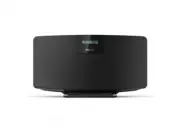
Philips TAM2505/10 – User Manual, read for free online in PDF format. We hope this helps you resolve any issues you may have. If you have further questions, please contact us through the contact form.


Table of Contents:
- Page 2 – Contents
- Page 3 – Important; Safety; Notice; Hearing safety; Declaration of conformity; Care of the environment
- Page 4 – Environmental information
- Page 6 – Overview of the remote control
- Page 7 – Get started; Connect the radio antenna; Place your product
- Page 8 – Power on; Switch to standby mode; Set the clock-Using the Remote Control
- Page 9 – Play; Pair and connect a second device; Store DAB+ radio stations automatically
- Page 10 – Listen to FM radio; Store FM radio stations Automatically; Store FM radio stations manually
- Page 11 – Select a preset sound effect; Adjust volume level; Set the alarm timer; Activate/deactivate alarm timer; Set the sleep timer
- Page 12 – Power; Product information
- Page 13 – Troubleshooting
Register your product and get support at
www.philips.com/support
User manual
DAB+ Radio
M2505
"Loading the manual" means you need to wait until the file loads and becomes available for online reading. Some manuals are very large, and the time they take to appear depends on your internet speed.
Was this manual helpful?
About this manual
- Brand
- Philips
- Model
- TAM2505/10
- Document type
- User Manual
- Language(s)
- English
- Pages
- 14
- File size
- 4.1 MB
- Format
Other Manuals for Philips TAM2505/10
Summary
Contents EN 1 1 Important.............................................................................2 Safety............................................................................................................2 Notice.............................................................................
2 EN 1 Important Safety This ‘bolt of lightning’ indicates uninsulated material within the device may cause an electrical shock. For the safety of everyone in your household, please do not remove the covering. The ‘exclamation mark’ calls attention to features for which you should read the enclosed ...
EN 3 Environmental information All unnecessary packaging has been omitted. We have tried to make the packaging easy to separate into three materials: cardboard (box), polystyrene foam (buffer) and polyethylene (bags, protective foam sheet.) Your system consists of materials which can be recycled and...
Ask a question
Related manuals
Popular Philips Other


More Philips Other models
 Philips TAK4200CT/00 User Manual
 Philips TAK4200MP/00 User Manual
 Philips TAK4206BL/00 User Manual
 Philips TAK4206PK/00 User Manual
 Philips TAK4607GR/00 User Manual
 Philips TAK4607GY/00 User Manual
 Philips TAM2805/10 User Manual
 Philips TAM3205/12 User Manual
 Philips TAM3205/37 User Manual
 Philips TAM3205M2/12 User Manual
 Philips TAM3505/12 User Manual
 Philips TAM3505M2/12 User Manual