Philips SPN7060WA/10 - User Manual
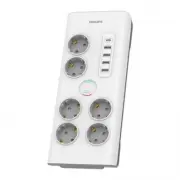
Philips SPN7060WA/10 – User Manual, read for free online in PDF format. We hope this helps you resolve any issues you may have. If you have further questions, please contact us through the contact form.


Table of Contents:
- Page 3 – Contents
- Page 4 – Recycling the product; Your surge; Feature highlights
- Page 5 – Get started; Connect the surge; Conditions for damage
- Page 6 – Two years product limited
Register your product and get support at
www.philips.com/support
User manual
TAPR802
SPN7040 / 7041
SPN7060 / 7061
SPN7080 / 7081
Surge Protector
"Loading the manual" means you need to wait until the file loads and becomes available for online reading. Some manuals are very large, and the time they take to appear depends on your internet speed.
Was this manual helpful?
About this manual
- Brand
- Philips
- Model
- SPN7060WA/10
- Document type
- User Manual
- Language(s)
- English
- Pages
- 8
- File size
- 179.7 KB
- Format
Summary
1 EN Contents 1 Important safety instructions 2 Recycling the product 2 2 Your surge protector 2 Feature highlights 2 3 Get started 3 Connect the surge protector 3 Connect the surge protector to a TV/satellite/cable box 3 Conditions for damage claims 3 4 Limited warranty 4 Two years product limited ...
2 EN 1 Important safety instructions This manual contains important information about the Philips power surge protectors. Read it carefully before you start the installation and setup. Warning • Warning • Do not operate your surge protector near the rain or wet areas. • Do not operate your surge pro...
3 EN 3 Get started This surge protector is designed to guard the connected equipment against electrical damage. Philips offers an entire line of surge protectors to safeguard your home electronics and computer systems. Connect the surge protector 1 Plug the power cord into a properly grounded outlet...


