Page 2 - Contents
1 Need help? Please visit www.philips.com/welcome where you can access a full set of suppor ting materials such as the user manual, the latest software updates, and answers to frequently asked questions. Contents English EN Contents 1 Important safety information 2 General maintenance 2 Recycling th...
Page 3 - Important safety; General maintenance
2 Hearing Safety Listen at a moderate volume: Using headphones at a high volume can impair your hearing. This product can produce sounds in decibel ranges that may cause hearing loss for a normal person, even for exposure less than a minute. The higher decibel ranges are offered for those that may h...
Page 4 - Recycling the product
3 Video streams may include copy protection technology that prohibits fur ther copying. For such situations the recording function will not work and you will be notified with a message. Data logging Philips is committed to improving the quality of your product and enhancing the Philips user experien...
Page 6 - Your new; What’s in the box
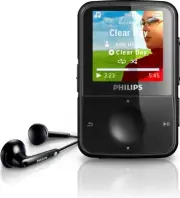
5 Quick star t guide Note The images ser ve as reference only. Philips • reser ves the right to change color/design without notice. Philips GoGear audio player Quick start guide 2 Your new GoGear Vibe GoGear Vibe allows you to play MP3 and WMA files • view video files • listen to FM radio • make rec...
Page 7 - Overview of the main menu; Getting started; Overview of the controls and
6 Caution Listening to loud sounds for longer than a • moment can be harmful to the listener. You can set the volume level of GoGear Vibe to limit the maximum volume output. 1 From the main menu, select [Settings] > [Sound settings] > [Volume limit] . 2 Press the / volume controls to adjust th...
Page 8 - Connect and charge; Connect the GoGear Vibe to a; Install software
7 Connect and charge GoGear Vibe has a built-in batter y that can be charged through the USB por t of a computer (USB cable included). Note For first-time use, allow GoGear Vibe to • charge for 3 hours. The charging animation stops and the • icon is displayed when the charging process is completed. ...
Page 9 - Disconnect GoGear Vibe safely; Turn GoGear Vibe on and off; Automatic standby and shut-down
8 Tip You can conser ve battery power and increase • the play time of the GoGear Vibe if you go to > [Display settings] > [Screen off timer] and ensure that the shor test timer setting is selected. Disconnect GoGear Vibe safely To avoid data loss, disconnect GoGear Vibe from your computer as f...
Page 11 - Rhapsody®
10 Add Rhapsody® music channels to GoGear Vibe Depending on the type of Rhapsody® account you hold, you can add Rhapsody® music channels to GoGear Vibe using Rhapsody® Music Player. For more information visit www.Rhapsody.com 1 Ensure the computer is connected to the Internet. 2 Connect GoGear Vibe ...
Page 12 - Add pictures to GoGear Vibe
11 Add pictures to GoGear Vibe You can transfer picture files from a computer to GoGear Vibe using Rhapsody® Media Player . You need to install the Rhapsody® Media Player before you continue: 1 Connect GoGear Vibe to the computer. 2 Launch Rhapsody® Media Player . GoGear Vibe is shown in the Sources...
Page 13 - Delete music tracks; Music; Listen to music
12 Delete music tracks 1 From the main menu, select . 2 Press / to locate a track. 3 Press OPTIONS to view options menu. 4 Select the delete option to delete the track. 6 Music Listen to music 1 From the main menu, select to enter music mode. 2 Navigate the sub-menus to select your music. 3 Press to...
Page 14 - Audiobook controls; Select audiobook by book; Audiobooks; Add audiobooks to GoGear
13 Audiobook controls GoGear Vibe offers the following audiobook mode controls: Goal Action Play / pause Press Skip forward to beginning of new section / chapter Press Skip back to beginning of current section / chapter Press Fast skip forwards through audiobook Press and hold Fast skip backwards th...
Page 15 - Delete videos; Video; Download, convert and; Play videos
14 Delete videos 1 From the main menu, select to enter video mode. 2 Press / to locate a video. 3 Press to play. 4 Press OPTIONS to view options menu. 5 Select the delete option to delete the video. Note Alternatively, you can select • from the main menu and find your files in folder view. 8 Video D...
Page 16 - Delete pictures; Pictures; View pictures; View slideshow
15 Delete pictures 1 From the main menu, select to enter picture mode. 2 Press / to locate a picture. 3 Press OPTIONS to view options menu. 4 Select the delete option to delete the picture. Note Alternatively, you can select • from the main menu and find your files in folder view. 9 Pictures View pi...
Page 17 - Play a preset radio station; Listen to FM radio
16 Play a preset radio station 1 In mode, you can play previously set radio stations (presets): 2 Press OPTIONS to view options menu. 3 Select preset. 4 Press / to change to another preset. 5 To search for the next stronger signal, press and hold / for 2 seconds. To exit radio, press and hold • for ...
Page 18 - 1 Recordings; Listen to voice/audio
17 Upload your recordings to a computer 1 Connect GoGear Vibe to the computer (for instructions see section Connect ). 2 On the computer, in Windows® Explorer select GoGear Vibe. 3 Select Recordings > Voice . 4 Copy and paste the recordings to any location on the computer. Delete recordings Use a...
Page 21 - Manually verify / update
20 6 Disconnect GoGear Vibe from the computer. GoGear Vibe restar ts after the » firmware is updated and is ready for use again. EN 13 Update GoGear Vibe GoGear Vibe is controlled by an internal program called firmware. Newer versions of the firmware may have been released after you have purchased G...
Page 22 - 4 Troubleshooting
21 14 Troubleshooting If GoGear Vibe is not working properly or the display freezes, you can reset it without losing data: How do I reset GoGear Vibe? Inser t a pen tip or other object into the • reset hole located at the left hand side of GoGear Vibe. Hold until the player shuts down. If the reset ...
Page 23 - System requirements; 5 Technical data
22 Note ¹ Rechargeable batteries have a limited number • of charge cycles. Battery life and number of charge cycles vary by use and settings. ² 1GB = 1 billion by tes; available storage • capacity is less. Full memory capacity may not be available as some memory is reser ved for the player. Storage ...