Philips SA1VBE04KW/17 - Manuals
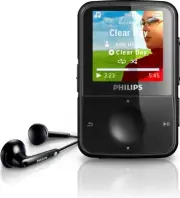
Philips SA1VBE04KW/17 – User Manual, Quick Guide in PDF format online.
Manuals:
User Manual Philips SA1VBE04KW/17


Summary
1 Need help? Please visit www.philips.com/welcome where you can access a full set of suppor ting materials such as the user manual, the latest software updates, and answers to frequently asked questions. Contents English EN Contents 1 Important safety information 2 General maintenance 2 Recycling th...
2 Hearing Safety Listen at a moderate volume: Using headphones at a high volume can impair your hearing. This product can produce sounds in decibel ranges that may cause hearing loss for a normal person, even for exposure less than a minute. The higher decibel ranges are offered for those that may h...
3 Video streams may include copy protection technology that prohibits fur ther copying. For such situations the recording function will not work and you will be notified with a message. Data logging Philips is committed to improving the quality of your product and enhancing the Philips user experien...
Quick Guide Philips SA1VBE04KW/17


Summary
Contents 2 Register your product 3 What’s in the box 4 Overview of the controls and connections 6 Connect and charge 8 Install software 9 Turn GoGear Vibe on 10 Navigate and play 12 Transfer and organize 13 Audiobooks 15 Update GoGear Vibe 16 Need help? 16 Disposal of your old product and the integr...
2 Register your product Since it is possible for you to upgrade your product, we recommend that you register your product on www.philips.com/welcome so we can inform you as soon as new free upgrades become available.
3 en What’s in the box Earphones USB cable CD-ROm Philips GoGear audio player Quick start guide Quick start guide What else you’ll need: Computer You need a computer with the following minimum requirements: Windows XP (SP2 or above) / Vista • Pentium III 800mHz processor or higher • 512 mB RAm • 500...
Philips Manuals
-
 Philips 50PFL5907/F7
User Manual
Philips 50PFL5907/F7
User Manual
-
Philips 50PFL5907/F7
Quick Guide
-
 Philips 32PFL4508/F7
User Manual
Philips 32PFL4508/F7
User Manual
-
Philips 32PFL4508/F7
Quick Guide
-
 Philips 39PFL2908/F7
User Manual
Philips 39PFL2908/F7
User Manual
-
Philips 39PFL2908/F7
Quick Guide
-
Philips 55PFL5907/F7
User Manual
-
Philips 55PFL5907/F7
Quick Guide
-
Philips 46PFL5907/F7
User Manual
-
Philips 46PFL5907/F7
Quick Guide
-
Philips 40PFL4908/F7
User Manual
-
Philips 40PFL4908/F7
Quick Guide
-
Philips 40PFL4708/F7
User Manual
-
Philips 40PFL4708/F7
Quick Guide
-
Philips 40PFL1708/F7
User Manual
-
Philips 29PFL4908/F7
User Manual
-
Philips 29PFL4908/F7
Quick Guide
-
Philips 42PFL5907/F7
User Manual
-
Philips 42PFL5907/F7
Quick Guide
-
 Philips 32PFL5708/F7
User Manual
Philips 32PFL5708/F7
User Manual