Page 2 - Contents
1 Contents 1 Safety and notice 3 Safety 3 Compliance 6 Care of the environment 7 Copyright 7 2 Your portable DVD player 9 What's in the box 9 Over view of the main unit 10 3 Get started 12 Prepare 12 Connect power 13 Switch on/off 14 Select OSD language 14 4 Use your player 15 Play discs 15 Connect ...
Page 3 - *Product Safety Notification; Purchase
2 EN Register online at www.philips.com/welcome today to get the very most from your purchase. Visit our World Wide Web Site at http://www.philips.com/welcome Registering your model with PHILIPS makes you eligible for all of the valuable benefits listed below,so don't miss out. Register online at ww...
Page 4 - Safety and notice; Safety; remove the covering.; Important Safety Instructions; Read these instructions.
3 EN 1 Safety and notice Read and understand all instructions before you use this product. If damage is caused by failure to follow the instructions, the warranty does not apply. Safety This 'bolt of lightning' indicates uninsulated material within the device may cause an electrical shock. For the s...
Page 5 - Only use attachments/accessories specified by the manufacturer.
4 EN d Follow all instructions. e Do not use this apparatus near water. f Clean only with dry cloth. g Do not block any ventilation openings. Install in accordance with the manufacturer's instructions. h Do not install near any heat sources such as radiators, heat registers, stoves, or other apparat...
Page 6 - Apparatus shall not be exposed to dripping or splashing.; Hearing safety; Listen at a moderate volume.
5 EN p Apparatus shall not be exposed to dripping or splashing. q Do not place any sources of danger on the apparatus (e.g. liquid filled objects, lighted candles). r This product may contain lead and mercury. Disposal of these materials may be regulated due to environmental considerations. For disp...
Page 7 - Compliance; Notice for the USA
6 EN Compliance Notice for the USA This equipment has been tested and found to comply with the limits for a Class B digital device, pursuant to par t 15 of the FCC Rules. These limits are designed to provide reasonable protection against harmful interference in a residential installation. This equip...
Page 8 - Care of the environment; Environmental information; Copyright; engineering and disassembly are prohibited.
7 EN Any changes or modifications made to this product that are not expressly approved by Philips Consumer Lifestyle may void the user’s authority to operate the equipment. Care of the environment Environmental information All unnecessar y packaging has been omitted. We have tried to make the packag...
Page 10 - Your portable DVD player; Discs with JPEG files
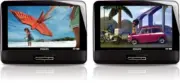
9 EN 2 Your portable DVD player You can play the following discs on the DVD player (including CD-R, CD-RW, DVD±R and DVD±RW): • DVD-Video • Video CD • Audio CD • MP3 CD • Discs with JPEG files What's in the box Check and identify the contents of your package: • Main unit x 2 • AC power adaptor x 2, ...
Page 11 - Overview of the main unit; Increases or decreases volume.
10 EN Overview of the main unit a DVD/AV IN • Switch to DVD/AV IN mode. b ON/OFF • Turns on/off DVD player. c VOL+/VOL- • Increases or decreases volume. d • Headphone jack. e AV OUT • Audio/video output jack. f 9-12V DC IN • Power supply socket. a c b defg h i j k l m n PD7016_9016P_37_UM_V1.0_MTK.i...
Page 12 - • Confirms an entr y or selection.
11 EN g , , , • Navigates menus. , • Searches backward/forward at different speeds. / OK • Confirms an entr y or selection. • Star ts, pauses or resumes disc play. • Stops disc play. h BRIGHTNESS • Adjusts screen brightness. i SETUP • Accesses or exits the setup menu. j , • Skips to the previous or ...
Page 13 - Get started; Write the numbers here:; Prepare; Mount the unit in your car; back of the front seat headrests.
12 EN 3 Get started Caution • Use the controls only as stated in this user manual. • Always follow the instructions in this chapter in sequence. If you contact Philips, you will be asked for the model and serial number of your apparatus. The model number and serial number are on the back of the appa...
Page 14 - Connect power; Connect through the car adaptor; Connect one end of the double-connector end of the AC cable to the; Connect through the AC adaptor
13 EN Connect power Connect through the car adaptor Caution • Risk of product damage! Ensure that the power supply voltage corresponds to the voltage pointed on the back or the underside of the player. • Risk of electric shock! When you unplug the AC adapter, always pull the plug from the socket. Ne...
Page 15 - Select OSD language
14 EN 1 Connect the AC adaptor cable to: • the DC IN jack on the main unit. • the power outlet. Switch on/off1 Slide the ON/OFF switch on the main units to the ON position. 2 To switch off the player, slide the ON/OFF switch to the OFF position. Select OSD language You can choose a different languag...
Page 16 - Use your player; Play options; Select audio language
15 EN 4 Use your player Play discs1 Slide the DVD/AV IN switch to DVD . 2 Slide OPEN on the main unit. 3 Inser t the disc with label side facing you. 4 Push down to close the disc compar tment. » Play star ts automatically. If not, press / OK . • If a menu is displayed, select an item, and then pres...
Page 17 - OK; Repeat; Display play time; OPTIONS
16 EN 2 Select [Subtitle] . 3 Press / to select a subtitle. 4 Press / OK to confirm. Repeat During play, you can select different repeat options. 1 Press OPTIONS . » The option menu is displayed. 2 Select [Repeat] , then press navigation keys to select a repeat option. For DVD • [Repeat Off] : switc...
Page 18 - Select audio mode; Adjust brightness of screen backlight; BRIGHTNESS
17 EN Option Action [Title Elapsed] / [Chapter Elapsed] Displays DVD title or chapter elapsed play time. [Title Remain] / [Chapter Remain] Displays DVD title or chapter remaining play time. [Single Elapsed] / [Total Elapsed] Displays VCD/SVCD disc or track elapsed play time. [Single Remain] / [Total...
Page 19 - Connect additional equipment; Connect the dual DVD players; DVD
18 EN Connect additional equipment Connect the dual DVD players Caution • Turn off the players before you connect the dual DVD players. You can view the same content on dual screens by connecting the dual DVD players together. To view the same display on both DVD players, 1 On one player : Slide the...
Page 20 - Connect to a TV; You can connect the player to a TV or an amplifier to enjoy DVDs.; TV
19 EN 4 Switch ON/OFF to the ON position on both players.. » The play star ts simultaneously on both players. Note • Do not connect the AV cable to the headphone jack. Connect to a TV Caution • Turn off your player before connecting to any additional equipment. You can connect the player to a TV or ...
Page 21 - Adjust settings; SETUP
20 EN 5 Adjust settings To maximize your play experience, use SETUP to fine tune your settings. 1 In DVD mode, press SETUP . » The setup menu is displayed. 2 Use navigation keys to select an option and press / OK to confirm. [-- General Setup Page --][OSD Language] Select an onscreen display languag...
Page 22 - Product information
21 EN 6 Product information Note • Product information is subject to change without prior notice. Dimensions- Main unit (each) 240 x 183 x 38 mm Weight- Main unit (each) 0.9 kg AC power adaptor ASUC12A-090080 (Philips) Power supply Input: 100-240V~ 50/60Hz 0.3AOutput: DC 9-12V 0,8A Power consumption...
Page 23 - Troubleshooting
22 EN 7 Troubleshooting Warning • Risk of electric shock. Never remove the casing of the player. To keep the warranty valid, never tr y to repair the system yourself. If you encounter problems when using the player, check the following points before requesting ser vice. If the problem remains unsolv...
Page 24 - The player feels warm
23 EN The player feels warm • When the player is in use for a long period of time, its surface will be heated. This is normal. English PD7016_9016P_37_UM_V1.0_MTK.indb 23 3/11/2013 5:05:30 PM
Page 26 - Meet Philips at the Internet
Specifications are subject to change without notice © 2013 Koninklijke Philips Electronics N.V. All rights reserved. PD9016P_37_UM_V1.0 P&F USA Inc. PO Box 2248 Alpharetta, GA 30023-2248 Phone 1 866 309 0845 Meet Philips at the Internet http://www.philips.com/welcome PD7016_9016P_37_UM_V1.0_MTK....