Philips PD9000/37 - User Manual
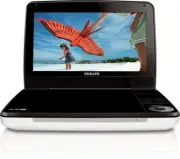
Philips PD9000/37 – User Manual, read for free online in PDF format. We hope this helps you resolve any issues you may have. If you have further questions, please contact us through the contact form.


Table of Contents:
- Page 2 – Canada
- Page 3 – Contents; Important
- Page 6 – Important Safety Instructions
- Page 7 – Risk of swallowing batteries!
- Page 8 – Hearing safety
- Page 9 – Notice; Disposal of your old product and batteries
- Page 12 – Your portable DVD player; Congratulations on your purchase, and welcome to Philips! To fully; Introduction; Your por table DVD player plays digital video discs that conform; What’s in the box; Check and identify the contents of your package:
- Page 13 – Overview of the main unit
- Page 15 – Overview of the remote control
- Page 17 – Get started; If you contact Philips, you will be asked for the model and serial; Charge the battery
- Page 18 – The; Install remote control battery; To replace the remote control battery:
- Page 19 – Connect additional equipment; You can connect the player to a TV or an amplifier to enjoy DVDs; TV; not supplied
- Page 20 – Use your player; Turn on; Select OSD language; You can choose a different language for the on-screen display text.; Play discs; Play star ts automatically. If not, press
- Page 21 – Play options
- Page 22 – Adjust settings; To maximize your play experience, use; The setup menu is displayed.
- Page 23 – Product information
- Page 24 – Troubleshooting; To keep the warranty valid, never tr y to repair the system yourself.
Always there to help you
www.philips.com/welcome
Register your product and get support at
PD9000
EN User manual
ES Manual del usuario
FR Mode d’emploi
Question?
Contact
Philips
"Loading the manual" means you need to wait until the file loads and becomes available for online reading. Some manuals are very large, and the time they take to appear depends on your internet speed.
Was this manual helpful?
About this manual
- Brand
- Philips
- Model
- PD9000/37
- Document type
- User Manual
- Language(s)
- English
- Pages
- 27
- File size
- 1.8 MB
- Format
Other Manuals for Philips PD9000/37
Summary
Canada English: This digital apparatus does not exceed the Class B limits for radio noise emissions from digital apparatus as set out in the Radio Interference Regulations of the Canadian Depar tment of Communications.This Class B digital apparatus complies with Canadian ICES-003. Français: Cet appa...
3 Contents 1 Important 6 Impor tant Safety Instructions 6 Notice 9 2 Your portable DVD player 11 Introduction 11 What’s in the box 11 Over view of the main unit 12 Over view of the remote control 14 3 Get started 16 Charge the batter y 16 Install remote control batter y 17 Connect additional equipme...
6 1 Important Important Safety Instructions a Read these instructions. b Keep these instructions. c Heed all warnings. d Follow all instructions. e Do not use this apparatus near water. f Clean only with dry cloth. g Do not block any ventilation openings. Install in accordance with the manufacturer’...


