Philips OTT2000B/12 - Quick Guide
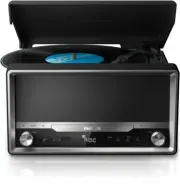
Philips OTT2000B/12 – Quick Guide, read for free online in PDF format. We hope this helps you resolve any issues you may have. If you have further questions, please contact us through the contact form.


Table of Contents:
- Page 2 – SOURCE
- Page 3 – BT
- Page 32 – User Manual; Kompletní uživatelskou příručku naleznete na adrese
- Page 34 – Specifications; CS; Specifikace; Tuner
- Page 35 – Zesilovač; DA; Specifikationer; Højttalere
- Page 36 – DE; Technische Daten
- Page 37 – EL; Προδιαγραφές; Δέκτης; ES; Especificaciones; Sintonizador
- Page 38 – FI; Teknisiä tietoja; Vahvistin
- Page 39 – Caractéristiques techniques; HU; Termékjellemzők
- Page 40 – IT; Specifiche; Amplificatore
- Page 41 – NL; Specificaties; PL; Dane techniczne
- Page 42 – KK; Ерекшеліктер; Тюнер
- Page 43 – PT; Especificações
- Page 44 – RU; Характеристики; Радио; Technické údaje; Rádioprijímač
- Page 46 – Bluetooth; Технічні характеристики
www.philips.com/support
Always there to help you
Register your product and get support at
OTT2000
EN Short User Manual
CS Krátká uživatelská příručka
DA Kort brugervejledning
DE Kurzanleitung
EL Σύντομο εγχειρίδιο χρήσης
ES Manual de usuario corto
FI
Lyhyt käyttöopas
FR Bref mode d’emploi
HU Rövid használati útmutató
IT
Manuale dell’utente breve
NL Korte gebruikershandleiding
PL Krótka instrukcja obsługi
KK Қолданушының нұсқасы
PT Manual do utilizador resumido
RU
Краткое руководство
пользователя
SK Stručný návod na používanie
SV Kortfattad användarhandbok
UK
Посібник користувача
Question?
Contact
Philips
"Loading the manual" means you need to wait until the file loads and becomes available for online reading. Some manuals are very large, and the time they take to appear depends on your internet speed.
Was this manual helpful?
About this manual
- Brand
- Philips
- Model
- OTT2000B/12
- Document type
- Quick Guide
- Language(s)
- English
- Pages
- 48
- File size
- 16.4 MB
- Format
Other Manuals for Philips OTT2000B/12
Summary
2 OTT2000 Shor t User Manual www.philips.com/welcome Always there to help you Register your product and get support at Question? Contact Philips SOURCE STANDBY
3 BT PHILIPS OTT2000 EN 1 Turn the SOURCE knob to select Bluetooth source. » The Bluetooth indicator flashes blue. 2 Enable Bluetooth function on your Bluetooth device and search for Bluetooth devices that can be paired. 3 In the device list ,select “PHILIPS OTT2000”. 4 After successful connection, ...
32 User Manual OTT2000 www.philips.com/welcome Always there to help you Register your product and get support at Question? Contact Philips PDF www.philips.com/support. EN To download the full user manual, visit www.philips.com/support . CS Kompletní uživatelskou příručku naleznete na adrese www.phil...


