Page 4 - empty page before TOC
Page 6 - Introduction; IMPORTANT SAFEGUARDS; READ ALL INSTRUCTIONS BEFORE USE; WARNINGS
English 6 English Introduction This toothbrush enables you to obtain superiorplaque removal, whiter teeth and healthier gums.Using Sonicare’s combination of gentle sonictechnology and clinically developed and provenfeatures, you can be confident that you’regetting the very best clean, every time. Fu...
Page 9 - SAVE THESE INSTRUCTIONS; Intended use
9 English - To avoid accidental short-circuiting of batteries after removal, do not let battery terminals come into contact with metal object(e.g. coins, hairpins, rings). Do not wrap batteries in aluminiumfoil. Tape battery terminals or put batteries in a plastic bagbefore you discard them. Electro...
Page 10 - Sonicare app - Getting started; Getting started; Applying your favorite sticker
10 English Note: Accessories included may vary based on themodel purchased. Note: Wall adapter not included. Only use 5VIPX4 adapter (USB Type A). Sonicare app - Getting started Download the Sonicare Kids App to supporthealthy habit building. The App is compatiblewith wide range of iOS and Android (...
Page 11 - Attaching the brush head; Using your Philips Sonicare toothbrush; Brushing instructions
11 English Attaching the brush head 1 Align the brush head so the bristles point inthe same direction as the front of the handle. 2 Firmly press the brush head down onto themetal shaft until it will not go any further. Note: It is normal to see a slight gap betweenthe brush head and the handle. Usin...
Page 13 - KidPacer; Intensities
13 English 6 After you have completed the brushing cycle,you can spend additional time brushing thechewing surfaces of your teeth and areaswhere staining occurs. You can also brush yourtongue, with the toothbrush switched on oroff, as you prefer. Note: Your Philips Sonicare toothbrush is safe touse ...
Page 14 - Extra gentle
14 English Note: When you use the toothbrush for the firsttime, the default setting is extra gentle. To change intensities:- Press the power on/off button once to turn on the toothbrush - Press a second time within 2 seconds to change the intensity Press a third time within 2 seconds to pause.After ...
Page 15 - Features
15 English Features - KidPacer- SmarTimer- EasyStart KidPacer The KidPacer is an interval timer that helps yourchild to brush evenly through the mouth bydividing your mouth into 4 sections. SmarTimer The SmarTimer indicates that your brushing cycleis complete by automatically switching off thetoothb...
Page 16 - Activating or deactivating features
16 English Activating or deactivating features You can activate or deactivate the followingfeatures of your toothbrush:- EasyStart Step 1: Place the handle on the charger. Step 2: Press and hold power on/off button for up to3 seconds. Step 3: Let go of the power on/off button when youhear 1 beep. If...
Page 17 - Charging and battery status; Battery status
17 English Charging and battery status This Philips Sonicare toothbrush is designed toprovide at least 28 brushing sessions, eachsession lasting 2 minutes (14 days if used twiceper day) on a fully charged battery. The batteryindicator shows the battery status when youcomplete the 2-minute brushing s...
Page 19 - Cleaning; Toothbrush handle
19 English Note: To keep the battery fully charged at alltimes, you may keep your toothbrush on thecharger when not in use. Cleaning Toothbrush handle 1 Remove the brush head and rinse the metalshaft area with warm water. Make sure youremove any residual toothpaste. Caution: Do not push on the rubbe...
Page 20 - Storage
20 English Storage If you are not going to use the product for anextended period of time, unplug it from theelectrical outlet, clean it and store it in a cool anddry place away from direct sunlight. Replacement Replace Philips Sonicare brush heads every 3months to achieve optimal results. Only useSo...
Page 21 - WARRANTY EXCLUSIONS; IMPLIED WARRANTIES
21 English www.philips.com/support (outside North America). WARRANTY EXCLUSIONS What is not covered under warranty:- Brush heads.- Damage caused by use of unauthorized replacement parts or unauthorized brushheads. - Damage caused by misuse, abuse, neglect, alterations or unauthorized repair. - Norma...
Page 22 - Disposal
22 English LIMITATION, DENTISTS AND DENTAL HYGIENISTS;AND COST OF ANY SUBSTITUTE EQUIPMENT ORSERVICES. SOME STATES DO NOT ALLOW THEEXCLUSION OR LIMITATION OF INCIDENTAL ORCONSEQUENTIAL DAMAGES. Disposal CONTAINS LITIHIUM-ION RECHARGEBALECELL. MUST BE RECYCLED OR DISPOSED OFPROPERLY. - Contact your l...
Page 23 - Removing the rechargeable battery
23 English battery, make sure that the battery is completelyempty. Removing the rechargeable battery The built-in rechargeable battery must only be removed by a qualified professional when the appliance is discarded. Before removing thebattery, make sure that the battery is completelyempty. Take any...
Page 27 - Introducción; LEA TODAS LAS INSTRUCCIONES ANTES DE USARLO; ADVERTENCIAS
Español 27 Español Introducción Este cepillo dental le permite obtener unaeliminación de placa excepcional, dientes másblancos y encías más saludables. Al contar con lacombinación de tecnología sónica suave y lasfunciones clínicamente desarrolladas ydemostradas de Sonicare, podrá tener laconfianza d...
Page 30 - Uso previsto
30 Español - No abra, modifique, perfore, dañe ni desarme el producto o la batería, para evitar que las baterías se calienten o liberensustancias tóxicas o peligrosas. No provoque un cortocircuito,sobrecargue ni invierta la posición de las baterías. - Si las baterías se dañan o tienen fugas, evite e...
Page 31 - Aplicación Sonicare: introducción
31 Español personal. Los niños siempre deben utilizar estosproductos bajo la supervisión de un adulto. Su Philips Sonicare (Fig. 1). 1 Mango2 Botón de encendido/apagado3 Indicador de batería Accesorios 4 Tapa del cabezal del cepillo5 Cabezal(es) del cepillo6 Cargador USB (el adaptador de pared no es...
Page 32 - Antes de empezar; Aplicación de su adhesivo favorito; Fije el cabezal del cepillo; Uso de su cepillo dental Philips Sonicare
32 Español Antes de empezar Aplicación de su adhesivo favorito La edición diseña tu mascota de Sonicare for Kidsviene con muchas calcomanías para elegir.Puedes cambiar de lugar las calcomanías paracrear el diseño que más te guste. 1 Pon tus calcomanías favoritas en el mango. Nota: Asegúrate de que e...
Page 33 - Instrucciones de cepillado
33 Español eléctrico. Es común que los usuarios que estánusando el dispositivo por primera vez ejerzanmucha presión. Ejerza sólo una presión suave ydeje que el cepillo dental se encargue delcepillado. Para tener la mejor experiencia posible,siga las instrucciones de cepillado que aparecenmás adelant...
Page 35 - Intensidades
35 Español del cepillo se desgastan más rápido cuando seusan en aparatos correctores) y en restauracionesdentales (empastes, coronas, carillas) siempre ycuando estén bien adheridos y no estén dañados. KidPacer 2 4 3 1 Para garantizar un cepillado uniforme de toda laboca, divide la cavidad bucal en 4...
Page 36 - Extra baja; Funciones
36 Español Presione una tercera vez antes de 2 segundospara pausar. Después de 2 segundos de cepillado,si presionas el botón de encendido de nuevo elcepillo dental se pondrá en pausa. Extra baja Baja Beneficio El modo deintensidad reducidase usa para practicary para que los máspequeñoscomiencen acon...
Page 37 - Activar o desactivar funciones
37 Español KidPacer KidPacer es un temporizador de intervalos queayuda al niño a cepillar uniformemente la boca aldividirla en 4 secciones. SmarTimer La función SmarTimer le indica cuando secompleta el ciclo de cepillado al apagarse elcepillo de forma automática. Los dentistas recomiendan cepillarse...
Page 38 - Carga y estado de la batería
38 Español Paso 1: Coloca el mango en el cargador. Paso 2: Mantén pulsado el botón deencendido/apagado por hasta 3 segundos. Paso 3: Suelta el botón de encendido/apagadocuando escuches un pitido: Si las luces del indicador de batería parpadean encolor verde 2 veces y escuchas 3 tonos de bajo a alto,...
Page 39 - Estado de la batería
39 Español cepillado de 2 minutos, cuando se pone el cepillodental en pausa o mientras se carga. Nota: Puede llevar hasta 24 horas para que labatería se cargue completamente antes de usarlopor primera vez, pero puede usar el cepillo dentalPhilips Sonicare antes de que esté cargado en sutotalidad. Ca...
Page 40 - Estado de la
40 Español Estado de la batería (cuando el mango noestá en el cargador) Cuando el cepillo dental está activo, el indicadorde la batería en la parte inferior del mangomuestra el nivel de la misma. Estado de la batería Indicador de batería Sonido Completa Verde permanente - Parcialmentecompleta Parpad...
Page 41 - Limpieza; Mango del cepillo dental
41 Español Nota: Para mantener la batería totalmentecargada todo el tiempo, puede mantener sucepillo dental sobre el cargador cuando no estéen uso. Limpieza Mango del cepillo dental 1 Quite el cabezal del cepillo y enjuague la zonadel eje metálico con agua caliente. Asegúresede eliminar todos los re...
Page 42 - Almacenamiento
42 Español 2 Limpie la superficie del cargador con un pañohúmedo. Almacenamiento Si no va a utilizar el producto durante unatemporada larga, desconéctelo de la toma decorriente, límpielo y almacénelo en un lugar secoy limpio, lejos de la luz directa del sol. Sustitución Cambia los cabezales del cepi...
Page 43 - EXCLUSIONES DE LA GARANTÍA; GARANTÍAS IMPLÍCITAS
43 Español Póngase en contacto con nuestro Servicio deAtención al Cliente 1-800-682-7664 (enNorteamérica). Fuera de Norteamérica, póngaseen contacto con el Centro de Atención al Clientede Philips en su país. Información en Internet: www.sonicare.com (Norteamérica) o www.philips.com/support (fuera de...
Page 44 - Desecho
44 Español INCIDENTALES O CONSECUENCIALES DELINCUMPLIMIENTO DE LA GARANTÍA O DELCONTRATO, NEGLIGENCIA, AGRAVIO OCUALQUIER OTRA BASE LEGAL. ESTOS DAÑOSINCLUYEN, SIN LÍMITE, PÉRDIDA DE AHORROS OINGRESOS; LUCRO CESANTE; PÉRDIDA DE USO;RECLAMACIONES DE TERCEROS, INCLUYENDO,SIN LÍMITE, DENTISTAS E HIGIEN...
Page 45 - Remover la batería recargable
45 Español - Su producto está diseñado y fabricado con materiales y componentes de alta calidad, quepueden ser reciclados y reusados. Para obtenerinformación sobre reciclado, comuníquese conlas oficinas locales de manejo de desechos ovisite www.recycle.philips.com . - Este símbolo significa que los ...
Page 49 - AVERTISSEMENTS
Français (Canada) 49 Français (Canada) Introduction Cette brosse à dents vous permet d’obtenir desdents plus blanches, des gencives plus saines etune élimination supérieure de la plaque. Grâce àla combinaison de la technologie sonique doucede Sonicare et de fonctionnalités mises au pointet éprouvées...
Page 53 - Utilisation prévue
53 Français (Canada) Utilisation prévue Les brosses à dents électriques Sonicare for Kids –édition Créez un animal de compagnie sontconçues pour enlever la plaque et les résidusalimentaires des dents afin de réduire les caries etaméliorer et maintenir la santé bucco-dentaire.Les brosses à dents Soni...
Page 54 - Préparation; Collage de votre autocollant préféré
54 Français (Canada) Remarque : Si votre appareil n’est pas compatibleBluetooth, vous pouvez toujours utiliserl’application Sonicare for Kids sur les appareilsintelligents iOS et Android (TM) pour améliorervotre expérience de brossage. Préparation Collage de votre autocollant préféré Le produit Soni...
Page 55 - Directives de brossage
55 Français (Canada) 2 Pressez fermement la tête de la brosse à dentssur la tige de métal jusqu’à ce qu’elle s’arrête. Remarque : Il est normal d’apercevoir un légerécart entre la tête de brosse et le manche. Utilisation de votre brosse à dents PhilipsSonicare Si vous utilisez votre brosse à dents S...
Page 58 - Intensité; Extra doux
58 Français (Canada) Remarque : Dites à votre enfant de brosser sesdents jusqu’à ce qu’il entende la mélodie lefélicitant et que la brosse à dents s’éteigne. Intensité Votre brosse à dents électrique est dotée de2 intensités différentes : douce et extra-douce. Remarque : Quand vous utilisez la bross...
Page 59 - Caractéristiques
59 Français (Canada) Têtes de brosserecommandées Tête de brosseSonicare for KidsCompact ouStandard Tête de brosseSonicare for KidsCompact ouStandard Durée totale dubrossage 2 minutes 2 minutes Comment effectuerle brossage 2 4 3 1 2 4 3 1 Caractéristiques - KidPacer- Fonction SmarTimer- Fonction Easy...
Page 60 - Fonction EasyStart; Activation et désactivation de fonctions
60 Français (Canada) Remarque : Si vous appuyez sur le boutonmarche/arrêt après avoir lancé le cycle debrossage, la brosse à dents se met en pause.Après une pause de 30 secondes, lafonction SmarTimer se réinitialise. Fonction EasyStart La fonction EasyStart est activée par défaut sur lemodèle Philip...
Page 61 - Charge et état de la pile
61 Français (Canada) Si le voyant de la batterie clignote 2 fois en vert et quevous entendez 3 signaux sonores de tonalitécroissante, la fonction est activée. OU Si le voyant de la batterie clignote 1 fois en orange etque vous entendez 3 signaux sonores de tonalitédécroissante, la fonction est désac...
Page 62 - État de la pile
62 Français (Canada) Philips Sonicare avant qu’elle ne soitcomplètement chargée. Charge Charge USB Remarque : Les accessoires inclus peuvent varieren fonction du modèle acheté. 1 2 1 Branchez le cordon USB du socle de charge surun adaptateur mural relié à une priseélectrique. 2 Placez le manche sur ...
Page 64 - Nettoyage; Manche de la brosse à dents; Rangement
64 Français (Canada) Nettoyage Manche de la brosse à dents 1 Retirez la tête de brosse et rincez la zone de latige en métal avec de l’eau tiède. Veillez àéliminer tous les résidus de dentifrice. Attention : Ne poussez pas sur le jointd'étanchéité en caoutchouc de la tige en métalavec un objet pointu...
Page 66 - EXCLUSIONS DE GARANTIE; GARANTIES IMPLICITES
66 Français (Canada) du Nord) ou www.philips.com/support (autres pays). EXCLUSIONS DE GARANTIE Ce qui n'est pas couvert par la garantie :- Les têtes de brosse.- Les dommages causés par l'utilisation de pièces de rechange ou les têtes de brosse nonautorisées. - Les dommages causés par une mauvaise ut...
Page 67 - Mise au rebut
67 Français (Canada) ACCESSOIRES OU INDIRECTS RÉSULTANT D'UNERUPTURE DE GARANTIE, D'UNE RUPTURE DECONTRAT, DE NÉGLIGENCE, D'UNE FAUTEDÉLICTUELLE OU DE TOUTE AUTRE THÉORIELÉGALE. DE TELS DOMMAGES COMPRENNENT,SANS S'Y LIMITER, UNE PERTE D'ÉCONOMIES OUDE REVENU, UNE PERTE DE PROFIT, UNEINTERRUPTION D'U...
Page 68 - Retrait de la pile rechargeable
68 Français (Canada) - Votre produit a été conçu et fabriqué avec des matériaux et composants de grande qualité,qui peuvent être recyclés et réutilisés. Pourobtenir des informations sur le recyclage,contactez vos installations locales de gestiondes déchets ou visitez le site www.recycle.philips.com ...
Page 75 - Empty page before back cover
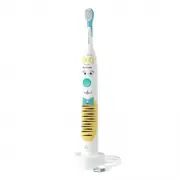


 Philips HU5710/03 User Manual
 Philips HU5930/10 User Manual
 Philips HU5931/10 User Manual
 Philips HWC7190A Manual
 Philips HWS8220Q Manual
 Philips HX 2530 Manual
 Philips HX3651/11 User Manual
 Philips HX3651/13 User Manual
 Philips HX3671/14 User Manual
 Philips HX3673/14 User Manual
 Philips HX3675/13 User Manual
 Philips HX3675/15 User Manual