Philips GC8643/30 - User Manual

Philips GC8643/30 Iron – User Manual, read for free online in PDF format. We hope this helps you resolve any issues you may have. If you have further questions, please contact us through the contact form.
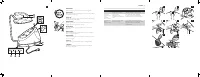


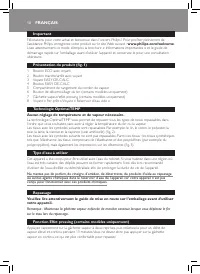
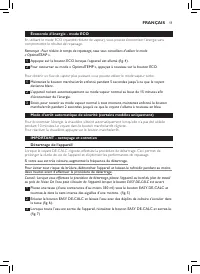
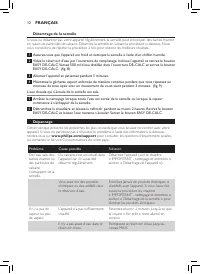
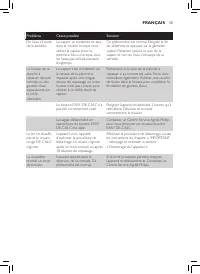


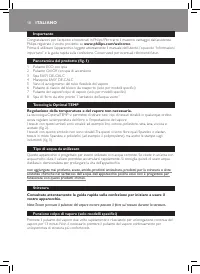
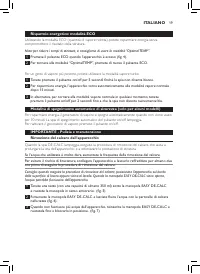
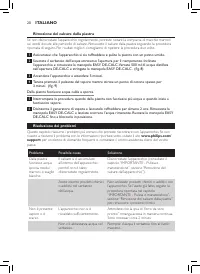


Table of Contents:
- Page 2 – SUOMI
- Page 4 – Important; Carr y lock release button (specific types only); OptimalTEMP technology; ENGLISH
- Page 5 – Energy saving - ECO mode; To go back to the ‘OptimalTEMP’ mode, press the ECO button again.; IMPORTANT - cleaning and maintenance; of the appliance and optimise the ironing performance.; Descaling the soleplate; repeat the procedure twice for better results.
- Page 6 – Troubleshooting; Problem
- Page 8 – Bouton de déverrouillage du fer (cer tains modèles uniquement); Technologie OptimalTEMP; conçu pour fonctionner avec ces produits chimiques.; Repassage; sur le tissu lors du repassage; Fonction Effet pressing (certains modèles uniquement); FRANÇAIS
- Page 9 – Économie d’énergie - mode ECO; compromettre le résultat de repassage.; IMPORTANT - nettoyage et entretien; deux heures avant d’effectuer la procédure de détartrage.
- Page 10 – Détartrage de la semelle; Allumez l’appareil et patientez pendant 5 minutes.; Dépannage; Problème
- Page 12 – Bügelns über den Stoff bewegen; DEUTSCH
- Page 13 – Energiesparender ECO-Modus; Kompromisse beim Bügelergebnis einzugehen.; WICHTIG – Reinigung und Pflege; aus dem Gerät entweichen.
- Page 14 – Entkalken der Bügelsohle; Schalten Sie das Gerät ein, und warten Sie 5 Minuten.; Fehlerbehebung; für eine Liste mit häufig gestellten
- Page 16 – Importante; Philips, registrate il vostro prodotto su; Tecnologia Optimal TEMP; funzionare con questi prodotti chimici.; Stiratura; un’esperienza di stiratura più confor tevole.; ITALIANO
- Page 17 – Risparmio energetico: modalità ECO; compromettere il risultato della stiratura.; IMPORTANTE - Pulizia e manutenzione; ore prima di eseguire la procedura di rimozione del calcare.
- Page 18 – Rimozione del calcare dalla piastra; Accendete l’apparecchio e attendete 5 minuti.; Risoluzione dei problemi; Problema
- Page 20 – Belangrijk; ondersteuning die Philips biedt, registreer uw product dan op; OptimalTEMP-technologie; beweegt; Stoomstootfunctie (alleen bepaalde typen); comfor tabelere strijker varing.; NEDERLANDS
- Page 21 – Energiebesparende ECO-modus; koste gaat van het strijkresultaat.; Automatische uitschakelmodus (alleen bepaalde typen); Om de stoomgenerator weer te activeren, drukt u op de aan/uitknop.; BELANGRIJK - schoonmaken en onderhoud
- Page 22 – De zoolplaat ontkalken; Schakel het apparaat in en wacht 5 minuten.; Problemen oplossen; Probleem
- Page 24 – mientras plancha; Función supervapor (sólo en modelos específicos); ESPAÑOL
- Page 25 – Bajo consumo: modo ECO; Para volver al modo “OptimalTEMP”, vuelva a pulsar el botón ECO.; IMPORTANTE: limpieza y mantenimiento; horas antes de comenzar el procedimiento.
- Page 26 – Eliminación de los depósitos de cal de la suela; Encienda el aparato y espere 5 minutos.; Guía de resolución de problemas
- Page 28 – fornecida pela Philips, registe o seu produto em; Tecnologia OptimalTEMP; engomados, sem ajustar a temperatura ou o vapor do ferro.; Tipo de água a utilizar; concebido para funcionar com estes químicos.; Passar a ferro; o engomar; Função de jacto de vapor (apenas em modelos específicos); experiência de engomar mais confor tável.; PORTUGUÊS
- Page 29 – Poupança de energia - modo ECO; comprometer o resultado do engomar.; IMPORTANTE - limpeza e manutenção; Se a água for muito dura, aumente a frequência de descalcificação.
- Page 30 – Descalcificar a base; Ligue o aparelho e aguarde 5 segundos.; Resolução de problemas
- Page 32 – Viktigt; Philips erbjuder kan du registrera din produkt på; Ingen temperatur- eller ånginställning behövs.; att förlänga str ykjärnets livslängd.; Stryka; SVENSKA
- Page 33 – Energibesparing med ECO mode; Håll på/av-knappen intryckt i 5 sekunder tills lampan lyser vitt.; Automatisk säkerhetsavstängning (endast på vissa modeller); lampan för automatisk avstängning börjar blinka.; VIKTIGT - rengöring och underhåll; livslängd och att optimera str ykprestandan.; Avkalkning av stryksulan; två gånger för bästa resultat.
- Page 34 – Det kommer smutsigt varmvatten ur stryksulan.; Felsökning
- Page 36 – Tärkeää; Lukitsimen vapautuspainike (vain tietyissä malleissa); OptimalTEMP-tekniikka
- Page 37 – Energiaa säästävä ECO-tila; Palaa OptimalTEMP-tilaan painamalla ECO-painiketta uudelleen.; Automaattinen virrankatkaisu (vain tietyissä malleissa); Ota höyr ylaite uudelleen käyttöön painamalla vir tapainiketta.; TÄRKEÄÄ - puhdistus ja hoito; vähintään kaksi tuntia ennen kalkinpoistoa.; Kalkin poistaminen silitysraudan pohjasta; Käynnistä laite ja odota 5 minuuttia.
- Page 38 – Vianmääritys; Ongelma
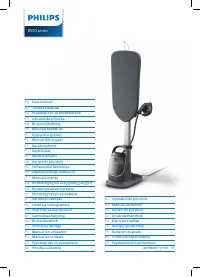
GC8600 series
User Manual
Mode d’emploi
Bedienungsanleitung
Manuale per l’utente
Gebruiksaanwijzing
Manual del usuario
Manual do utilizador
Användarhandbok
Käyttöopas
4239.000.8862.2
"Loading the manual" means you need to wait until the file loads and becomes available for online reading. Some manuals are very large, and the time they take to appear depends on your internet speed.
Summary
Ongelma Mahdollinen syy Ratkaisu EASY DE-CALC -tulppaa kumitiiviste on kulunut. Voit hankkia uuden EASY DE-CALC -tulpan valtuutetusta Philips-huoltopalvelusta. Silitysrauta ei kuumene ja DE- CALC- merkkivalo vilkkuu punaisena. Laite muistuttaa kalkinpoistosta noin kuukauden tai 10 silityskerran väle...
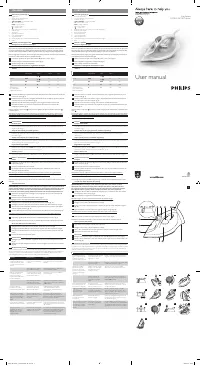
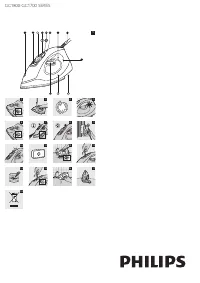
6 Important Congratulations on your purchase and welcome to Philips! To fully benefit from the suppor t that Philips offers, register your product at www.philips.com/welcome . Read this user manual, the impor tant information leaflet, and the quick star t guide on the packaging carefully before you ...
Energy saving - ECO mode By using the ECO mode (reduced amount of steam), you can save energy without compromising on the ironing result.. Note: For the shortest ironing time, we advise you to use the ‘OptimalTEMP’ mode. 1 Press the ECO button when the appliance is switched on (Fig. 4). 2 To go back...