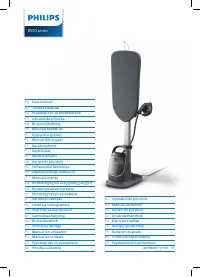
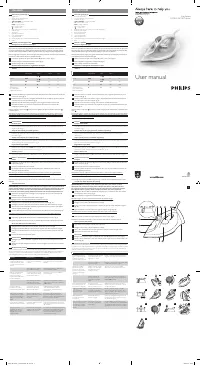
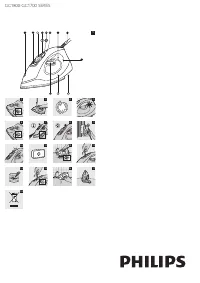
Philips GC8630/02 - User Manual

Philips GC8630/02 Iron – User Manual, read for free online in PDF format. We hope this helps you resolve any issues you may have. If you have further questions, please contact us through the contact form.
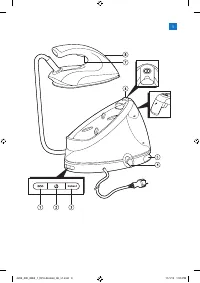


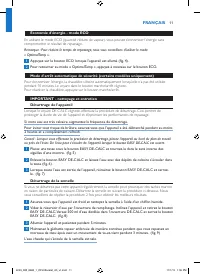
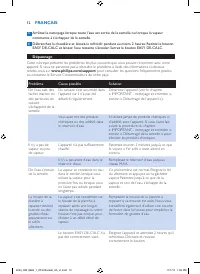
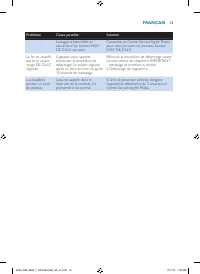


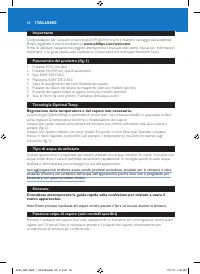
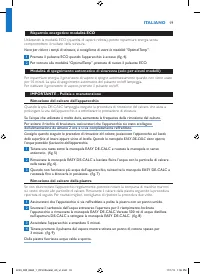
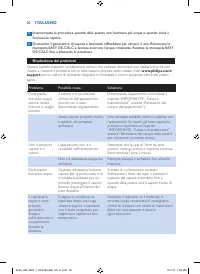
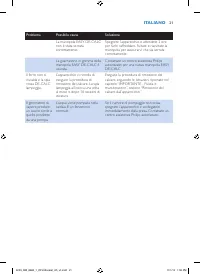


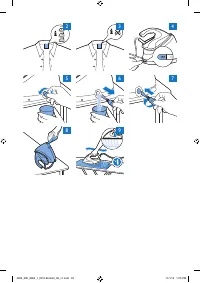
Table of Contents:
- Page 6 – ENGLISH
- Page 7 – Energy saving - ECO mode; To go back to the ‘OptimalTemp’ mode, press the ECO button again.; IMPORTANT - cleaning and maintenance; of the appliance and optimise the ironing performance.
- Page 8 – Troubleshooting; Problem
- Page 10 – conçu pour fonctionner avec ces produits chimiques.; Repassage; sur le tissu lors du repassage.; Fonction Effet pressing (certains modèles uniquement); FRANÇAIS
- Page 11 – Économie d’énergie - mode ECO; compromettre le résultat de repassage.; IMPORTANT - nettoyage et entretien; Allumez l’appareil et patientez pendant 5 minutes.
- Page 12 – commence à s’échapper de la semelle.; Dépannage; Problème
- Page 14 – Bügelns über den Stoff bewegen.; DEUTSCH
- Page 15 – Energiesparender ECO-Modus; Kompromisse beim Bügelergebnis einzugehen.; WICHTIG – Reinigung und Pflege; aus dem Gerät entweichen.
- Page 16 – Dampf aus der Bügelsohle austritt.; Fehlerbehebung
- Page 18 – funzionare con questi prodotti chimici.; Stiratura; ITALIANO
- Page 19 – Risparmio energetico: modalità ECO; compromettere il risultato della stiratura.; IMPORTANTE - Pulizia e manutenzione; l’acqua potrebbe fuoriuscire dall’apparecchio.
- Page 20 – Problema
- Page 22 – Belangrijk; ondersteuning die Philips biedt, registreer uw product dan op; OptimalTemp-technologie; comfor tabelere strijker varing.; NEDERLANDS
- Page 23 – Energiebesparende ECO-modus; koste gaat van het strijkresultaat.; Automatische uitschakelmodus (alleen bepaalde typen); Om de stoomgenerator weer te activeren, drukt u op de aan/uitknop.; BELANGRIJK - schoonmaken en onderhoud; om de procedure twee keer te herhalen voor betere resultaten.
- Page 24 – stoom uit de zoolplaat begint te komen.; Problemen oplossen; Probleem
- Page 26 – ESPAÑOL
- Page 27 – Bajo consumo: modo ECO; Para volver al modo “OptimalTemp”, vuelva a pulsar el botón ECO.; IMPORTANTE: limpieza y mantenimiento; Encienda el aparato y espere 5 minutos.
- Page 28 – Guía de resolución de problemas
- Page 30 – concebido para funcionar com estes químicos.; Passar a ferro; PORTUGUÊS
- Page 31 – Poupança de energia - modo ECO; comprometer o resultado do engomar.; IMPORTANTE - limpeza e manutenção; Ligue o aparelho e aguarde 5 segundos.
- Page 32 – Resolução de problemas
- Page 34 – Viktigt; Philips erbjuder kan du registrera din produkt på; Ingen temperatur- eller ånginställning behövs.; att förlänga str ykjärnets livslängd.; Stryka; SVENSKA
- Page 35 – lampan för automatisk avstängning börjar blinka.; VIKTIGT - rengöring och underhåll; livslängd och att optimera str ykprestandan.
- Page 38 – SUOMI
- Page 39 – Energiaa säästävä ECO-tila; Palaa OptimalTemp-tilaan painamalla ECO-painiketta uudelleen.; Automaattinen virrankatkaisu (vain tietyissä malleissa); Ota höyr ylaite uudelleen käyttöön painamalla vir tapainiketta.; TÄRKEÄÄ - puhdistus ja hoito; Käynnistä laite ja odota 5 minuuttia.
- Page 40 – Vianmääritys; Ongelma
User manual
GC8600 series
4239_000_8862_1_DFU-Booklet_A5_v1.indd 1
11/1/13 1:55 PM
"Loading the manual" means you need to wait until the file loads and becomes available for online reading. Some manuals are very large, and the time they take to appear depends on your internet speed.
Summary
6 Important Congratulations on your purchase and welcome to Philips! To fully benefit from the suppor t that Philips offers, register your product at www.philips.com/welcome . Read this user manual, the impor tant information leaflet, and the quick star t guide on the packaging carefully before you ...
Energy saving - ECO mode By using the ECO mode (reduced amount of steam), you can save energy without compromising on the ironing result.. Note: For the shortest ironing time, we advise you to use the ‘OptimalTemp’ mode. 1 Press the ECO button when the appliance is switched on (Fig. 4). 2 To go back...
Troubleshooting This chapter summarises the most common problems you could encounter with the appliance. If you are unable to solve the problem with the information below, visit www.philips.com/support for a list of frequently asked questions or contact the Consumer Care Centre in your countr y. Pro...