Philips GC4912 - User Manual
Philips GC4912 Iron – User Manual, read for free online in PDF format. We hope this helps you resolve any issues you may have. If you have further questions, please contact us through the contact form.

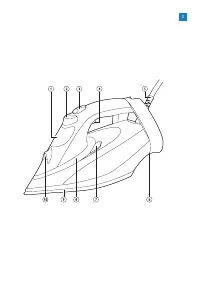




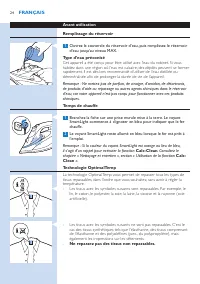
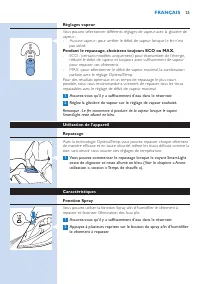
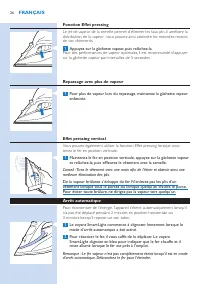
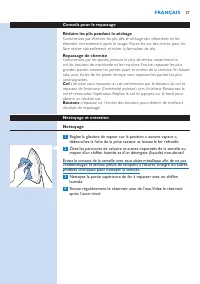
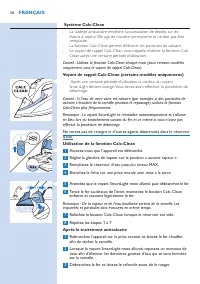
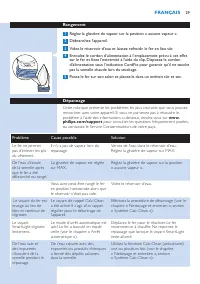
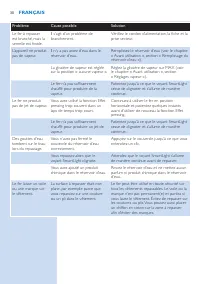






Table of Contents:
- Page 6 – introduction; and India, the Woolmark trademark is a cer tification trademark.; EnGlish
- Page 7 – Flip open the water tank lid, then fill the water tank up to the MAX; Type of water to be used; lifetime of the appliance.; Heating up; Insert the plug into an earthed wall socket. The SmartLight starts; OptimalTemp technology; fabrics such as Spandex or elastane, Spandex-mixed fabrics and
- Page 8 – MaX; and still have sufficient steam to iron your garments.; Using the appliance; Make sure there is enough water in the water tank.
- Page 9 – boost trigger at inter vals of 5 seconds.; Ironing with extra steam; You can also use the steam boost function when you hold the iron in; Safety Auto off; standing on its heel.
- Page 10 – dr y naturally with less wrinkles.; Shirt ironing; : When you iron a collar, star t on its underside and iron from the; Buttons; : Iron on the reverse side of the buttons for more effective and; Cleaning and maintenance; Set the steam slider to the ‘no steam’ position, remove the plug from
- Page 11 – Using the Calc-Clean function; Insert the plug in an earthed wall socket.; After the Calc-Clean process
- Page 12 – Storage; ensure the mains cord does not touch the hot soleplate during; Troubleshooting; Problem
- Page 14 – Einführung; DEutsCh
- Page 15 – Öffnen Sie den Deckel des Wasserbehälters, und füllen Sie den; Zu verwendende Wasserart; Wenn Sie in einer Region mit har tem Wasser leben, kann es schnell zu; Aufheizen; Stecken Sie den Netzstecker in eine geerdete Steckdose. Die; Optimal TEMP-Technologie; - Stoffe mit diesem Symbol sind nicht bügelecht. Zu diesen Stoffen; Bügeln Sie keine Stoffe, die nicht zum Bügeln geeignet sind.
- Page 16 – Schieben Sie den Dampfschieberegler an die gewünschte; Das Gerät benutzen; Sie können mit dem Bügelvorgang beginnen, wenn die SmartLight-; Eigenschaften; Betätigen Sie die Sprühtaste mehrmals, um das Kleidungsstück
- Page 17 – Falten noch effektiver zu entfernen.; Automatische Sicherheitsabschaltung; Netzstecker des Bügeleisens, um es auszuschalten.
- Page 19 – - Wenn Sie das Gerät eine bestimmte Zeit lang verwendet haben, färbt; Verwendung der Calc-Clean Funktion
- Page 20 – für eine Liste mit häufig
- Page 23 – une marque de cer tification.; Français
- Page 24 – Avant utilisation; d’eau jusqu’au niveau MAX.
- Page 25 – Remarque : Le fer commence à produire de la vapeur lorsque le voyant; Utilisation de l’appareil
- Page 26 – Fonction Effet pressing; sur la gâchette vapeur par inter valles de 5 secondes.; Repassage avec plus de vapeur; tenez le fer en position ver ticale.; Arrêt automatique; n’a pas été déplacé pendant 2 minutes en position horizontale ou
- Page 27 – Réglez la glissière de vapeur sur la position « aucune vapeur »,
- Page 28 – Utilisation de la fonction Calc-Clean; impuretés et particules sont évacuées en même temps.; Après le traitement anticalcaire
- Page 29 – Rangement; Réglez la glissière de vapeur sur la position « aucune vapeur ».; Dépannage; Problème
- Page 31 – India is het Woolmark-handelsmerk een cer tificeringsmerk.; nEDErlanDs
- Page 32 – Open het deksel van het waterreservoir en vul dit tot de MAX-; Te gebruiken watersoort; Dit apparaat is ontworpen voor gebruik met kraanwater. Als u in een; Opwarmen; Steek de stekker in een geaard stopcontact. De SmartLight begint; OptimalTemp-technologie; - Stoffen met deze symbolen kunnen worden gestreken. Voorbeelden; Strijk alleen strijkbare stoffen.
- Page 33 – blauw blijft branden.; Het apparaat gebruiken
- Page 34 – Stoomstootfunctie; Een stoomstoot uit de zoolplaat helpt om hardnekkige kreuken te; Stoomstrijken met extra stoom; strijkijzer uit te schakelen.
- Page 35 – : wanneer u een kraag strijkt, begin dan bij de onderzijde en werk; Knopen; : strijk over de achterzijde van de knoppen voor doeltreffender en; Schoonmaken en onderhoud
- Page 37 – Probleem
User manual
Register your product and get support at
www.philips.com/welcome
GC4900 series
"Loading the manual" means you need to wait until the file loads and becomes available for online reading. Some manuals are very large, and the time they take to appear depends on your internet speed.
Summary
6 introduction Congratulations on your purchase and welcome to Philips! To fully benefit from the suppor t that Philips offers, register your product at www.philips. com/welcome. The new Philips PerfectCare Azur steam iron offers you an innovative way to iron garments. We all know the fuss with trad...
Preparing for use Filling the water tank 1 Flip open the water tank lid, then fill the water tank up to the MAX indication. Type of water to be used This appliance has been designed to be used with tap water. If you live in an area with hard water, fast scale build-up may occur. Therefore, it is rec...
Steam settings You can set different steam settings with the steam slider : - No steam: to stop steam output when the iron is not in use. During ironing, always choose ECO or MaX setting . - ECO: (specific types only) to save energy, reduce the steam output, and still have sufficient steam to iron y...