Philips GC2650 - Manual

Philips GC2650 Iron – Manual, read for free online in PDF format. We hope this helps you resolve any issues you may have. If you have further questions, please contact us through the contact form.


Table of Contents:
- Page 2 – ENGLISH; The temperature light will go on from time to time during ironing.
- Page 3 – or contact the Philips Customer Care Centre in your country (you; Troubleshooting
- Page 4 – Solution; Set the steam position to; Possible cause
- Page 5 – FRANÇAIS
- Page 6 – ou contactez le; Dépannage
- Page 7 – ou
Steam Iron
GC2650, GC2640, GC2620,
GC2560, GC2530, GC2520, GC2510
2
3
4
5
6
7
8
9
10
11
12
13
14
15
16
17
L
J
A
D
F
G
E
C
B
I
H
K
"Loading the manual" means you need to wait until the file loads and becomes available for online reading. Some manuals are very large, and the time they take to appear depends on your internet speed.
Other Manuals for Philips GC2650
Summary
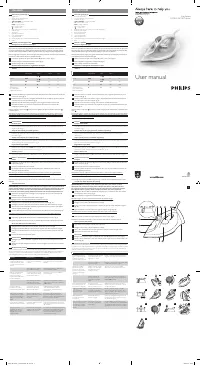
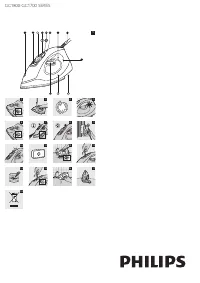
ENGLISH General description (fig. 1) . A Spray nozzle B Cap of filling opening C Steam control- O = no steam - l = minimum steam - ; = maximum steam - 1 = Calc-Clean function D Shot-of-steam button E Spray button T F Automatic shut-off light (GC2560 only) G Mains cord H Anti-Calc tablet I Temperatur...
4 Put the plug in the wall socket. 5 Unplug the iron when the temperature light has gone out. 6 Hold the iron over the sink and set the steam control to the Calc-Cleanposition ( 1 ). The steam control will spring up slightly. 7 Pull the steam control upwards and remove it (fig. 11). 8 Hold the iron ...
Solution Check the mains cord, theplug and the wall socket. Set the temperature dialto the required position. Fill the water tank (seechapter 'Preparing for use',section 'Filling the watertank'). Set the steam position to Á or È (see chapter 'Using the appliance',section 'Steam ironing'). Set the te...