Philips DTB297/10 - User Manual
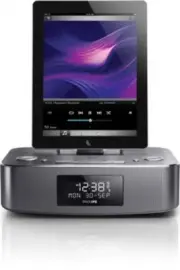
Philips DTB297/10 – User Manual, read for free online in PDF format. We hope this helps you resolve any issues you may have. If you have further questions, please contact us through the contact form.


Table of Contents:
- Page 3 – Contents
- Page 4 – Important; Safety; Know these safety symbols
- Page 5 – Notice
- Page 7 – Your Docking; Introduction
- Page 8 – Overview of the main unit
- Page 10 – Get started; Install batteries; Connect power
- Page 11 – Set time and date; Turn on; Switch to standby
- Page 13 – Play from a Bluetooth device; Play from Philips DigitalRadio; Play from an external device
- Page 14 – Listen to radio; Store DAB radio stations; Use the menu
- Page 16 – Other features; Adjust volume level; Activate and deactivate the alarm; Set the sleep timer
- Page 17 – Product; Specifications; Amplifier
- Page 18 – RDS program types
- Page 19 – Troubleshooting
www.philips.com/welcome
User manual
Always there to help you
Register your product and get support at
DTB297
Question?
Contact
Philips
"Loading the manual" means you need to wait until the file loads and becomes available for online reading. Some manuals are very large, and the time they take to appear depends on your internet speed.
Other Manuals for Philips DTB297/10
Summary
1 English EN Contents 1 Important 2 Safety 2 Notice 3 2 Your Docking Entertainment System 5 Introduction 5 What’s in the box 5 Over view of the main unit 6 3 Get started 8 Install batteries 8 Connect power 8 Set time and date 9 Turn on 9 4 Play 10 Play from iPod/iPhone/iPad 10 Play from a Bluetooth ...
2 EN 1 Important Safety Know these safety symbols This ‘bolt of lightning’ indicates uninsulated material within your unit may cause an electrical shock. For the safety of ever yone in your household, please do not remove product covering. The ‘exclamation point’ calls attention to features for whic...
3 English EN • Install all batteries correctly, + and - as marked on the unit. • Do not mix batteries (old and new or carbon and alkaline, etc.). • Remove batteries when the unit is not used for a long time. • Batteries (batter y pack or batteries installed) shall not be exposed to excessive heat su...


