Page 3 - Contents
1 English EN Contents 1 Important 2 Safety 2 Notice 3 2 Your Docking Entertainment System 5 Introduction 5 What’s in the box 5 Over view of the main unit 6 3 Get started 8 Install batteries 8 Connect power 8 Set time and date 9 Turn on 9 4 Play 10 Play from iPod/iPhone/iPad 10 Play from a Bluetooth ...
Page 4 - Important; Safety; Know these safety symbols
2 EN 1 Important Safety Know these safety symbols This ‘bolt of lightning’ indicates uninsulated material within your unit may cause an electrical shock. For the safety of ever yone in your household, please do not remove product covering. The ‘exclamation point’ calls attention to features for whic...
Page 5 - Notice
3 English EN • Install all batteries correctly, + and - as marked on the unit. • Do not mix batteries (old and new or carbon and alkaline, etc.). • Remove batteries when the unit is not used for a long time. • Batteries (batter y pack or batteries installed) shall not be exposed to excessive heat su...
Page 7 - Your Docking; Introduction
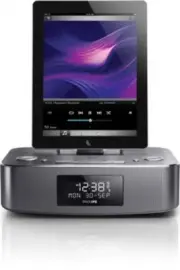
5 English EN 2 Your Docking Entertainment System Congratulations on your purchase, and welcome to Philips! To fully benefit from the suppor t that Philips offers, register your product at www.philips.com/welcome. Introduction With this unit, you can: • listen to FM/DAB radio.• enjoy audio from iPod/...
Page 8 - Overview of the main unit
6 EN Overview of the main unit a Dock for iPod/iPhone/iPad b FM antenna • Improve FM reception. c AUDIO IN • 3.5mm audio input socket. d DC IN (7.5V 2.5A) • Power supply socket. e Lightning dock connector f TUNING +/- / • Tune to a radio station.• Adjust time.• Switch between the DAB and FM menus. e...
Page 10 - Get started; Install batteries; Connect power
8 EN 3 Get started Caution • Use of controls or adjustments or performance of procedures other than herein may result in hazardous radiation exposure or other unsafe operation. Always follow the instructions in this chapter in sequence.If you contact Philips, you will be asked for the model and seri...
Page 11 - Set time and date; Turn on; Switch to standby
9 English EN Set time and date 1 In standby mode, press and hold MENU / INFO / SET TIME / for 2 seconds. » The unit beeps once. » [24H] star ts to blink. 2 Press TUNING +/- / to select the 12/24 hour format, then press OK / to confirm. » The hour digits star t to blink. 3 Repeat steps 2 to set the h...
Page 13 - Play from a Bluetooth device; Play from Philips DigitalRadio; Play from an external device
11 English EN Play from a Bluetooth device Note • Before you connect a Bluetooth-enabled device to the unit, familiarize yourself with the Bluetooth capabilities of the device. • Keep the unit away from other electronic devices that may cause interference. • The effective operation range between the...
Page 14 - Listen to radio; Store DAB radio stations; Use the menu
12 EN 5 Listen to radio Note • For optimal reception, fully extend the antenna and adjust its position, or connect an outdoor antenna. • This product does not suppor t MW (medium wave) radio reception. • You can program a maximum of 20 DAB radio stations and 20 FM radio stations. • Check with local ...
Page 16 - Other features; Adjust volume level; Activate and deactivate the alarm; Set the sleep timer
14 EN 6 Other features Adjust volume level 1 During play, press VOL +/- to increase/ decrease the volume level. Set the alarm timer You can set two alarms which go off at different time. 1 Make sure that you have set the clock correctly (see ‘Set time and date’ on page 9). 2 Press and hold ALARM 1 o...
Page 17 - Product; Specifications; Amplifier
15 English EN 7 Product information Note • Product information is subject to change without prior notice. Specifications Amplifier Rated Output Power 2 x 5 W RMS Frequency Response 80Hz - 16kHz, ±3dB Signal to Noise Ratio >67 dBA AUDIO IN 600mV RMS 22kohm FM Tuning Range FM 87.5 - 108 MHz Tuning ...
Page 18 - RDS program types
16 EN RDS program types NO TYPE No RDS programme type NEWS News ser vices AFFAIRS Politics and current affairs INFO Special information programs SPORT Spor ts EDUCATE Education and advanced training DRAMA Radio plays and literature CULTURE Culture, religion and society SCIENCE Science VARIED Enter t...
Page 19 - Troubleshooting
17 English EN 8 Troubleshooting Warning • Never remove the casing of this apparatus. To keep the warranty valid, never tr y to repair the system yourself. If you encounter problems when using this apparatus, check the following points before requesting ser vice. If the problem remains unsolved, go t...