Philips DTB297/10 - Quick Guide
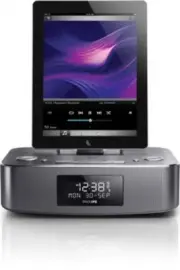
Philips DTB297/10 – Quick Guide, read for free online in PDF format. We hope this helps you resolve any issues you may have. If you have further questions, please contact us through the contact form.


DTB297
www.philips.com/welcome
Always there to help you
Register your product and get support at
Question?
Contact
Philips
Short User Manual
Krátká uživatelská příručka
Kurzanleitung
Σύντομο εγχειρίδιο χρήσησ
Manual de usuario corto
Lyhyt käyttöopas
Bref mode d'emploi
Kort brugervejledning
EN
CS
DE
DA
ES
EL
FI
FR
All registered and unregistered trademarks are property of
their respective owners.
© 2013 Koninklijke Philips Electronics N.V.
All rights reserved.
DTB297_10_Short User Manual_V1.0
EN
Press to switch the unit on. Press again to switch the unit to standby
mode.
CS
Stisknutím tlačítka zapnete jednotku. Opětovným stisknutím tlačítka
přepnete jednotku do pohotovostního režimu.
DA
Tr yk på for at tænde for enheden. Tr yk på igen for at sætte enheden
i standby-tilstand.
DE
Drücken Sie , um das Gerät einzuschalten Drücken Sie erneut auf , um
das Gerät in den Standby-Modus zu schalten.
EL
Πατήστε για να ενεργοποιήσετε τη μονάδα. Πατήστε ξανά για
μετάβαση της μονάδας σε λειτουργία αναμονής.
ES
Pulse para encender la unidad. Pulse
de nuevo para cambiar la unidad
a modo de espera.
FI
Käynnistä laite painamalla
-painiketta. Siirrä laite valmiustilaan painamalla
-painiketta uudelleen.
FR
Appuyez sur
pour allumer l’appareil. Appuyez à nouveau sur
pour
activer le mode veille de votre appareil.
EN
You can only use AC power as power supply. Batteries (not supplied) are for backup purpose.
CS
Radiobudík může být napájen pouze střídavým proudem. Baterie (nejsou součástí balení) slouží jako
záloha.
DA
Du kan kun bruge vekselstrøm som strømforsyning. Batterier (medfølger ikke) er til
sikkerhedskopieringsformål.
DE
Sie können das Gerät nur mit Netzstrom betreiben. Batterien (nicht im Lieferumfang enthalten) sind
nur für Sicherungszwecke gedacht.
EL
Μπορείτε να χρησιμοποιήσετε μόνο εναλλασσόμενο ρεύμα (AC) ως τροφοδοσία. Οι μπαταρίες
(δεν παρέχονται) χρησιμοποιούνται μόνο ως εφεδρικό μέσο.
ES
La fuente de alimentación siempre debe ser de CA. Las pilas (no incluidas) sólo sir ven en caso de fallo
del suministro eléctrico.
FI
Vir talähteenä voi käyttää ainoastaan verkkovir taa. Paristot (lisävaruste) on tarkoitettu ainoastaan
varmistukseen.
FR
L’appareil peut être alimenté sur secteur (CA) uniquement. Les piles de secours (non fournies) sont à
utiliser en cas de problème électrique.
User Manual
www.philips.com/welcome
Always there to help you
Register your product and get support at
Question?
Contact
Philips
EN
To download the full user manual, visit www.philips.com/suppor t.
CS
Kompletní uživatelskou příručku naleznete na adrese www.philips.com/suppor t.
DA
Du kan downloade hele bruger vejledningen på www.philips.com/suppor t.
DE
Um das vollständige Benutzerhandbuch herunterzuladen, besuchen Sie www.
philips.com/suppor t
EL
Για να κατεβάσετε το πλήρες εγχειρίδιο χρήσης, επισκεφτείτε τη διεύθυνση
www.philips.com/suppor t.
ES
Para descargar el manual de usuario completo, visite www.philips.com/suppor t.
FI
Voit ladata käyttöoppaan osoitteessa www.philips.com/suppor t.
FR
Pour télécharger le manuel d’utilisation complet, rendez-vous sur www.philips.
com/suppor t.
EN
Store FM radio stations automatically
In FM mode, press
SCAN
/
PROG
/
to activate automatic programming.
CS
Automatické uložení rádiových stanic FM
Stisknutím tlačítka
SCAN
/
PROG
/
v režimu FM aktivujete automatické programování.
DA
Gem FM-radiostationer automatisk
I FM-tilstand skal du tr ykke på
SCAN
/
PROG
/
for at aktivere automatisk programmering.
DE
Automatisches Speichern von UKW-Radiosendern
Drücken Sie im UKW-Modus
SCAN
/
PROG
/
, um die automatische Programmierung zu aktivieren.
EL
Αυτόματη απομνημόνευση ραδιοφωνικών σταθμών FM
Σε λειτουργία ραδιοφώνου FM, πατήστε
SCAN
/
PROG
/
για να ενεργοποιήσετε τη λειτουργία αυτόματου προγραμματισμού.
ES
Almacenamiento automático de las emisoras de radio FM
En el modo FM, pulse
SCAN
/
PROG
/
para activar la programación automática.
FI
FM-radioasemien tallentaminen automaattisesti
FM-tilassa voit siir tyä automaattiseen ohjelmointitilaan painamalla
SCAN
/
PROG
/
-painiketta.
FR
Mémorisation automatique des stations de radio FM
En mode FM, appuyez sur
SCAN
/
PROG
/
pour activer la programmation automatique.
AUDIO IN
DC IN
7.5V 2.5A
DC IN
7.5V 2.5A
• iPod nano (7th generation
)
• iPod touch (5th generation
)
• iPad (4th generation
)
• iPad mini
• iPhone 5
EN
Listen to the iPod/iPhone/iPad
Press
SOURCE
repeatedly to select the DOCK source.
•
To pause/resume play, press OK/
.
•
To skip to a track, press PRESET +/- /
.
•
To search during play, press and hold PRESET +/- /
, then release to
resume normal play.
CS
Poslech zvuku ze zařízení iPod/iPhone/iPad
Opakovaným stisknutím tlačítka
SOURCE
vyber te zdroj DOCK.
•
Chc
ete-li přehrávání pozastavit nebo obnovit, stiskněte tlačítko OK/
.
•
Chcete-li vynechat stopu, stiskněte tlačítko PRESET +/- /
.
•
Chcete-li vyhledávat během přehrávání, stiskněte a podržte tlačítko PRESET
+/- / . Pře
hrávání obnovíte uvolněním tlačítka.
DA
Lyt til iPod/iPhone/iPad
Tr yk gentagne gange på
SOURCE
for at vælge DOCK-kilden.
•
Tr yk på OK/
for at sætte afspilning på pause/genoptage afspilning.
•
For at springe et spor over skal du tr ykke på PRESET +/- /
.
•
For at søge under afspilning skal du tr ykke på og holde PRESET +/- /
nede og derefter give slip for at genoptage normal afspilning.
DE
Wiedergabe vom iPod/iPhone/iPad
Drücken Sie wiederholt
SOURCE
, um die DOCK-Quelle auszuwählen.
•
Um die Wiedergabe anzuhalten bzw. fortzusetzen, drücken Sie OK/
.
•
Wenn Sie zu einem Titel springen möchten, drücken Sie die Taste PRESET +/- /
.
•
Um während der Wiedergabe einen Suchlauf durchzuführen, halten Sie die Taste
PRESET +/- /
gedrückt, und lassen Sie sie los, um die normale Wiedergabe
fortzusetzen.
EL
Ακρόαση iPod/iPhone/iPad
Πατήστε επανειλημμένα
SOURCE
για να επιλέξετε την πηγή βάσης.
•
Για προσωρινή διακοπή/συνέχιση αναπαραγωγής, πατήστε OK/
.
•
Για να παραλείψετε ένα κομμάτι, πατήστε PRESET +/- /
.
•
Για αναζήτηση κατά την αναπαραγωγή, πατήστε παρατεταμένα τοPRESET
+/- / . Στη συνέχεια, απελευθερώστε τα για να συνεχίσετε την κανονική
αναπαραγωγή.
ES
Cómo escuchar el iPod/iPhone/iPad
Pulse
SOURCE
varias veces para seleccionar la fuente DOCK.
•
Para hacer una pausa/reanudar la reproducción, pulse OK/
.
•
Para saltar directamente a una pista, pulse PRESET +/- /
.
•
Para buscar durante la reproducción, mantenga pulsado PRESET +/- /
, después
suéltelo para reanudar la reproducción normal.
FI
iPodin/iPhonen/iPadin kuunteleminen
Valitse telakkalähde painamalla
SOURCE
-painiketta toistuvasti.
•
Keskeytä toisto tai jatka sitä OK/
-painikkeella.
•
Voit ohittaa musiikkikappaleen valitsemalla PRESET +/- /
.
•
Hae toiston aikana pitämällä PRESET +/- /
alhaalla ja jatka normaalia toistoa
vapauttamalla painike.
FR
Écoute de l’iPod/iPhone/iPad
Appuyez plusieurs fois sur
SOURCE
pour sélectionner la source DOCK.
•
Pour interrompre/reprendre la lecture, appuyez sur OK/
.
•
Pour accéder à une piste, appuyez sur PRESET +/- /
.
•
Pour effectuer une recherche pendant la lecture : maintenez PRESET +/- /
enfoncé, puis relâchez pour reprendre la lecture normale.
Shor t User Manual
www.philips.com/welcome
Always there to help you
Register your product and get support at
Question?
Contact
Philips
TUNER
FM
AUTO
FM
FM
FM
FM
EMPTY 1
FM
EMPTY 2
FM
STORED
EN
Store FM radio stations
1
Tune to a radio station.
2
Press and hold
SCAN
/
PROG
/
to activate programming.
3
Press
OK
/
to confirm.
4
Repeat the above steps to program other stations.
CS
Uložení rádiových stanic FM
1
Naladění rádiové stanice.
2
Stisknutím a podržením tlačítka
SCAN
/
PROG
/
aktivujete
programování.
3
Stisknutím tlačítka
OK
/
potvrďte výběr.
4
Zopakováním výše uvedených kroků naprogramujte další
stanice.
DA
Gem FM-radiostationer
1
Find en radiostation.
2
Tr yk på
SCAN
/
PROG
/
og hold den nede for at aktivere
programmeringen.
3
Tr yk på
OK
/
for at bekræfte.
4
Gentag ovenstående trin for at programmere flere stationer.
DE
Speichern von UKW-Radiosendern
1
Stellen Sie einen Radiosender ein.
2
Halten Sie
SCAN
/
PROG
/
gedrückt, um die
Programmierung zu aktivieren.
3
Drücken Sie zur Bestätigung auf
OK
/
.
4
Wiederholen Sie die obigen Schritte zum Programmieren
weiterer Sender.
EL
Αποθήκευση ραδιοφωνικών σταθμών FM
1
Συντονισμός σε ραδιοφωνικό σταθμό.
2
Πατήστε παρατεταμένα
SCAN
/
PROG
/
για να
ενεργοποιήσετε τον προγραμματισμό.
3
Πατήστε
OK
/
για επιβεβαίωση.
4
Επαναλάβετε τα παραπάνω βήματα για να
προγραμματίσετε άλλους σταθμούς.
ES
Almacenamiento de emisoras de radio FM
1
Sintoniza una emisora de radio.
2
Mantenga pulsado
SCAN
/
PROG
/
para activar la
programación.
3
Pulse
OK
/
para confirmar.
4
Repita los pasos anteriores para programar otras emisoras.
FI
FM-radioasemien tallentaminen
1
Radioaseman virittäminen.
2
Ota ohjelmointi käyttöö pitämällä
SCAN
/
PROG
/
alhaalla.
3
Vahvista painamalla
OK
/
-painiketta.
4
Ohjelmoi lisää asemia toistamalla edellä kuvatut vaiheet.
FR
Mémorisation de stations de radio FM
1
Permet de régler une station de radio de votre choix.
2
Maintenez
SCAN
/
PROG
/
enfoncé pour activer la
programmation.
3
Appuyez sur
OK
/
pour confirmer.
4
Répétez les étapes ci-dessus pour programmer d’autres
stations.
EN
Select a preset radio station
Press
PRESET +/-
/
to select a preset number.
CS
Výběr předvolby rádiové stanice
Stisknutím tlačítka
PRESET +/-
/ vyberete číslo předvolby.
DA
Vælg en forudindstillet radiostation
Tr yk på
PRESET +/-
/ for at vælge et forudindstillet nummer.
DE
Auswählen eines voreingestellten Radiosenders
Drücken Sie
PRESET +/-
/ , um eine voreingestellte Nummer
auszuwählen.
EL
Επιλογή προεπιλεγμένου ραδιοφωνικού σταθμού
Πατήστε
PRESET +/-
/ για να επιλέξετε έναν
προρυθμισμένο αριθμό.
ES
Selección de una emisora de radio presintonizada
Pulse
PRESET +/-
/
para seleccionar un número de
presintonía.
FI
Esiasetetun aseman valitseminen
Valitse pikavalinnan numero
PRESET +/-
/
-painikkeella.
FR
Sélection d’une station de radio présélectionnée
Appuyez sur
PRESET +/-
/
pour sélectionner un numéro de
présélection.
"Loading the manual" means you need to wait until the file loads and becomes available for online reading. Some manuals are very large, and the time they take to appear depends on your internet speed.


