Philips DC570/37 - User Manual
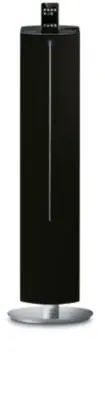
Philips DC570/37 – User Manual, read for free online in PDF format. We hope this helps you resolve any issues you may have. If you have further questions, please contact us through the contact form.


Table of Contents:
- Page 2 – Return your Product Registration Card or register online at; or register online at; Dear PHILIPS product owner:; *Additional Benefits; For Customer Use; Know these; safety; symbols; To reduce the risk of fire or; ATTENTION
- Page 5 – IMPORTANT SAFETY INSTRUCTIONS; Class II equipment symbol; Clean only with dry cloth.
- Page 7 – Index; Canada; CAUTION; English; rançais; Español
- Page 8 – Contents
- Page 9 – General Information; Environmental Information; Supplied accessories
- Page 10 – Preparations; Rear connections; Power
- Page 11 – Connecting a USB device; Before using the remote control
- Page 12 – Controls; Main unit
- Page 13 – Remote Control
- Page 14 – Basic Functions; Switching the system on
- Page 15 – Sound Control
- Page 16 – USB playback functions; Programming track numbers; Reviewing programmed tracks
- Page 17 – Radio Reception; Tuning to radio stations; TUNER; Programming radio stations; Automatic programming; Tuning to preset radio stations
- Page 18 – External Sources; Using a non-USB device; AUX; USB; USB; no AUdIO
- Page 20 – Clock setting; Stopping the alarm; Sleep timer setting
- Page 21 – iPod Dock; Compatible iPod players; iPod
- Page 22 – Specifications
- Page 23 – Troubleshooting; “NO USb” is displayed.; Problem
- Page 24 – PHILIPS LIMITED WARRANTY
Thank you for choosing Philips.
Need help fast?
Read your Quick Start Guide and/or
User Manual first for quick tips
that make using your Philips product
more enjoyable.
If you have read your instructions
and still need assistance,
you may access our online help at
www.philips.com/welcome
or call
1-888-PHILIPS (744-5477)
while with your product.
Philips vous remercie de
votre confiance.
Besoin d'une aide
rapide?
Le Guide rapide de début
et Manuel de
l'utilisateur regorgent d'astuces destinées à
simplifier l'utilisation de votre produit Philips.
Toutefois, si vous ne parvenez pas à résoudre
votre probléme, vous pouvez accéder à
notre aide en ligne à l'adresse
www.philips.com/welcome
ou formez le
1-800-661-6162 (Francophone)
1-888-PHILIPS (744-5477) (English speaking)
Veillez à avoir votre produit à
portée de main.
Gracias por escoger Philips
Necesita ayuda
inmediata?
Lea primero la Guía rápida del comienzo
o el Manual del usuario, en donde encontrará
consejos que le ayudarán a disfrutar
plenamente de su producto Philips.
Si después de leerlo aún necesita ayuda,
consulte nuestro servicio de
asistencia en línea en
www.philips.com/welcome
o llame al teléfono
1-888-PHILIPS (744-5477)
y tenga a mano el producto.
(and Model / Serial number)
(et model / serial nombre)
(y número de model / serial)
Docking Entertainment System
DC570
Register your product and get support at
www.philips.com/welcome
pg1-24-DC570_37_Eng
2008.3.20, 16:52
1
"Loading the manual" means you need to wait until the file loads and becomes available for online reading. Some manuals are very large, and the time they take to appear depends on your internet speed.
Other Manuals for Philips DC570/37
Summary
2 Return your Product Registration Card or register online at www.philips.com/welcome toda y to get the very most from your purchase. Registering your model with PHILIPS makes you eligible for all of the valuable benefits listed below, sodon't miss out. Complete and return your Product Registration ...
5 IMPORTANT SAFETY INSTRUCTIONS Class II equipment symbol This symbol indicates that the unit has a double insulation system Clean only with dry cloth. Where the MAINS plug or an appliance coupler is used as the disconnet device, the disconnet device shall remain readily operable. materials 9 pg1-24...
7 Index English ------------------------------------------------ 8 Français -------------------------------------------- 25 Español --------------------------------------------- 44 Canada English: This digital apparatus does not exceedthe Class B limits for radio noiseemissions from digital apparatu...


