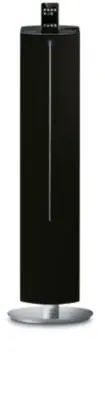
Page 2 - Return your Product Registration Card or register online at; or register online at; Dear PHILIPS product owner:; *Additional Benefits; For Customer Use; Know these; safety; symbols; To reduce the risk of fire or; ATTENTION
2 Return your Product Registration Card or register online at www.philips.com/welcome toda y to get the very most from your purchase. Registering your model with PHILIPS makes you eligible for all of the valuable benefits listed below, sodon't miss out. Complete and return your Product Registration ...
Page 5 - IMPORTANT SAFETY INSTRUCTIONS; Class II equipment symbol; Clean only with dry cloth.
5 IMPORTANT SAFETY INSTRUCTIONS Class II equipment symbol This symbol indicates that the unit has a double insulation system Clean only with dry cloth. Where the MAINS plug or an appliance coupler is used as the disconnet device, the disconnet device shall remain readily operable. materials 9 pg1-24...
Page 7 - Index; Canada; CAUTION; English; rançais; Español
7 Index English ------------------------------------------------ 8 Français -------------------------------------------- 25 Español --------------------------------------------- 44 Canada English: This digital apparatus does not exceedthe Class B limits for radio noiseemissions from digital apparatu...
Page 8 - Contents
8 English Contents General Information Environmental Information ................................ 9Supplied accessories ............................................ 9Safety Information ................................................ 9 Preparations Rear connections .....................................
Page 9 - General Information; Environmental Information; Supplied accessories
English 9 General Information Congratulations on your purchase and welcome to Philips! To fully benefit from the suppor t that Philips offers, register your product at www.philips.com/welcome. Environmental Information All unnecessar y packaging has been omitted. We have tried to make the packaging ...
Page 10 - Preparations; Rear connections; Power
10 English Preparations Rear connections The type plate is located at the rear of thesystem. A Power ● Before connecting the power cord to the walloutlet, ensure that all other connections havebeen made. WARNING!– For optimal performance, use only theoriginal power cord.– Never make or change connec...
Page 11 - Connecting a USB device; Before using the remote control
English 11 Preparations Connecting a USB device By connecting a USB mass storage device (including USB flash memory, USB flash players)to the system, you can enjoy the device's storedmusic through the powerful speakers of system. Insert the USB device's USB plug into the socket on the set. OR for de...
Page 12 - Controls; Main unit
12 English Controls Main unit 1 USB DIRECT – jack for the connecting an external USB massstorage device and MP3/ WMA players. 2 ÉÅ – (iPod/USB) star ts or interr upts playback. 3 S / T iPod/ USB .......... fast searches back and forward within a track (press and hold). .................................
Page 13 - Remote Control
English 13 Controls Remote Control 1 iPod – selects the sound source for your iPod player. 2 Power – switches the system to standby mode. 3 ÉÅ – (iPod/USB) star ts or interr upts playback. 4 Menu – enters iPod menu 5 USB – selects sound source for a USB audio player. 6 REPEAT/SHUFF – (USB) toggles t...
Page 14 - Basic Functions; Switching the system on
14 English Basic Functions Important!Before you operate the system, completethe preparation procedures. Switching the system on ● Press Power on the set. ➜ The system will switch to the last selected source. ● Press source on the set repeatedly or USB , AUX , iPod or TUNER on the remote control. ➜ T...
Page 15 - Sound Control
English 15 Sound Control DBB and DSC sound features cannot be activated at the same time. DBB (Dynamic Bass Boost) DBB enhances the bass response . iPod/AUX ● Press ALBUM/PRESET 4 on the remote or PRESET - on the pane to enable/disable DBB feature. USB/TUNER ● Press and hold ALBUM/PRESET 4 on the re...
Page 16 - USB playback functions; Programming track numbers; Reviewing programmed tracks
16 English USB playback functions Different play modes: SHUFFLEand REPEAT You can select and change the various playmodes before or during playback. The REPEATmodes can also be combined with PROGRAM. 1 To select your play mode, press REPEAT/ SHUFF before or during playback until the display shows th...
Page 17 - Radio Reception; Tuning to radio stations; TUNER; Programming radio stations; Automatic programming; Tuning to preset radio stations
English 17 Radio Reception Tuning to radio stations 1 Press TUNER to select the tuner source. 2 Hold TUNING -/+ (or S / T on the set) and then release the button. ➜ The system will star t searching for a radio station with sufficient signal strength. 3 Repeat step 2 if necessar y until you find the ...
Page 18 - External Sources; Using a non-USB device; AUX; USB; USB; no AUdIO
18 English External Sources INFORMATION REGARDING USBDIRECT: 1. Compatibility of the USB connection on thissystem: a) This product suppor ts most USB Mass storagedevices (MSD) that are compliant to the USBMSD standards . i) Most common Mass storage class devices areflash drives , memory sticks, jump...
Page 20 - Clock setting; Stopping the alarm; Sleep timer setting
20 English Clock/Timer/Sleep Clock setting The clock uses the 12-hour mode.Impor tant!– To set clock in the Eco Power mode, press and hold POWER on the set for 3 seconds or more to switch to normal standby mode fir stbefore proceeding with the procedures below. 1 In standby mode, press PROG/SET TIME...
Page 21 - iPod Dock; Compatible iPod players; iPod
English 21 iPod Dock Compatible iPod players ● The docking enter tainment system is compatiblewith all the existing Apple iPod models with 30-pin connector. Selecting the correct dockadaptor ● Four adapters are included to fit different iPodmodels including iPod touch (8GB, 16GB), iPodclassic (80GB,...
Page 22 - Specifications
22 English Specifications AMPLIFIER Output power ........................................................................ ...................................................................... 50W+2 x 25W Signal-to-noise ratio ....................................... ≥ 70 dBA Frequency response ........
Page 23 - Troubleshooting; “NO USb” is displayed.; Problem
English 23 Troubleshooting WARNINGUnder no circumstances should you tr y to repair the system yourself, as this will invalidate thewarranty. Do not open the system as there is a risk of electric shock. If a fault occurs, first check the points listed below before taking the system for repair. If you...
Page 24 - PHILIPS LIMITED WARRANTY
24 English Philips, P.O. Box 671539, Marietta, GA. 30006-0026 PHILIPS LIMITED WARRANTY ONE (1) YEAR WARRANTY COVERAGE: PHILIPS warranty obligation is limited to the terms set forthbelow. WHO IS COVERED: Philips warrants the product to the original purchaser or the per-son receiving the product as a ...