Philips DC570/37 - Quick Guide
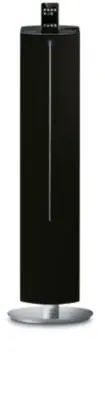
Philips DC570/37 – Quick Guide, read for free online in PDF format. We hope this helps you resolve any issues you may have. If you have further questions, please contact us through the contact form.


Table of Contents:
- Page 2 – Tip; Setting the clock; – Position the FM antenna away from the; – To set c lock in the Eco Power mode, press and hold
- Page 3 – Enjoy; USB; Playing a USB mass storage device; USB flash players; Programming and tuning to radio stations; Before using the remote control; ÉÅ
- Page 4 – Playing Apple iPod using DC570; Correctly place the compatible iPod player into the dock.; iPod; to select the iPod source.
SHUFFLE
ALBUM/
PRESET
REPEAT
SLEEP
MUTE
SET TIME
TIMER
PROG
USB
SD
MENU
AUX
POWER
TUNER
TUNING
VOL
TUNING
+
DSC
DBB
Pull out the plastic
protective sheet
before use.
What’s in the Box?
You should find these items upon opening the box.
1
Quick Start Guide
2
User Manual
FM antenna
Remote Control
Quick Start Guide
User manual
Quick Start Guide
DC570
Pull out the plastic
protective sheet
before use.
AC power cord
4 X iPod dock adaptors
Line-in Cable
DC570 QUG_Eng
3/14/08, 12:03
1
"Loading the manual" means you need to wait until the file loads and becomes available for online reading. Some manuals are very large, and the time they take to appear depends on your internet speed.
Other Manuals for Philips DC570/37
Summary
1 2 Tip See the User Manual for how toconnect other equipment to thissystem. Setting the clock 1 2 3 In standby mode, press PROG/SET TIME for more than 3 seconds. ➜ The clock digits flash. Press S / T to set the minutes. Press TUNING +/- to set the hours. Press PROG/SET TIME to confirm the time. 4 S...
Enjoy C 1 2 3 Insert the USB device’s USB plug into the socket on the set. Press USB to select USB . Play the USB’s audio files. Playing a USB mass storage device With the system, you can use USB flash memory (USB 2.0 or USB1.1), USB flash players (USB 2.0 or USB1.1). Programming and tuning to radio...
Enjoy C Tip Detailed playback features and additional functions are described in the UserManual. C Royal Philips Electronics N.V. 2007 All rights reserved. PDCC-LC/JS-0719 Playing Apple iPod using DC570 1 2 3 Select the correct dock adaptor, as indicated on each adaptor, then fit it inthe dock. Corr...


