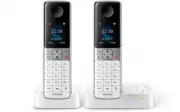
Philips D6352W/38 – Quick Guide, read for free online in PDF format. We hope this helps you resolve any issues you may have. If you have further questions, please contact us through the contact form.
1
2
3
4
5
6
7
8
9
10
11
Table of Contents:
Page 2 – Impor tant safety instructions
Page 3 – Over view
Page 4 – Connect
Page 5 – Get star ted
Page 6 – Enjoy
Page 7 – Learn more
Page 8 – Technical data
Page 9 – Frequently asked questions
Loading the manual
D630 D635
Register your product and get support at
www.philips.com/suppor t
Shor t user manual
05.en
en
UK adaptor
"Loading the manual" means you need to wait until the file loads and becomes available for online reading. Some manuals are very large, and the time they take to appear depends on your internet speed.
Impor tant safety instructions Warning • The Electrical network is classified as hazardous. The only way to power down the charger is to unplug the power supply from the electrical outlet. Ensure that the electrical outlet is always easily accessible. • Refer to safety information before using the p...
Page 3 - Over view
1 Over view In call Phonebook / redial list Change the sound profile. Adjust the volume.Recall (network dependent).End calls.Enter a pause (press and hold).Turn the speaker on/off.Mute/unmute the microphone. Standby Access the main menu.Access the redial list.PhonebookCall logMake and receive calls....
Page 4 - Connect
Page 5 - Get star ted
3 Get star ted Insert batteries Charge your phone Charge 8 hours Configure your phone 1 When using your phone for the first time, you see a welcome message (countr y dependent). 2 Set the countr y and language if prompted. 3 Set the date and time. • If the time is in 12-hour format, press / to selec...
Page 6 - Enjoy
4 Enjoy Phonebook Add record 1 Press . 2 Select [Option] > [Add new] . 3 Follow on-screen instructions. Call from the phonebook 1 Press . 2 Select a record and press . Direct access memory You have up to 9 direct access memories (keys 1 to 9). To dial the saved phone number automatically, press a...
Page 7 - Learn more
5 Learn more Silent mode Sets time during which the phone will not ring. > [Silent mode] MySound Customizes the sound of voices to your liking. > [MySound] Eco mode Reduces power consumption / transmission power ; reduces radiation and range by approximately 60%. > [Eco mode] ECO+ mode Elim...
Page 8 - Technical data
Technical data Battery Philips: 2 x AAA NiMH 1.2 V Rechargeable 650 mAh batteries Use only the supplied batteries. Adapter (Base and charger:) Tenpao: S003GB0600050 Input: 100-240 V~, 50/60 Hz 150 mA Output: 6 Vdc 500 mA Phonebook with 100 entries Call log with 50 entries Talk time: 18 hours Standby...
Page 9 - Frequently asked questions
Frequently asked questions No signal bar is displayed on the screen. • The handset is out of range. Move it closer to the base station. • If the handset displays [Register your Handset] , register your handset. (See the section on “Register additional handsets”). If I fail to pair (register) the add...