Philips D6352W/38 - Manuals
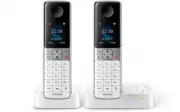
User Manual Philips D6352W/38


Summary
1 EN Contents 1 Important safety instructions 3 2 Your phone 4 What is in the box 4 Over view of the phone 5 Over view of the base station 6 3 Get started 7 Connect the base station 7 Install the supplied batteries 8 Configure your phone (countr y dependent) 8 Change the remote access PIN/passcode 9...
4 EN 2 Your phone Congratulations on your purchase and welcome to Philips! To fully benefit from the suppor t that Philips offers, register your product at www.philips. com/welcome. What is in the box Handset** Base station (D630) Base station (D635) Charger Power adapter** Line cord* 2 x AAA rechar...
5 EN Overview of the phone a Earpiece b • Scroll up on the menu. • Increase the earpiece/speaker volume. • Access the phonebook in standby mode. c • Move the cursor to the right in editing mode. • Scroll to the right in main menu mode. d • Press to delete individual text or digit. Press and hold to ...
Quick Guide Philips D6352W/38


Summary
Impor tant safety instructions Warning • The Electrical network is classified as hazardous. The only way to power down the charger is to unplug the power supply from the electrical outlet. Ensure that the electrical outlet is always easily accessible. • Refer to safety information before using the p...
1 Over view In call Phonebook / redial list Change the sound profile. Adjust the volume.Recall (network dependent).End calls.Enter a pause (press and hold).Turn the speaker on/off.Mute/unmute the microphone. Standby Access the main menu.Access the redial list.PhonebookCall logMake and receive calls....
Philips Manuals
-
 Philips 50PFL5907/F7
User Manual
Philips 50PFL5907/F7
User Manual
-
Philips 50PFL5907/F7
Quick Guide
-
 Philips 32PFL4508/F7
User Manual
Philips 32PFL4508/F7
User Manual
-
Philips 32PFL4508/F7
Quick Guide
-
 Philips 39PFL2908/F7
User Manual
Philips 39PFL2908/F7
User Manual
-
Philips 39PFL2908/F7
Quick Guide
-
Philips 55PFL5907/F7
User Manual
-
Philips 55PFL5907/F7
Quick Guide
-
Philips 46PFL5907/F7
User Manual
-
Philips 46PFL5907/F7
Quick Guide
-
Philips 40PFL4908/F7
User Manual
-
Philips 40PFL4908/F7
Quick Guide
-
Philips 40PFL4708/F7
User Manual
-
Philips 40PFL4708/F7
Quick Guide
-
Philips 40PFL1708/F7
User Manual
-
Philips 29PFL4908/F7
User Manual
-
Philips 29PFL4908/F7
Quick Guide
-
Philips 42PFL5907/F7
User Manual
-
Philips 42PFL5907/F7
Quick Guide
-
 Philips 32PFL5708/F7
User Manual
Philips 32PFL5708/F7
User Manual