Philips AJ3116/12 - User Manual
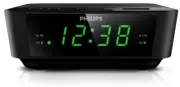
Philips AJ3116/12 – User Manual, read for free online in PDF format. We hope this helps you resolve any issues you may have. If you have further questions, please contact us through the contact form.


Table of Contents:
- Page 3 – Contents; Specifications
- Page 4 – Important; other apparatus (including amplifiers) that
- Page 5 – Notice; Any changes or modifications made to this
- Page 6 – Your clock radio; welcome to Philips! To fully benefit from the; Introduction
- Page 7 – Overview of the clock radio; Display panel
- Page 8 – Get started; Always follow the instructions in this chapter in; Install battery; The batteries can only back up clock and alarm; Inser t 2 AAA batteries with correct polarity; Connect power; Set time
- Page 9 – Tune to FM radio stations; Store FM radio stations; You can store up to 10 FM radio stations.; Select a preset radio station
- Page 10 – Other features; Set alarm timer; Set alarm; Follow the illustration to set the first alarm.; Select alarm source; You can select FM radio or buzzer as the alarm; Activate/deactivate alarm timer; SNOOZE
- Page 11 – Set sleep timer
- Page 12 – Amplifier
- Page 13 – Troubleshooting; Ensure that the AC power plug of the unit
www.philips.com/support
User manual
AJ3116
Des
questions ?
Contactez
Philips
Always there to help you
Register your product and get support at
"Loading the manual" means you need to wait until the file loads and becomes available for online reading. Some manuals are very large, and the time they take to appear depends on your internet speed.
Was this manual helpful?
About this manual
- Brand
- Philips
- Model
- AJ3116/12
- Document type
- User Manual
- Language(s)
- English
- Pages
- 14
- File size
- 1.1 MB
- Format
Other Manuals for Philips AJ3116/12
Summary
1 EN Contents 1 Important 2 2 Notice 3 3 Your clock radio 4 Introduction 4 What's in the box 4 Over view of the clock radio 5 4 Get started 6 Install batter y 6 Connect power 6 Set time 6 5 Listen to FM radio 7 Tune to FM radio stations 7 Store FM radio stations manually 7 Select a preset radio stat...
2 EN 1 Important Warning • Never remove the casing of this clock radio. • Never lubricate any par t of this clock radio. • Never place this clock radio on other electrical equipment. • Keep this clock radio away from direct sunlight, naked flames or heat. • Make sure that you always have easy access...
3 EN 2 Notice Any changes or modifications made to this device that are not expressly approved by Gibson Innovations may void the user’s authority to operate the equipment. Hereby, Gibson Innovations declares that this product is in compliance with the essential requirements and other relevant provi...


