Philips AJ3112/05 - Manual
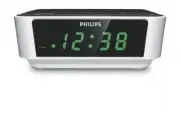
Philips AJ3112/05 – Manual, read for free online in PDF format. We hope this helps you resolve any issues you may have. If you have further questions, please contact us through the contact form.


Table of Contents:
- Page 3 – English
- Page 4 – Mains plug; Remove fuse cover and fuse.; How to connect a plug
- Page 5 – plug; CLOCK MEMORY BACKUP
- Page 6 – You can use this set solely as a radio!
- Page 7 – 4 hour alarm reset option; will be automatically selected after
- Page 8 – REPEAT ALARM; This repeats your alarm call at; SLEEP OFF
- Page 9 – SAFETY INFORMATION; caused by heating equipment or direct sunlight.; CAUTION
- Page 10 – • Remedy; Occasional crackling sound during FM broadcast; • Adjust the position of the Pigtail; Continuous crackling/hiss disturbance during MW broadcast; • Move set away from other electrical equipment; The alarm does not function; • Tune to a radio station
- Page 12 – Specifications
- Page 13 – Meet Philips at the Internet
Clock Radio
Register your product and get support at
www.philips.com/welcome
User manual
AJ3112
AJ3112_IFU_05_Eng 4/8/10 10:19 Page 1
"Loading the manual" means you need to wait until the file loads and becomes available for online reading. Some manuals are very large, and the time they take to appear depends on your internet speed.
Was this manual helpful?
About this manual
- Brand
- Philips
- Model
- AJ3112/05
- Document type
- Manual
- Language(s)
- English
- Pages
- 13
- File size
- 284.1 KB
- Format
Summary
English CONTROLS (see fig. 1 ) 1 DISPLAY - shows the clock/ alarm time and status of the set 2 ALARM indicator - lights up when alarm is activated 3 Frequency indicator - shows the radio frequency of your selected waveband 4 REPEAT ALARM / SLEEP OFF - switches off the active alarm for a 8-9 minute p...
Important notes for users in the U.K. Mains plug This apparatus is fitted with an approved 13 Amp plug. To change a fuse in this typeof plug proceed as follows: 1 Remove fuse cover and fuse. 2 Fix new fuse which should be a BS1362 3 Amp, A.S.T.A. or BSI approved type. 3 Refit the fuse cover. If the ...
INSTALLATION POWER SUPPLY 1 Check if the power supply, as shown on the type plate located on the bot- tom of the set , corresponds to your local power supply. If it does not, consult your dealer or service center. 2 Connect the plug to the wall outlet. 3 To disconnect the set from the power supply c...
Ask a question
Related manuals
Popular Philips Other


More Philips Other models
 Philips AJ1000 Manual
 Philips AJ1000/05 User Manual
 Philips AJ1000/12 Manual
 Philips AJ1003/12 Manual
 Philips AJ2000/12 User Manual
 Philips AJ3112 Manual
 Philips AJ3112_05_UM_V1.1 Manual
 Philips AJ3116/12 User Manual
 Philips AJ3121 Manual
 Philips AJ3122 Manual
 Philips AJ3123/12 User Manual
 Philips AJ3131 Manual