Philips AD7000W/12 - Manual
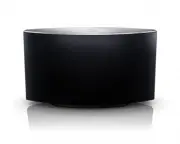
Philips AD7000W/12 – Manual, read for free online in PDF format. We hope this helps you resolve any issues you may have. If you have further questions, please contact us through the contact form.


Table of Contents:
- Page 3 – Contents
- Page 4 – Important; Safety
- Page 5 – Mains fuse; Notice
- Page 7 – What’s in the box; What else you need; Your; Introduction
- Page 8 – Get started to use AirPlay
- Page 9 – Prepare; Connect power
- Page 10 – WPS; Connect
- Page 13 – Philips Fidelio AirPlay
- Page 18 – Control play; Use advanced sound settings; Stream from your PC/Mac
- Page 19 – Play from an external device
- Page 20 – Update
- Page 22 – General information; Product; Speakers
- Page 23 – Troubleshooting
Register your product and get support at
www.philips.com/welcome
AD7000W/12
EN
User manual
"Loading the manual" means you need to wait until the file loads and becomes available for online reading. Some manuals are very large, and the time they take to appear depends on your internet speed.
Was this manual helpful?
About this manual
- Brand
- Philips
- Model
- AD7000W/12
- Document type
- Manual
- Language(s)
- English
- Format
Summary
3 English EN Contents 1 Important 4 Safety 4 Notice 5 2 Your Entertainment System 7 Introduction 7 What’s in the box 7 What else you need 7 Over view of the main unit 8 Get star ted to use AirPlay 8 3 Prepare 9 Connect power 9 Turn AD7000W on 9 4 Connect to your home Wi-Fi network for AirPlay 10 Sce...
4 h Do not remove the casing of this product. i Do not expose the product to dripping / splashing water, rain or high humidity. j Keep this product away from direct k Do not install near any heat sources such as radiators, heat registers, stoves, or other electrical equipment (including l Do not pla...
5 English ' ( $ manufacturer may void user’s authority to operate this product. Your product is designed and manufactured with high quality materials and components, which can be recycled and reused. When this crossed-out wheeled bin symbol is attached to a product it means that the product is cover...
Ask a question
Related manuals
Popular Philips Other


More Philips Other models
 Philips ACT101M/19 Manual
 Philips ACT211/05 Manual
 Philips ACT400/11 Manual
 Philips ACT 7585 Manual
 Philips AD348/37 User Manual
 Philips AD7000W Manual
 Philips AD7000W/37 Manual
 Philips ADD4902BK/10 User Manual
 Philips ADD4902WH/10 User Manual
 Philips ADD5910M/05 User Manual
 Philips ADD5980M/31 User Manual
 Philips ADD5980M/58 User Manual